BDL4988XC/49BDL3005X
19
4. Youcanconnectupto4displaystothesamePCandplaythesame
mediastream.
4.3.3. How to use DLNA-DMR from PC
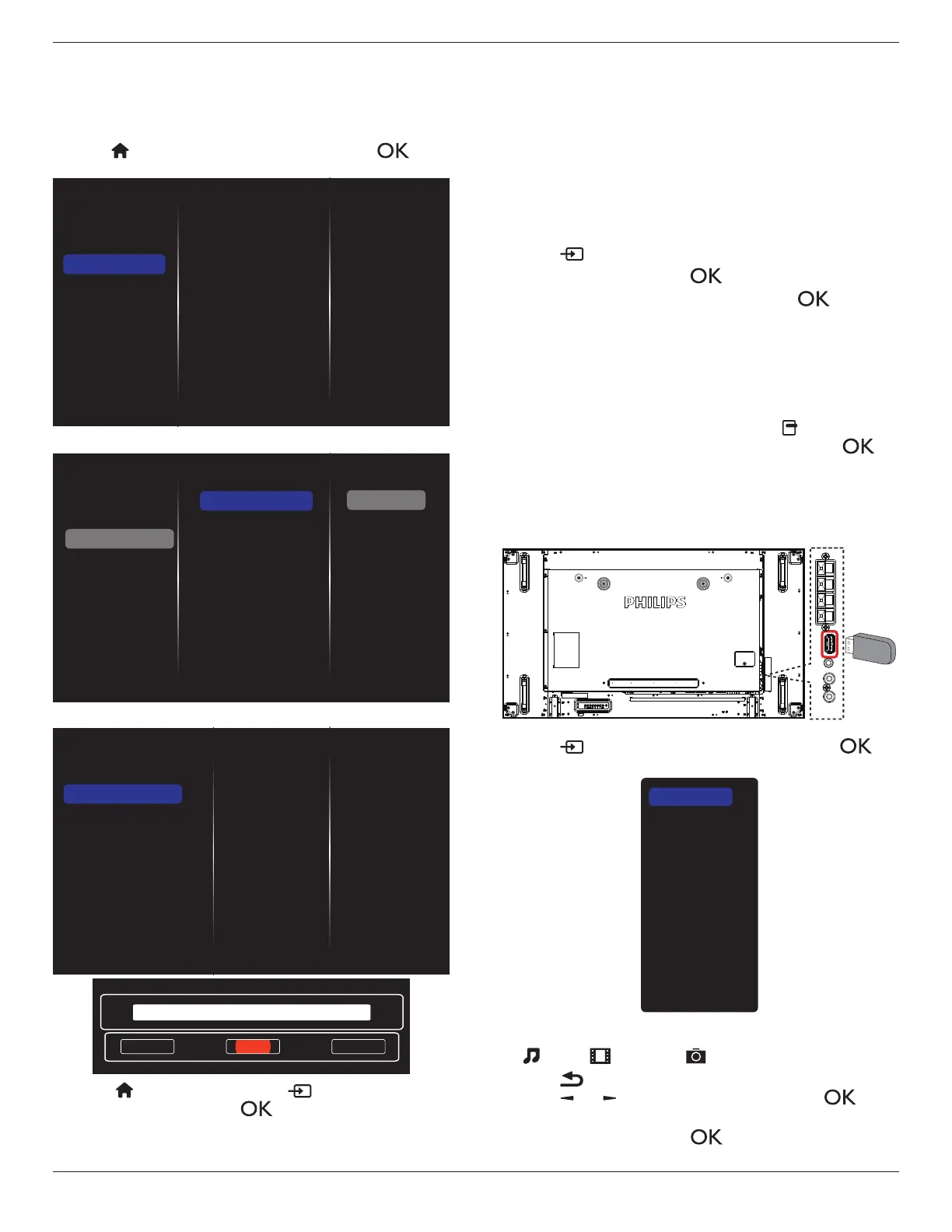
1. Press[ ]HOMEbutton,selectNetworkandpress[ ]
button.
Picture
Sound
Tiling
Network
General settings
Advanced
Help
Network settings
Digital Media Rendere...
Network name
Clear Internet memory
2. Set
Digital Media Renderer DMR
to
ON
.
Network settings
Digital Media Rendere...
Network name
Clear Internet memory
Picture
Sound
Tiling
Network
General settings
Advanced
Help
Off
On
3. Setthenameofyourdisplay.
Network settings
Digital Media Renderer - D...
Network name
Clear Internet memory
Cancel
Done Clear
BDL4988XC
4. Press[ ] HOMEbutton,andpress[ ]
SOURCE
button.
Select
Network
andpress[ ]button.
5. OnyourPC,goto
Network and Sharing Center
,andclick
Choose homegroup and sharing options
.
6. Checkthemediaformats.Then,click
Choose media
streaming options....
.
7. Goto
Advanced sharing settings
,andclickthecheckbox
Turn on network discovery
.
8. Gotothedirectoryofyourmedialesandselectthemedialeby
rightclickingonit.Fromthesub-menuof
Play To
,youcanndall
displaysthatareconnectedtoyournetwork.Selectthedisplayand
themedialetoplay.
Play les
1. Press[ ] SOURCEbutton.
2. Select
Network
,andpress[ ]button.
3. Selectalefromthecontentbrowser,andpress[ ]buttonto
startplaying.
4. Press[PLAY] buttonontheremotecontroltocontrolplayback.
Tips:
• Selectthetopmenubartolteryourlesbytype.
• Select
Sort
tosortthelesbyalbumname,artist,orotherelds.
• Toclearthelistofofinemediaservers,press[ ] OPTIONS
button.Then,select
Clear ofine servers
andpress[ ]
button.
4.4. Play multimedia files from USB device
1. ConnectyourUSBdevicetotheUSBportonthedisplay.
2. Press[ ]
SOURCE
button,select
USB
,andpress[ ]
button.
USB
Network
Internet
SmartCMS
HDMI 1
HDMI 2
Display Port
Card OPS
DVI-D
YPbPr
AV
VGA
3. TheconnectedUSBdeviceisdetectedautomaticallyforallits
playableles,whichwillbeautomaticallysortedinto3types:
Music
,
Movie
,and
Photo
.
4. Press[ ] BACKbuttontogouptothetoplayerofthescreen.
Press[ ]
or[ ]buttontoselecttheletype.Press[ ]
buttontoenteritsplaylist.
5. Selectyourdesiredle.Press[ ]buttontostartplaying.
6. Followtheon-screeninstructiontocontroltheplaybackoption.















 To Next Page