BDL4988XC/49BDL3005X
22
5. Change your settings
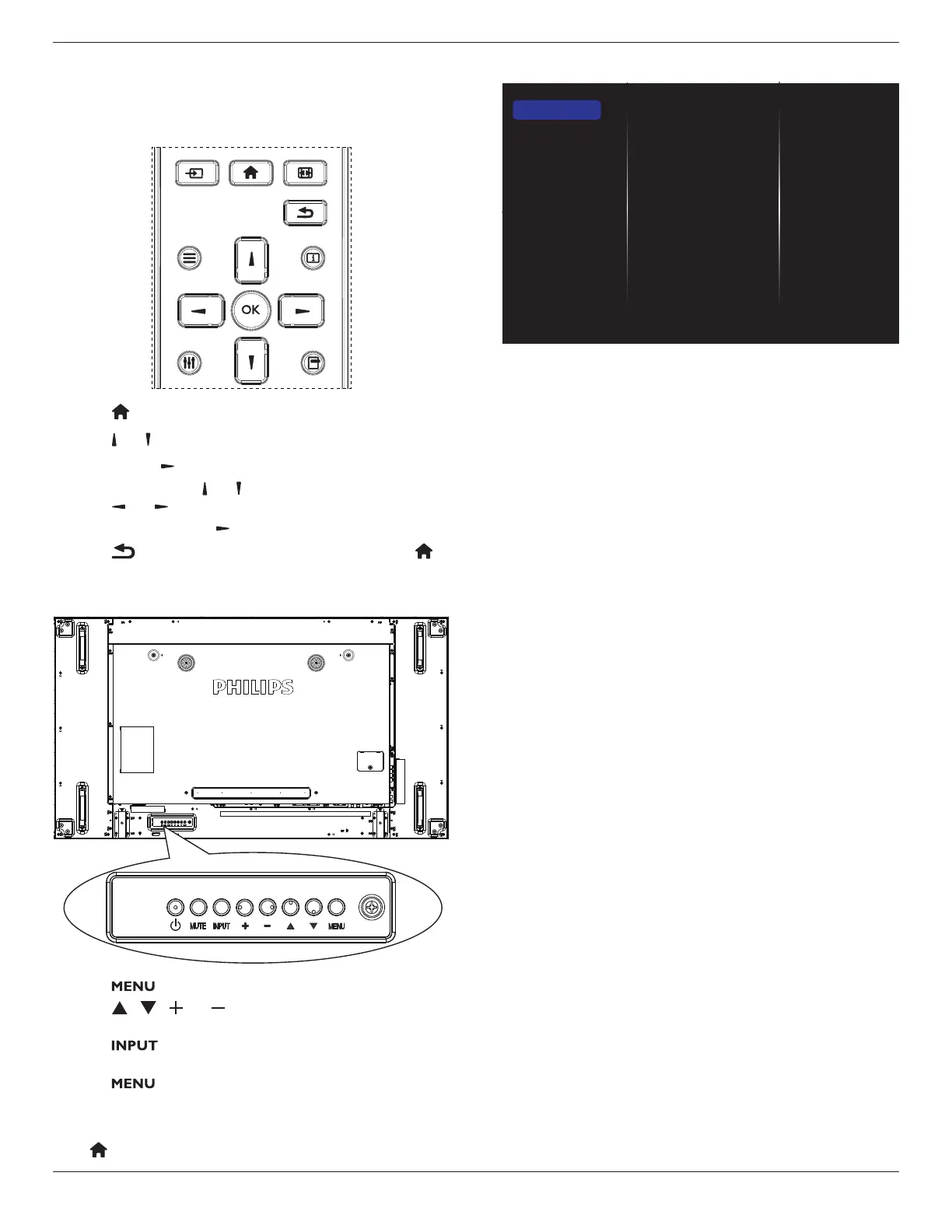
Using the remote control:
FORMAT
SOURCE
INFOLIST
OPTIONSADJUST
1. Press[ ] buttonontheremotecontroltodisplaytheOSDmenu.
2. Press[ ] or[ ] buttontoselecttheitemtoadjust.
3. Press[OK]or[ ] buttontoenterthesubmenu.
4. Inthesubmenu,press[ ] or[ ]buttontotogglebetweenitems,
press[ ]
or[ ]buttontoadjustthesettings.Ifthereisa
submenu,press[OK]or[ ]buttontoenterthesubmenu.
5. Press[ ]buttontoreturntothepreviousmenu,orpress[ ]
buttontoexitfromtheOSDmenu.
Using the display’s control buttons
1. Press[ ]buttontodisplaytheOSDmenu.
2. Press[ ][ ][ ]or[ ]buttontoselectamenuitemoradjust
itsvalue.
3. Press[ ]buttontoconrmamenuselectionandenterits
submenu.
4. Press[ ]buttontoexitfromtheOSDmenu.
5.1. Settings
Press[ ] HOMEbutton.
5.1.1. Picture
menu
Picture style
Backlight
Colour
Sharpness
Noise reduction
MPEG artifact reducti...
Picture enhancement
Advanced
Scan mode
Format and edges
HDMI input range
Picture reset
Picture
Sound
Tiling
Network
General settings
Advanced
Help
Picture style
Selectapredenedpicturesetting.
Backlight
Adjustthebrightnessofthisdisplay’sbacklight.
Colour
Adjustthecoloursaturationofthepicture.
Sharpness
Adjustthesharpnessofthepicture.
Noise reduction
Reducepicturenoise.
MPEG artifact reduction
Smoothentransitionsandhazinessofthedigitalpicture.
Picture enhancement
Fine-tuneeachpixeltomatchthesurroundingpixelsandproducea
brilliant,high-denitionimage.
• {Advanced sharpness}:Enablesuperiorsharpness,especiallyon
linesandcontoursofthepicture.
• {Dynamic contrast}:Dynamicallyenhancethedetailsinthe
dark,mediumandlightareasofthepicture.
• {Colour enhancement}:Dynamicallyenhancethevividnessand
detailsofcolours.
Advanced
Accessadvancedsettingssuchasgamma,tint,videocontrastandsoon.
• {Gamma}:Adjustthenon-linearsettingforpictureluminance
andcontrast.
• {Tint}:Changethecolourbalance.
• {Custom tint}:Customisecolourbalancesetting.Onlyavailable
if{Tint}
{Custom}isselected.
• {Video contrast}:Adjustvideocontrast.
• {Brightness}:Adjustthebrightness.
• {Hue}:Adjusthuevalue.
Scan mode
Changethedisplayareaofimage.
Format and edges
• {Picture format}:Changethepictureformat.
• {Zoom}:Expandthehorizontalandverticalsizesofimage
simultaneously.
• {HZoom}:Expandthehorizontalsizeofimageonly.















 To Next Page