75BDL3050Q
20
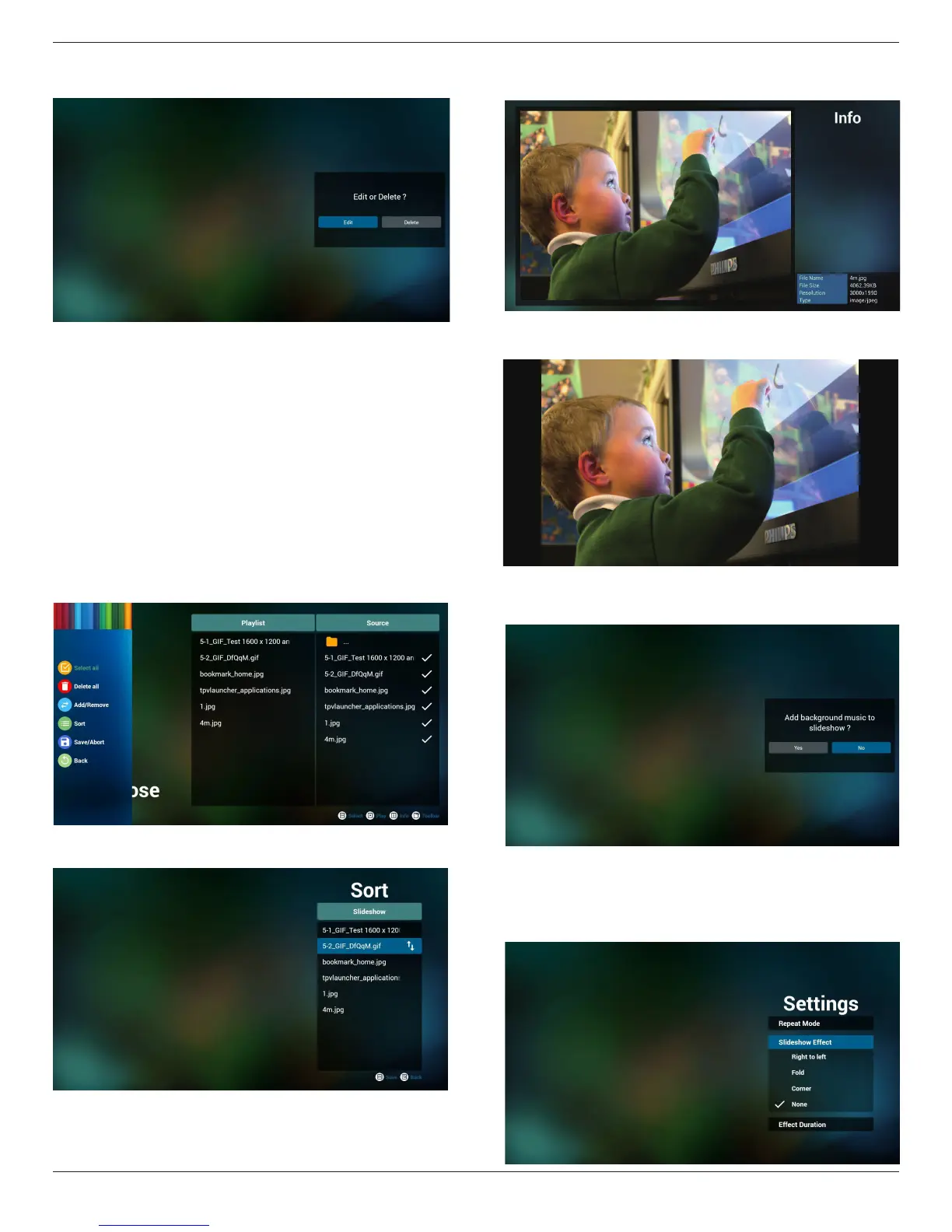
5. Youcouldeditordeleteanon-emptyplaylist,justchoosethe
desiredplaylistwhichiswithpencilicon.
6. Onceyoustarttoeditaplaylist,youwillseebelowscreen.
Source-lesinstorage.
Playlist–lesinplaylist.
Thereare4iconswhichmaptothekeysofremotecontroller.
Optionkey–launchslidebar
Playkey–playmediale.
Infokey–showmediainfo.
Okkey–select/unselectle.
6-1Intheslidebar,ithelpsyoutodothefollowing:
-selectall:selectallstorageles.
-deleteall:deleteallplaylistles.
-add/remove:updateplaylistfromsource.
-sort:sortplaylist.
-save/abort:saveorabortplaylist.
-back:return.
7. Ifyouchoose“Sort”intheslidebar,youcanchangetheorderof
lesonebyone.
8. Pressinfokeyafteryouchoosedesiredle,youwillgetthedetail
information.
9. Pressplaykeyafteryouchoosedesiredle,youwillplaythemedia
ledirectly.
10. Ifyoumakeaplaylistwithallimagesles,beforesaving,theapp
willaskyouifyouwanttohavebackgroundmusicwhileplaying
slideshow.
11. Select“Settings”onhomepage,thispagehasthreeparts,“Repeat
Mode”,“SlideshowEffect”and“EffectDuration”.
RepeatMode:playmode.
SlideshowEffect:photoslideshoweffect.
EffectDuration:photoeffectduration.










 To Next Page