75BDL3050Q
46
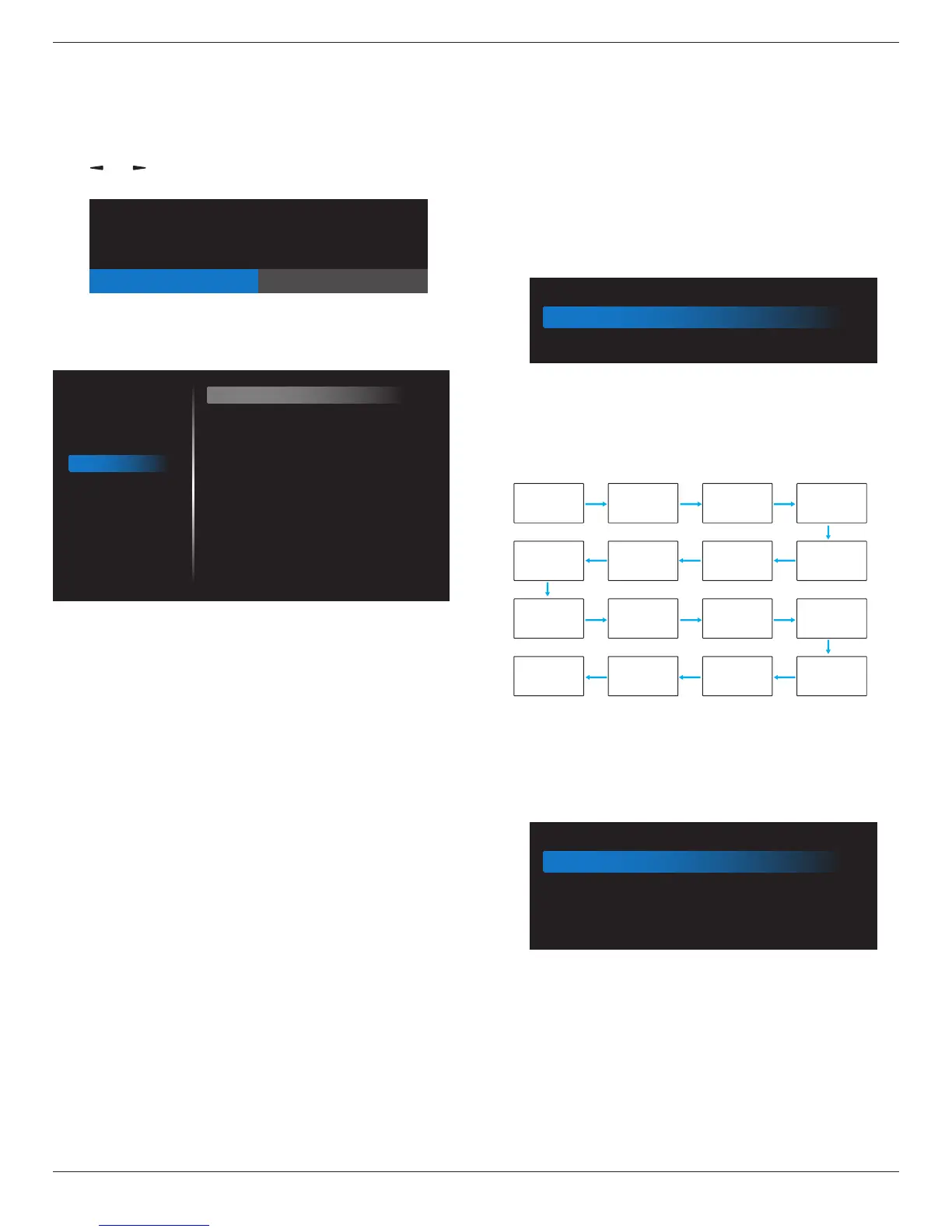
Factory reset
ResetallsettingsintheOSDmenusof{Picture},{Screen},{Audio},
{Conguration1},{Conguration2},and{Advanced option}tothe
factorypresetvalues.
Androidsettingswillalsoresetwhenfactoryreset.
Press[ ]
or[ ]buttontoselect{Reset},andpress[OK]buttonto
dothereset.
Factory reset
CANCEL Reset
6.2.5. Configuration2 menu
Picture
Screen
Audio
Configuration 1
Configuration 2
Advanced option
OSD turn off
OSD H position
OSD V position
Information OSD
Logo
Monitor ID
Heat status
Monitor information
HDMI Version
Configuration2 reset
45
50
50
10
On
Action
24.21°C 75.57°F
Action
Action
OSD turn off
SettheperiodoftimetheOSD(on-screendisplay)menustaysonthe
screen.
Theoptionsare:{Off, 5 ~ 120}seconds.
*{0ff}doesnotdisappearautomatically.
OSD H-position
AdjustthehorizontalpositionoftheOSDmenu.
OSD V-position
AdjusttheverticalpositionoftheOSDmenu.
Information OSD
SettheperiodoftimetheinformationOSDisdisplayedontheupper
rightcornerofthescreen.TheinformationOSDwilldisplaywheninput
signalischanged.
TheinformationOSDwillremainonthescreenwith{Off}selection.
Theoptionsare:{1 ~ 60}seconds.
Logo
ChoosetoenableordisablethepictureofLogowhenturnonyour
display.
Theoptionsare:
• {Off}
•
{On}(Default)
• {User}
1.
IfLogosettoON,bothscalarPhilipslogoandandroidanimation
Philipslogowillshow.
2. IfLogsettoOFF,neitherscalarPhilipslogonorandroidanimation
logowillnotshow.
3. IfLogosettoUSER,customlogooptioninandroidisnotset,then
therewillbenobootlogowhenpoweron.
4. IfLogosettoUSER,customlogooptioninandroidisset,therewill
beonlycustomlogowhenpowerup.
* LogowillNOTrotatewithrotationsetting/detection.
Monitor ID
SettheIDnumberforcontrollingthedisplayviatheRS232C
connection.EachdisplaymusthaveauniqueIDnumberwhenmultiple
setsofthisdisplayareconnected.MonitorIDnumberrangeisbetween
1to255.
Theoptionare:{Monitor group}
Monitor ID
Monitor ID
Monitor group
1
1
• {Monitor group}
Theoptionsare:{Off}/{1-254}
•
{Off}–{Monitorgroup}arenotsupported.
• {1-254}–{Monitorgroup}aresupported.Thedefaultsettingis
1.
1 2
5 6
3
4
7 8
9 10 11 12
13 14 15 16
Heat status
Thisfunctionallowsyoutocheckthethermalstatusatanytime.
Monitor information
Showsinformationaboutyourdisplay,includingmodelnumber,serial
number,operatinghoursandsoftwareversion.
Monitor information
Model name
Serial NO.
Operation hours
SW Version
75BDL3050Q
N/A
0
FB01.06
HDMI Version
SettheHDMIversionto1.4or2.0,thissettingisonlyvalidonHDMI
input
Conguration2 reset
ResetallsettingsinConguration2menutothefactorypresetvalues.









 To Next Page