75BDL3050Q
26
4.7. CMND & Play
1)Server
SetupCMND&Playserveraddress
2)Account
SetupCMND&Playaccount
3)PINCode
SetupCMND&PlayPINcode
(4)Version
Therearetwooptions,Ver.2andVer.3
Ver.2
use2.0/2.2agreement
Ver.3
use3.0/3.1agreement
(5)Content
Thereareinternalstorage/SDcard/USBstorage3optionsfor
selecting.
WhenVer.2,Server/Account/PINcodewillbegrayandunavailable.
Internal storage
SD card
USB storage
CONTENT
Settings
Server
Account
PIN Code
Version
Ver.2
CMND & Play
WhenVer.3,Server/Account/PINcodeisavailable.
Internal storage
SD card
USB storage
CONTENT
Settings
Server
Account
PIN Code
Version
Ver.3
CMND & Play
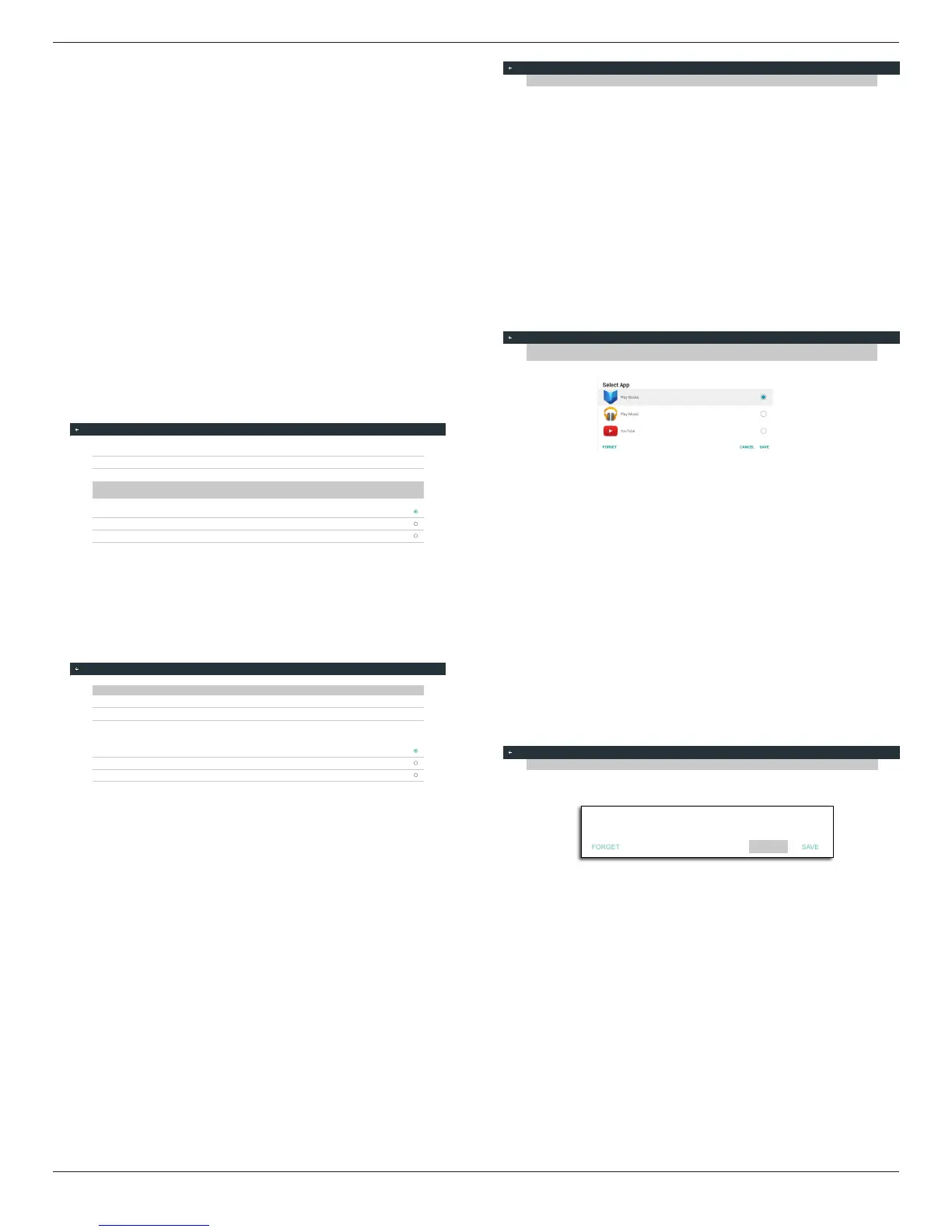
4.8. Custom App
UsercansetuptheapplicationforCustomerSource
Note:
(1)OnlydisplayUserInstalledapp.
(2)Willnotshowupsystempre-installapp.
4.8.1. OSD Menu operation:
RCU:Source->Custom
IfsetupcustomerAPK,PDwillopencustomerappwhenswitchsource
toCustomermode.
IfnosetupcustomerAPK,PDwillshowBlackscreenwhenswitch
sourcetoCustomermode.
Select App
Custom App
4.8.2. Function Introduction
Custom App
Select App
Play Books
Save
SelecttheApp,clicktheSavewillperformthefunctionofstorage.
Forget
AfterpresstheForget,canremovepreviouslystoredinformation.
Cancel
Don’tdoanychange,directlyclosedWindows.
Ifnocustomerinstalledapk,thelistwillbeblank.
Thelistwillbeblankand“Save””Forget”willbegrayanduseless.










 To Next Page