75BDL3050Q
28
5. Signage display
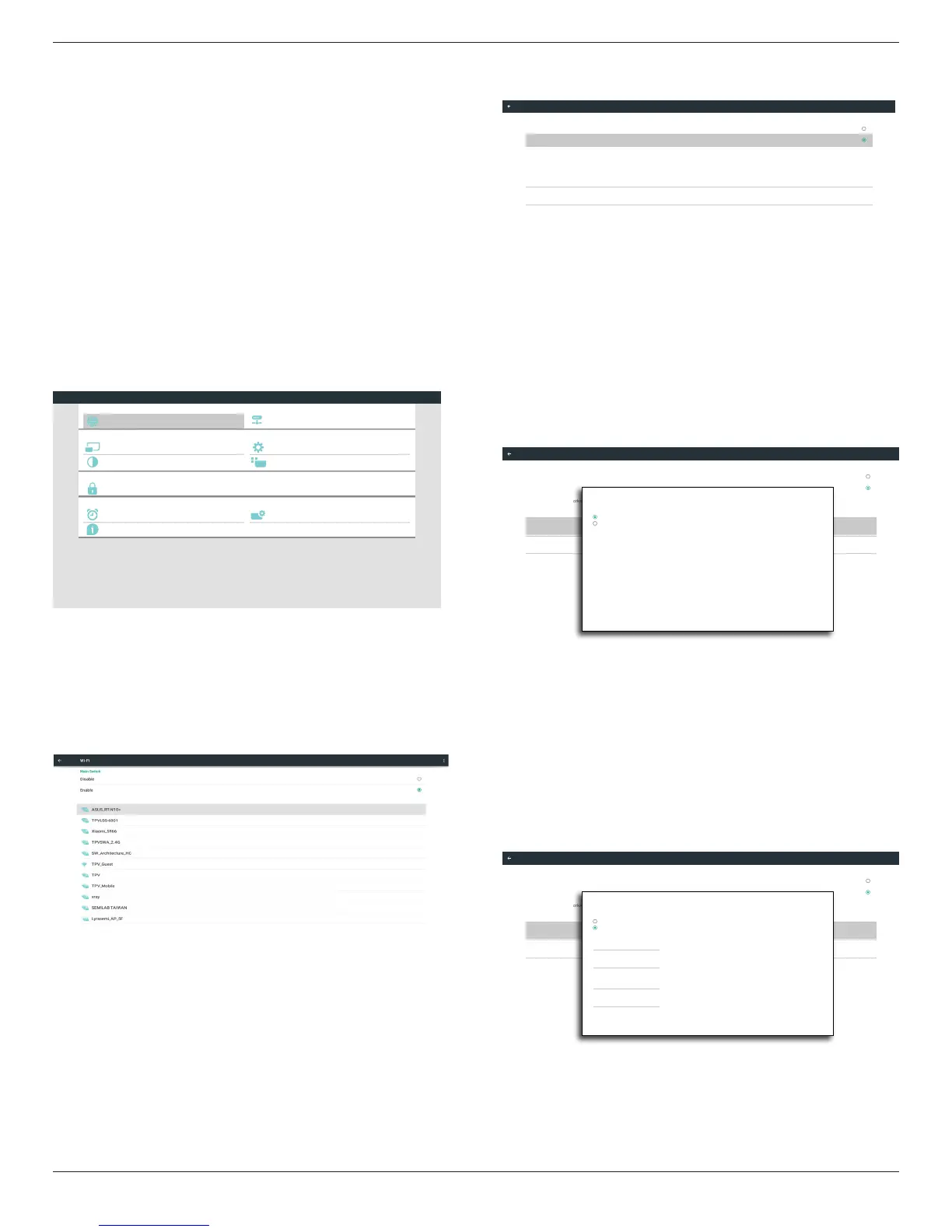
5.1. Setting
Mainitems:
(1)WI-Fi(ShowupwhenpluginWi-Fidongle)
(2)Ethernet
(3)Proxy
(4)SignageDisplay
(5)SystemTools
(6)Display
(7)Apps
(8)Security
(9)Date&time
(10)Developeroptions
(11)About
Developer options
System Tools
Proxy
Signage Display
Ethernet
Display
Apps
Security
Date & time
About
System
Personal
Device
Network
Settings
5.2. Wi-Fi
ViaEnable/DisabletocontrolWi-FiOn/OFF.AfterEnable,thescreen
willlistallavailableWi-FiAP.
Note:
EthernetwillbedisableautomaticallyifWi-Fiturnonandconnectto
network.
5.3. Ethernet
Enable/Disabletoturnon/offEthernet
AfterenableEthernet,thesettingswillshow:
(1)ConnectionType(Availableconnectiontype:DHCP/StaticIP)
A.DHCP
B.StaticIP
C.IPAddress
D.Netmask
E.DNSAddress
F.Gateway
(2)MacAddress
Connection Type
Static IP
Mac Address
00:24:67:21:57:ea
Ethernet Configuration
Main Switch
Disable
Enable
To see available networks, turn Ethernet on.
Ethernet
5.3.1. DHCP
DHCPmode:
(1)CannotmodifyIPAddress,Netmask,DNSAddressandGateway.
(2)Ifconnectsuccessfully,itwilldisplaycurrentnetwork
conguration.
Connection Type
DHCP
Mac Address
00:24:67:21:57:ea
Ethernet Configuration
Main Switch
Disable
Enable
To see available networks, turn Ethernet on.
Ethernet
Ethernet Configuration
DISCARD SAVE
Connection Type
DHCP
Static IP
IP Address
172.17.2.12
Netmask
255.255.255.0
DNS Address
172.16.0.178
Gateway
172.17.2.254
5.3.2. Static IP
InStaticIPmode,usercaninputIPAddress,Netmask,DNSaddressand
Gateway
Note:
IPaddress,netmask,DNSaddressandgatewayaddressinputlimitation
(1)Format:
I. number0-9
II. decimalpoint“.”
Connection Type
Static IP
Mac Address
00:24:67:21:57:ea
Ethernet Configuration
Main Switch
Disable
Enable
To see available networks, turn Ethernet on.
Ethernet
Ethernet Configuration
DISCARD SAVE
Connection Type
DHCP
Static IP
IP Address
Netmask
DNS Address
Gateway










 To Next Page