75BDL3050Q
45
Auto adjust
Press“Set”todetectandadjustHposition,Vposition,Clock,Phase
automatically.
NOTE:VGAinputonly.
Screen reset
ResetallsettingsintheScreenmenutofactorypresetvalues.
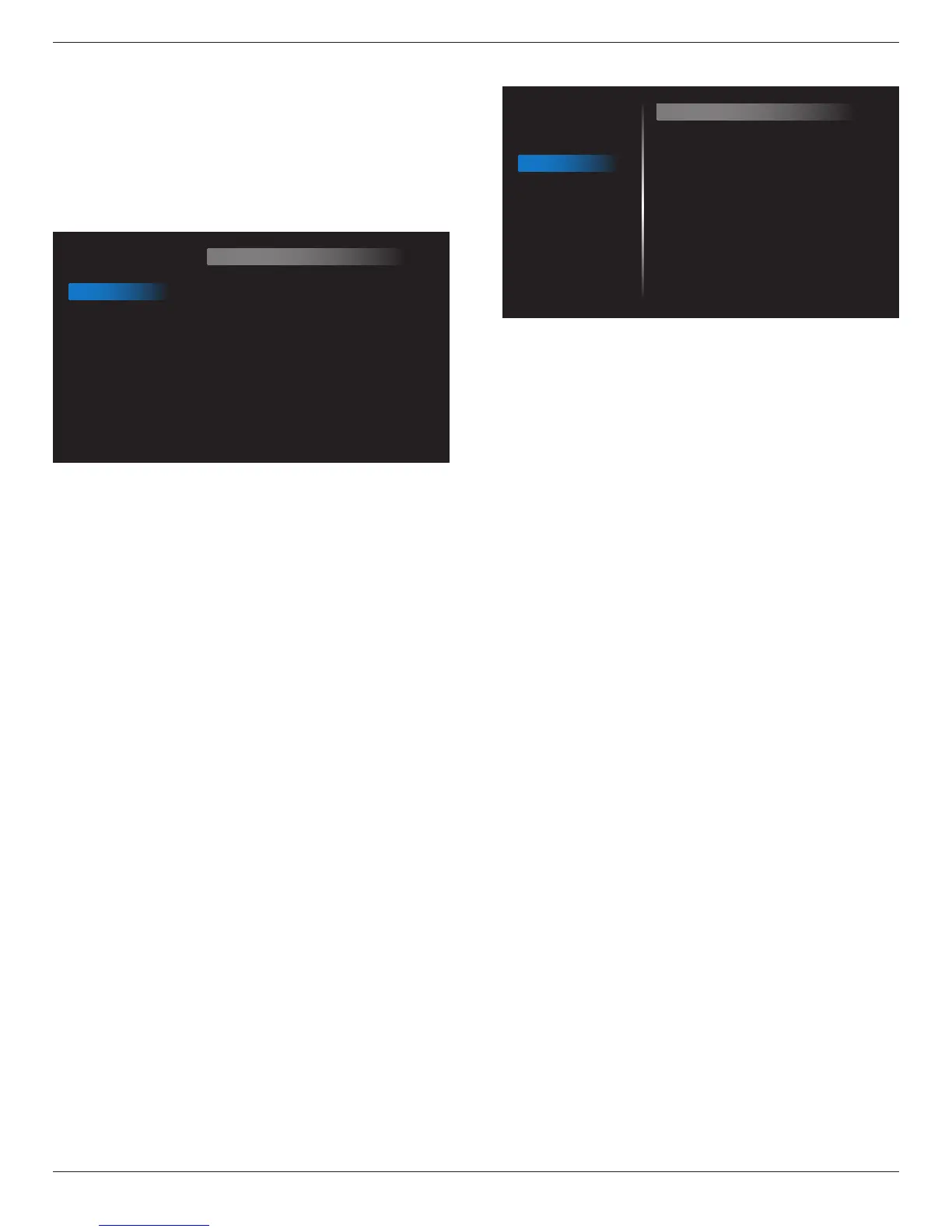
6.2.3. Audio menu
Picture
Screen
Audio
Configuration 1
Configuration 2
Advanced option
Balance
Treble
Bass
Volume
Audio Out (Line Out)
Maximum Volume
Minimum Volume
Mute
Audio source
Audio reset
Audio Out Sync
50
50
50
30
30
100
0
Off
Digital
Action
Off
Balance
Adjusttoemphasizeleftorrightaudiooutputbalance.
Treble
Adjusttoincreaseordecreasehigher-pitchedsounds.
Bass
Adjusttoincreaseordecreaselower-pitchedsounds.
Volume
Adjusttoincreaseordecreasetheaudiooutputlevel.
Audio out (line out)
Adjusttoincreaseordecreaselineoutoutputlevel.
Maximum volume
Adjustyourownlimitationforthemaximumvolumesetting.Thisstops
thevolumefrombeingplayingattooloudalevel.
Minimum volume
Adjustyourownlimitationfortheminimumvolumesetting.
Mute
Turnthemutefunctionon/off.
Audio source
Selecttheaudioinputsource.Therearenoaudiooutputwhennovideo
signal.
Analog:audiofromaudioinput
Digital:audiofromHDMIaudio.
Audio reset
ResetallsettingsintheAudiomenutofactorypresetvalues.
Audio Out Sync
Enable/disableaudioout(lineout)volumeadjustabilitytosyncwith
internalspeakers.
6.2.4. Configuration1 menu
Picture
Screen
Audio
Configuration 1
Configuration 2
Advanced option
Switch on state
Panel saving
RS232 routing
Boot on source
WOL
Configuration1 reset
Factory reset
Force on
Action
RS232
Action
Off
Action
Action
Switch on state
Selectthedisplaystatususedforthenexttimeyouconnectthepower
cord.
• {Power off}-Thedisplaywillremainoffwhenthepowercordis
connectedtoawalloutlet.
• {Forced on}-Thedisplaywillturnonwhenthepowercordis
connectedtoawalloutlet.
• {Last status}-Thedisplaywillreturntothepreviouspowerstatus
(on/off/standby)whenremovingandreplacingthepowercord.
Panel saving
Choosetoenablethepanelsavingfunctionsandthusreducetheriskof
“imagepersistence”or“ghost-imaging”.
• {Brightness}-Select{On}andtheimagebrightnesswillbereduced
toanappropriatelevel.TheBrightnesssettinginthePicturemenu
willbeunavailablewhenselected.
• {Pixel shift}-Selectthetimeinterval({Auto} / {10 ~ 900}Seconds/
{Off})forthedisplaytoslightlyexpandtheimagesizeandshift
thepositionofpixelsinfourdirections(up,down,left,orright).
ActivatingPixelShiftwilldisableHPosition,VPositionandZoom
ModeintheScreenMenu.
Note:Onlysupportexternalinputsource(HDMI,VGA,DP,OPS).
RS232-Routing
Selectthenetworkcontrolport.
Choosefrom:{RS232} / {LAN -> RS232}/{CardOPSRS232 (OPS
model only)}.
Boot on source
Choosetoselectsourcewhenbootup.
Input:selectinputsourcewhenbootup.
Playlist:selectplaylistindexforMediaplayer,Browser,PDFplayer.
0:noplaylist.SameasswitchsourcefromOSD.1~7:playlistnumber.
Nofailoverfunction,systemwillkeepsourceeventhesourceisno
signalinput.
Wake on Lan (WOL)
ChoosetoturnonoroffthewakeonLANfunction.
Choosefrom:{Off}/{On}
Conguration1 reset
ResetallsettingsinConguration1menutothefactorypresetvalues.









 To Next Page