75BDL3050Q
43
6. OSD Menu
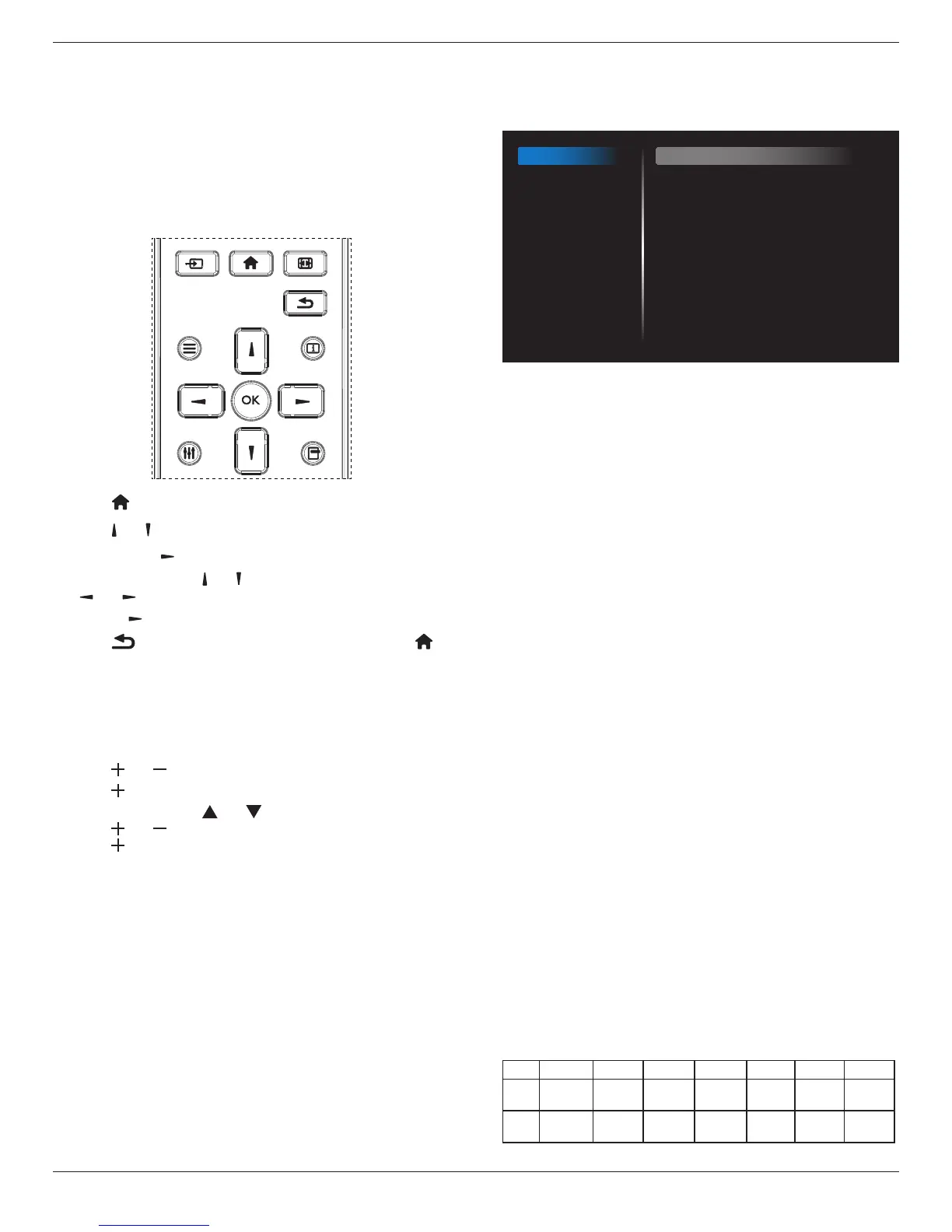
AnoverallviewoftheOn-ScreenDisplay(OSD)structureisshown
below.Youcanuseitasareferenceforfurtheradjustingyourdisplay.
6.1. Navigating the OSD Menu
6.1.1. Navigating the OSD menu using the
remote control
FORMAT
SOURCE
INFOLIST
OPTIONSADJUST
1. Press[ ] buttonontheremotecontroltodisplaytheOSDmenu.
2. Press[ ] or[ ] buttontochoosetheitemyouwanttoadjust.
3. Press[OK]or[ ] buttontoenterthesubmenu.
4. Inthesubmenu,press[ ] or[ ]buttontotoggleamongitems,press
[ ]
or[ ]buttontoadjustsettings.Ifthereisasubmenu,press
[OK]or[ ]buttontoenterthesubmenu.
5. Press[ ]buttontoreturntothepreviousmenu,orpress[ ]
buttontoexittheOSDmenu.
6.1.2. Navigating the OSD menu using the
display’s control buttons
1. Press[MENU]buttontodisplaytheOSDmenu.
2. Press[ ]or[ ]buttontochoosetheitemyouwanttoadjust.
3. Press[ ]buttontoenterthesubmenu.
4. Inthesubmenu,press[ ]or[ ]buttontotoggleamongitems,
press[ ]or[ ]buttontoadjustsettings.Ifthereisasubmenu,
press[ ]buttontoenterthesubmenu.
5. Press[MENU]buttontoreturntothepreviousmenu,orpress
[MENU]buttonseveraltimestoexittheOSDmenu.
6.2. OSD Menu Overview
6.2.1. Picture menu
Picture
Screen
Audio
Configuration 1
Configuration 2
Advanced option
Brightness
Contrast
Sharpness
Black level
Tint
Color
Noise reduction
Gamma selection
Color temperature
Color control
Smart power
Overscan
90
50
20
50
50
55
Medium
Native
Native
Action
Off
Off
Brightness(Picture)
Adjusttheoverallimageandbackgroundscreenbrightness(backlight).
Contrast
Adjusttheimagecontrastratiofortheinputsignal.
Sharpness
Thisfunctionisdigitallycapabletokeepcrispimageatanytimings.
Itisadjustabletogetadistinctimageorasoftoneasyoupreferandset
independentlyforeachpicturemode.
Black level
Adjusttheimagebrightnessforthebackground.
NOTE:sRGBpicturemodeisstandardandcannotbechanged.
Tint (Hue)
Adjustthetintofthescreen.
Press+buttontheeshtonecolorbecomesgreenish.
Press-buttontheeshtonecolorbecomespurplish.
NOTE:VIDEOmodeonly.
Color(Saturation)
Adjustthecolorofthescreen.
Press+buttontoincreasecolordepth.
Press-buttontodecreasecolordepth.
NOTE:VIDEOmodeonly
Noise Reduction
Adjustthenoisereductionlevel.
Gamma selection
Selectadisplaygamma.It’srefertothebrightnessperformancecurveof
signalinput.Choosefrom{Native}/{2.2}/{2.4}/{sgamma}/{D-image}.
NOTE:sRGBpicturemodeisstandardandcannotbechanged.
Color temperature
Itisusedtoadjustthecolortemperature.
Theimagebecomesreddishasthecolortemperaturedecreases,and
becomesbluishasthecolortemperatureincreases.
CCT
10000ºK 9300ºK 7500ºK 6500ºK 5000ºK 4000ºK 3000ºK
X
0.279±
0.030
0.283±
0.030
0.299±
0.030
0.313±
0.030
0.346±
0.030
0.382±
0.030
0.440±
0.030
Y
0.292±
0.030
0.298±
0.030
0.315±
0.030
0.329±
0.030
0.359±
0.030
0.384±
0.030
0.403±
0.030










 To Next Page