75BDL3050Q
23
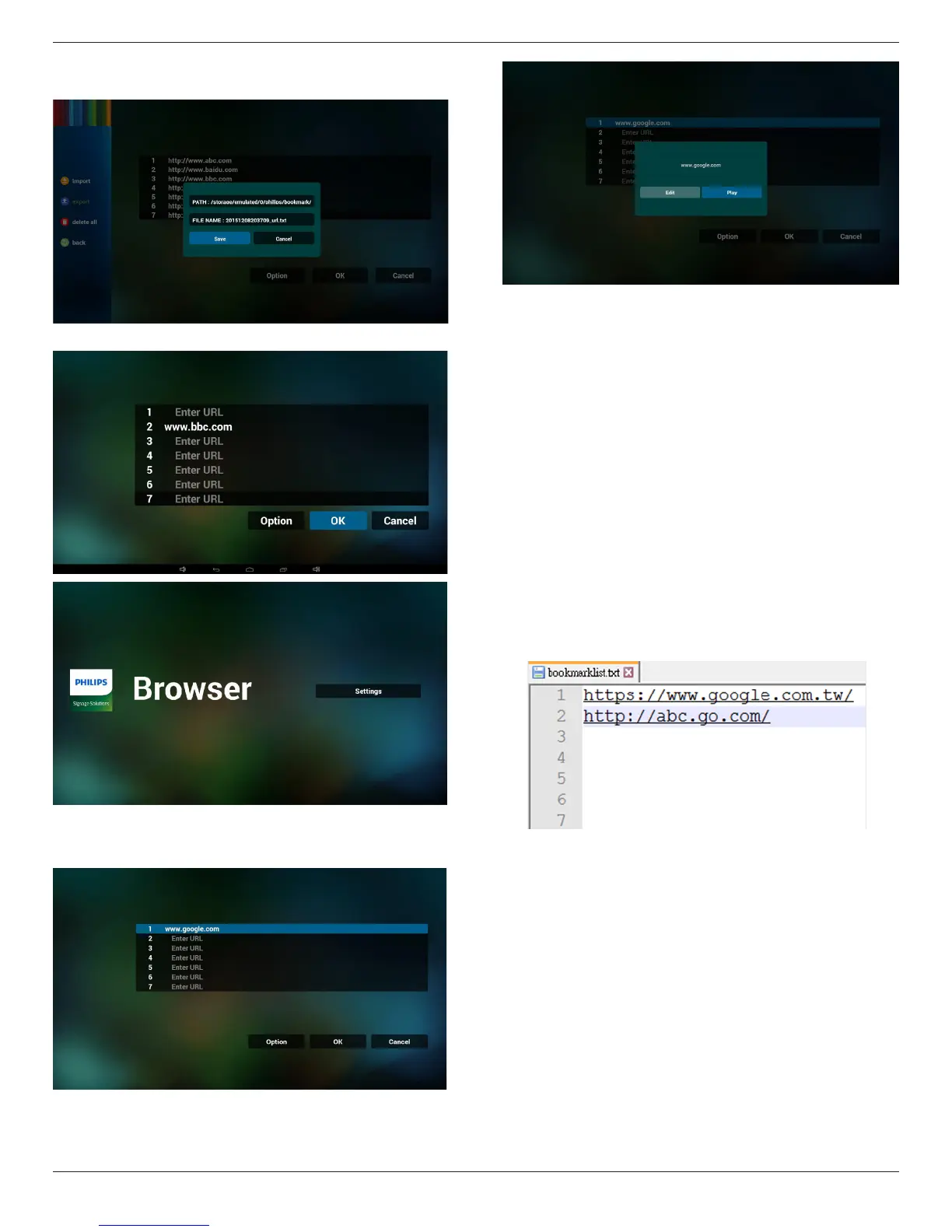
• Dialogshowspathlewillbesavedandle’sname.
Press“save”buttonthenurlsonlistwillbesaved.
5. PressOKthenurlrecordswillbesaved
6. Onurllistpage,ifyouselectnon-emptyitem,itwillshowadialog
toaskeditorplayurl.Ifpress“Edit”,itwillshowediturldialog,if
press“Play”,itwillshowwebpageofitem’surl.
7. OSDmenuinteractionwithBrowser
7.1Bootonsource
• SetOSDmenu=>Conuration1=>Bootonsource=>Input
beBROWERPlayListbe0.
ThenPDwillshowBrowserafterreboot.
• SetOSDmenu=>Conuration1=>Bootonsource=>Inputbe
BROWERPlayListbe1.
ThenPDwillshowwebpagewith1stUrlinBrowserapp.
7.2Schedule
SetOSDmenu=>Advancedoption=>Schedule=>
Ontime1,Offtime2,InputbeBROWSER,anydayyouwantofweek,
andPlayList.
Finallychecktherightbox.
ThenPDwillshowwebpagewithUrlinBrowserappattime1and
nishattime2.
8. HowtoediturllistviaFTP
Step1.Createmediaplayertextle.
- Filename:bookmarklist.txt.
- Content:
Step2.Copybookmarklist.txtto“philips”folderofinternalstorage.
YoumayuseFTPtodothis.
- Filepath:/storage/emulated/legacy/philips(forDL,PL)
Ex./storage/emulated/legacy/philips/bookmarklist.txt
Step3.Startbrowserapp,itwillautoimportbrowsertextle.
PS.Oncetheplaylistle(text)isimported,ifanuserchangeplaylist
byremotecontroller,thischangewillnotbewrittentoplaylisttext
le.










 To Next Page