- 30 -
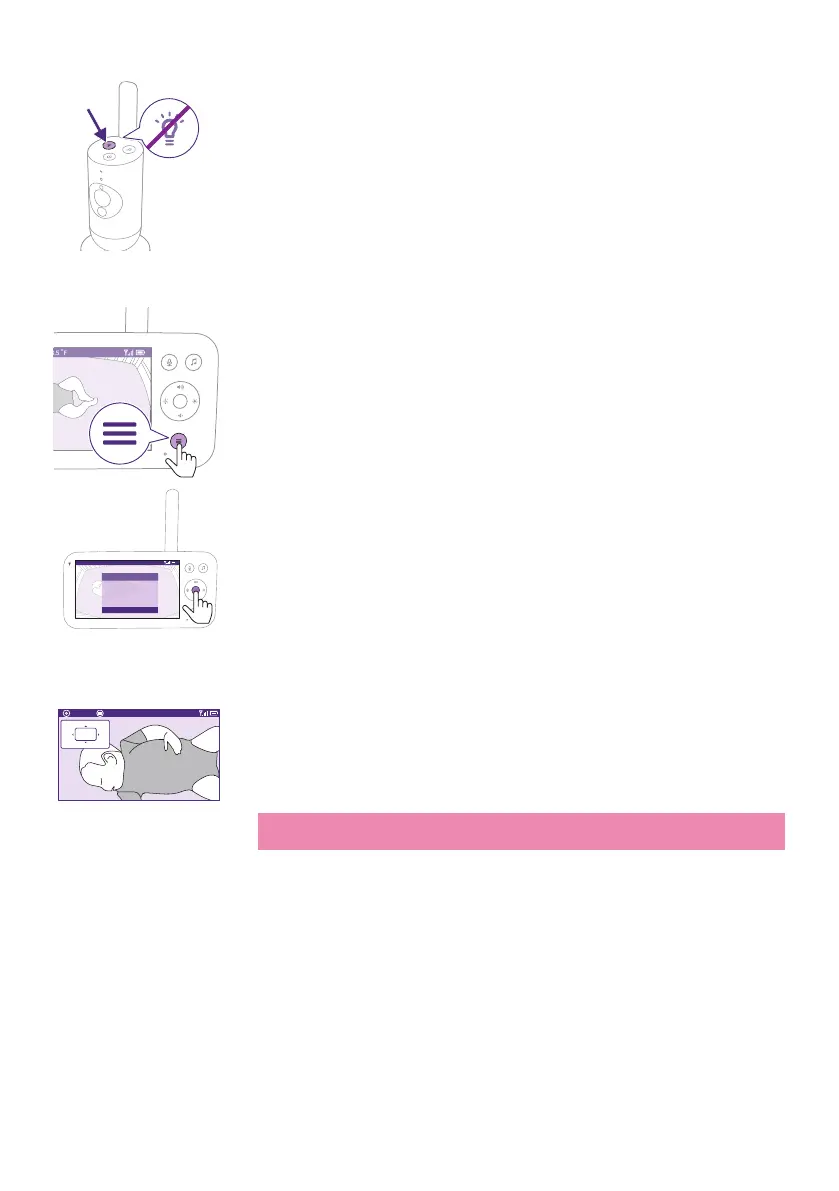
2 Press the Nightlight button again to switch o.
Zoom
1 Press the menu button on the bottom right of the Parent Unit�
Video 68.5
o
F
>
SenseIQ
Cry translation
Connection to Baby Unit
Nightlight
Zoom
Menu
1 Select ''Zoom'' and press the conrm button to access the zoom
feature�
Zoom Exit 68.5
o
F
2x
2 Press the conrm button to adjust the video image. You can use the
top/bottom/right/left part of the control button to choose what part
of the image will be shown on the Parent Unit�
3 Press the menu button to save the new setting and exit.
4 If you want to zoom out the image on the Parent Unit, go to the zoom
menu and turn o the zoom function.
Tip: Long-press the conrm button for two seconds to get a quick
access to the Zoom function.











 To Next Page