- 36 -
Display brightness
You can adjust the display brightness of the Parent Unit to the level you
prefer�
Video 68.5
o
F
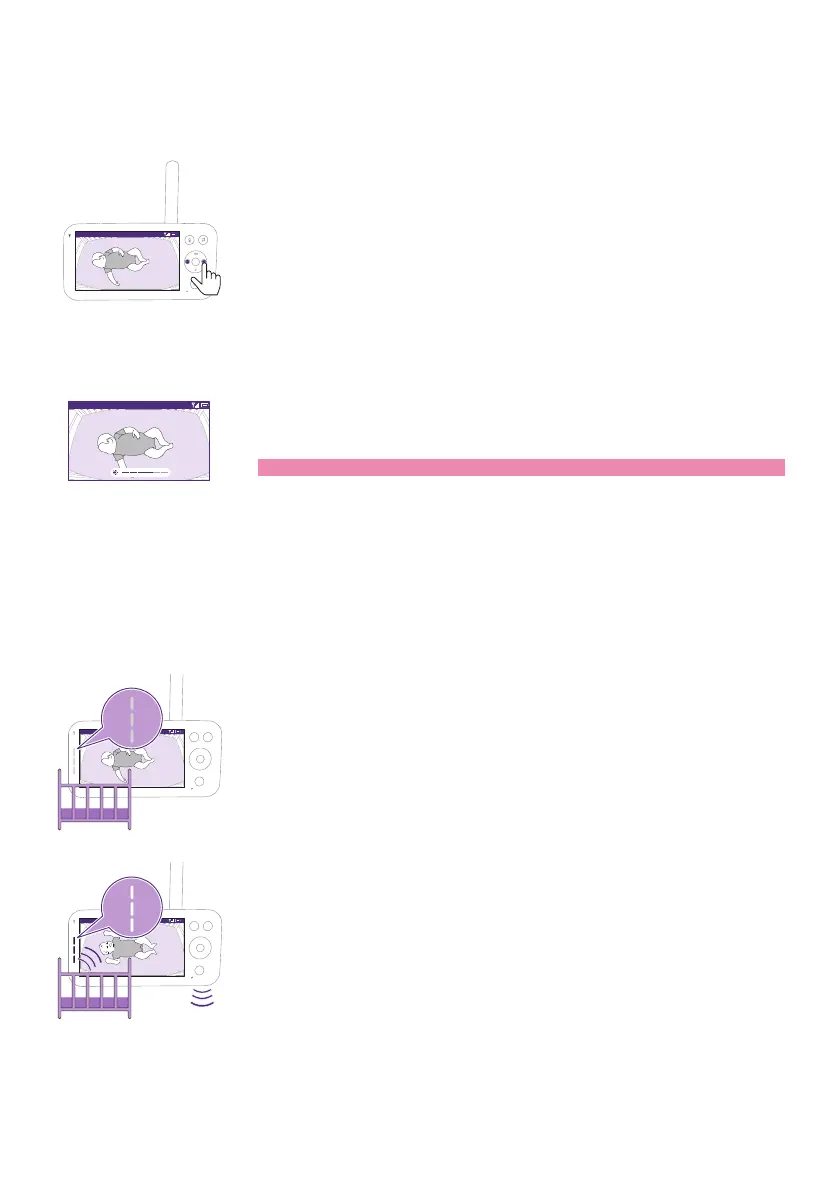
1 Press the left or right part of the control button to adjust the
brightness of the display on the Parent Unit�
Video 68.5
o
F
2 The brightness bar appears on the display to show the selected
brightness level�
Note: The Parent Unit consumes more power with a higher brightness.
Sound level lights
The Parent Unit continuously monitors the sound level in your baby's
room� The sound level lights on the Parent Unit let you know if there is
any sound picked up in the baby's room�
Video 68.5
o
F
As long as no sound is detected, the sound level lights are o.
Video 68.5
o
F
When the Baby Unit picks up a sound, one or more sound level lights
on the Parent Unit turn white� The number of lights depends on the
loudness of the sound picked up�











 To Next Page