- 38 -
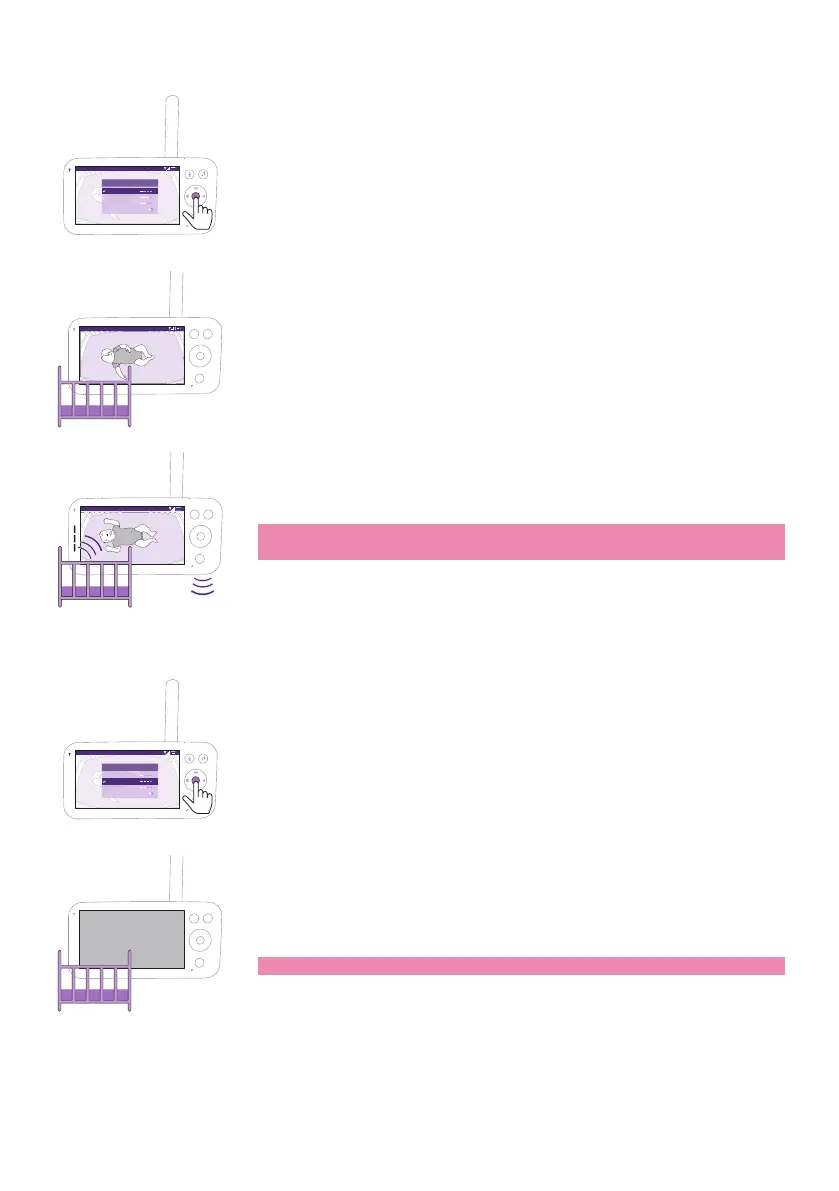
Video mode
Video 68.5
o
F
Modes & Volume sensitivity
Video
<
Audio
Eco
Privacy
>
Baby Unit is accessible through the Baby Monitor+ App
1 Press the mode button on the top left of the Parent Unit�
2 Press the conrm button to select the Video mode�
Video 68.5
o
F
When the Video mode is activated, the display is always on.
Video 68.5
o
F
Note: Set the sensitivity level to the highest to have continuous sound
on the Parent Unit�
Audio mode
Audio 68.5
o
F
Video
<
Audio
Eco
Privacy
>
Modes & Volume sensitivity
Baby Unit is accessible through the Baby Monitor+ App
1 Press the mode button on the top left of the Parent Unit�
2 Press the bottom part of the control button to switch to Audio mode�
3 Press the conrm button to select the Audio mode.
When the Audio mode is activated, the display of the Parent Unit
switches o after 3 seconds.
Note: The status bar is not visible when the display is o.











 To Next Page