10 EN
2 Use your Blu-
ray disc/ DVD
player
Congratulations on your purchase, and
welcome to Philips! To fully benet from
the support that Philips offers (e.g. product
software upgrade), register your product at
www.philips.com/welcome.
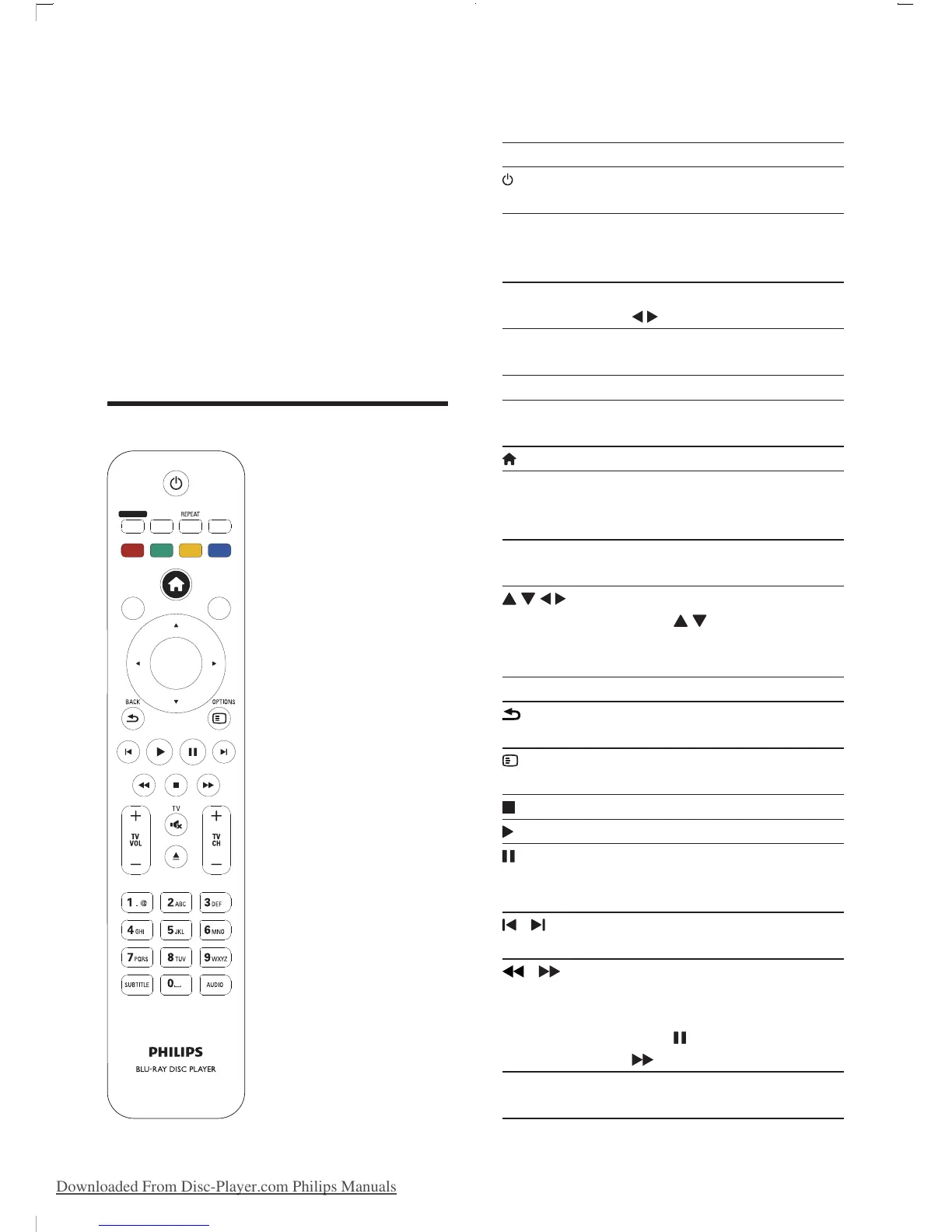
Basic play control
OK
ZOOMANGLE
SMART TV
DISC MENU
POP
-
UP
MENU
TOP
MENU
During play, press the following buttons to
control.
Button Action
Turn on the player, or switch
to standby.
SMART TV Access online services. (This
function will be activated with
a software update in 2013.)
ZOOM Zoom into a picture. Press
to select a zoom factor.
REPEAT Repeat a chapter, title or
selected folder.
ANGLE Select a camera angle.
Color buttons Select tasks or options for
Blu-ray discs.
Access the home menu.
DISC MENU /
POP-UP
MENU
Access or exit the disc menu.
TOP MENU Access the main menu of a
video disc.
Navigate the menus.
Press
to rotate a picture
clockwise or counter-
clockwise during slideshow.
OK Conrm a selection or entry.
BACK Return to a previous display
menu.
OPTIONS Access more options during
play.
Stop play.
Start or resume play.
Pause play.
Press repeatedly to slow
forward frame by frame.
/ Skip to the previous or next
track, chapter or le.
/ Fast backward or forward.
Press repeatedly to change
the search speed.
Press
once, and then press
to slow forward.
TV VOL+/- Change TV volume.(Function
available for Philips TVs only.)
BDP9700_98_UM_V1.0.indb 10 2012/9/27 16:48:23
Downloaded From Disc-Player.com Philips Manuals


 To Next Page