User Manual BDS4223V
16
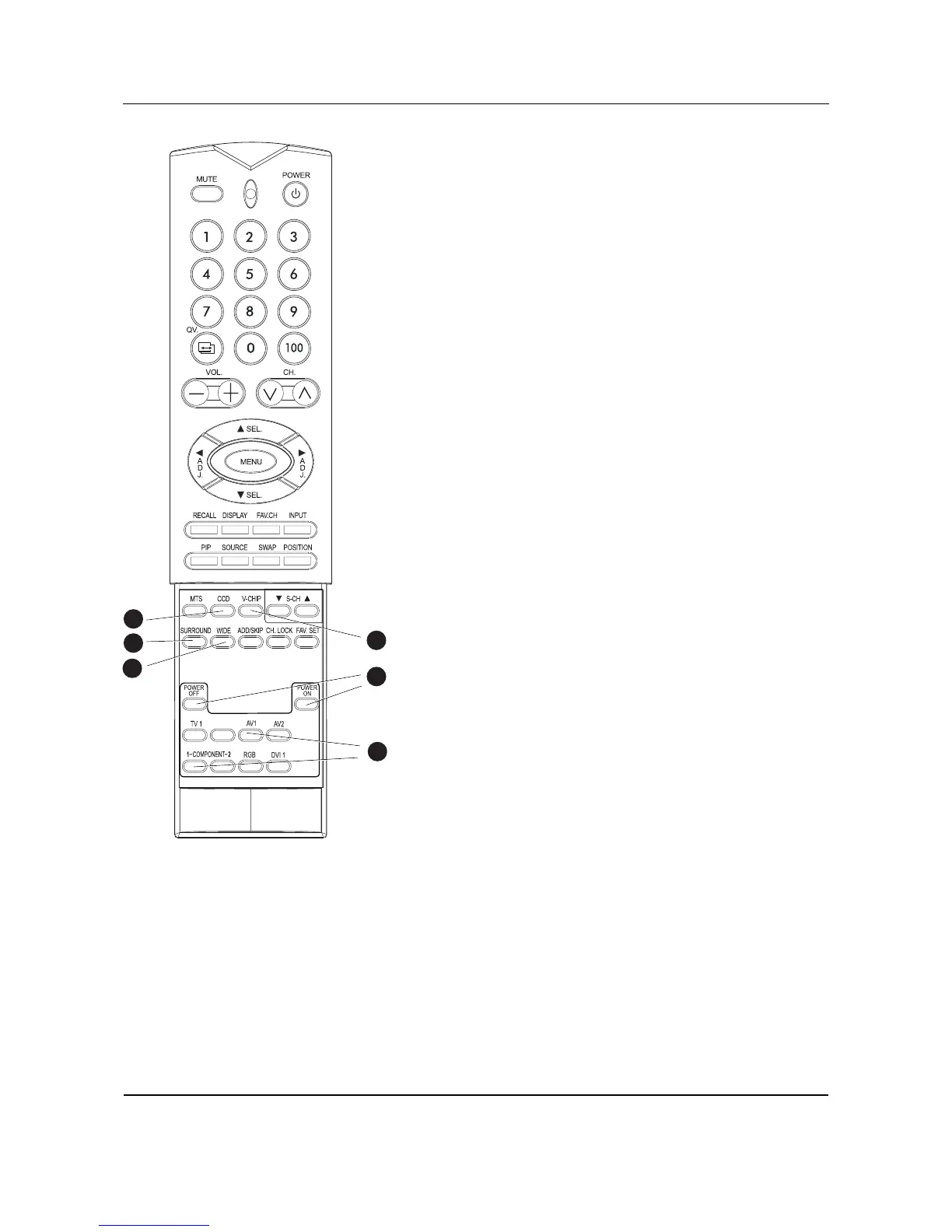
14. Closed Captioning
Turns on Closed Captioning Mode.
15.V-Chip
NOT SUPPORTED.
16.SURROUND
17.WIDE
Toggles between various aspect ratio settings. (See page 29)
18.Discrete Power ON/OFF
Press OFF to send monitor into standby mode. Press ON to power
on from standby mode. (See page 23)
19.Direct Input Selection Keys
Directly change input signal selection by pressing the appropriate
key.
11
1119
17
16
14
18
15











 To Next Page