46 Hi-Fi Stereo Sound
2
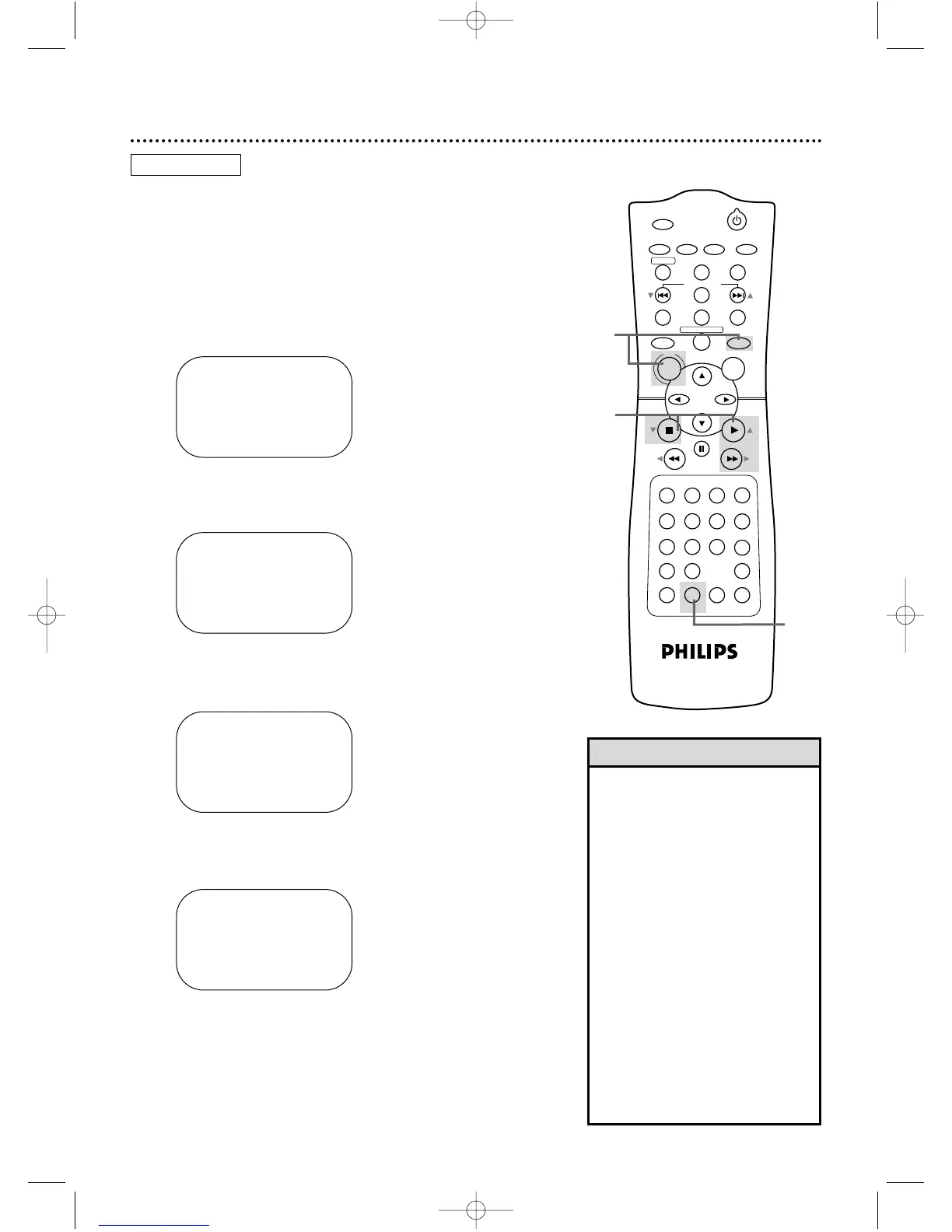
Press PLAY B (o) or STOP C (p) to select VCR
SET UP, then press FF g (B).
3
Press PLAY B (o) or STOP C (p) to select
AUDIO OUT, then press FF g (B).
Multi-Channel Television Sound system broadcasts are automati-
cally recorded in Hi-Fi stereo. To play in Hi-Fi stereo the tapes
recorded in Hi-Fi stereo, however, follow steps 1-5 below.
● Before you begin, place the DVD/VCR in VCR mode. Press
OUTPUT SELECT so the green VIDEO light appears on the
front of the DVD/VCR. Press VCR/TV so the green VCR/TV
light appears on the front of the DVD/VCR.
1
Press VCR, then press DISC/MENU.
4
Press PLAY B (o) or STOP C (p) to select HIFI.
ON will appear to the right of HIFI on the screen.
5
Press DISPLAY/STATUS/EXIT.
SELECT op
→ HIFI ON
MONO
TO END PUSH EXIT
SELECT op CHOOSE B
→ REPEAT PLAY OFF
ON SCREEN MODE
AUDIO OUT
LANGUAGE
BLUE BACKGROUND ON
TO END PUSH EXIT
• If you want monaural audio play-
back, follow steps 1-3. At step 4,
press PLAY B (o) or STOP C (p)
to select MONO. Press
DISPLAY/STATUS/EXIT. HIFI will
disappear from the status display.
• All programs are automatically
recorded in both Hi-Fi stereo sound
and in monaural sound.
• The audio level of a tape recorded
in Hi-Fi stereo will differ from the
audio level of a tape not recorded
in Hi-Fi stereo.
• If you play non-Hi-Fi tapes while the
DVD/VCR is set to HIFI, HIFI will
disappear from the status display
and the tape will play in monaural
sound.
Please see additional notes
on page 77.
Helpful Hints
2-4
1
SELECT op
→ HIFI ON
MONO
TO END PUSH EXIT
SELECT op CHOOSE B
→ PROGRAM
VCR SET UP
TUNER SET UP
SET CLOCK
TO END PUSH EXIT
5
VCR













 To Next Page