OUTPUT SELECT
3
4
5
6
7
8
9
SPEED
TIMER SET
0
+
10
2
1
VCR
DVD
CLEAR
REPEAT
SETUP
TITLE
RETURN
MODE
CHANNEL/SKIP
A-B
AUDIO
ANGLESUBTITLE
REC/OTR
REPEAT
DISC
MENU
OK
PAUSE
REW FF
PLAYSTOP
VCR/TV
MEMORY
Parental Controls Levels 57
2-5
Follow these steps to set the rating level for your DVDs. DVDs
whose ratings exceed the level you set will not play.
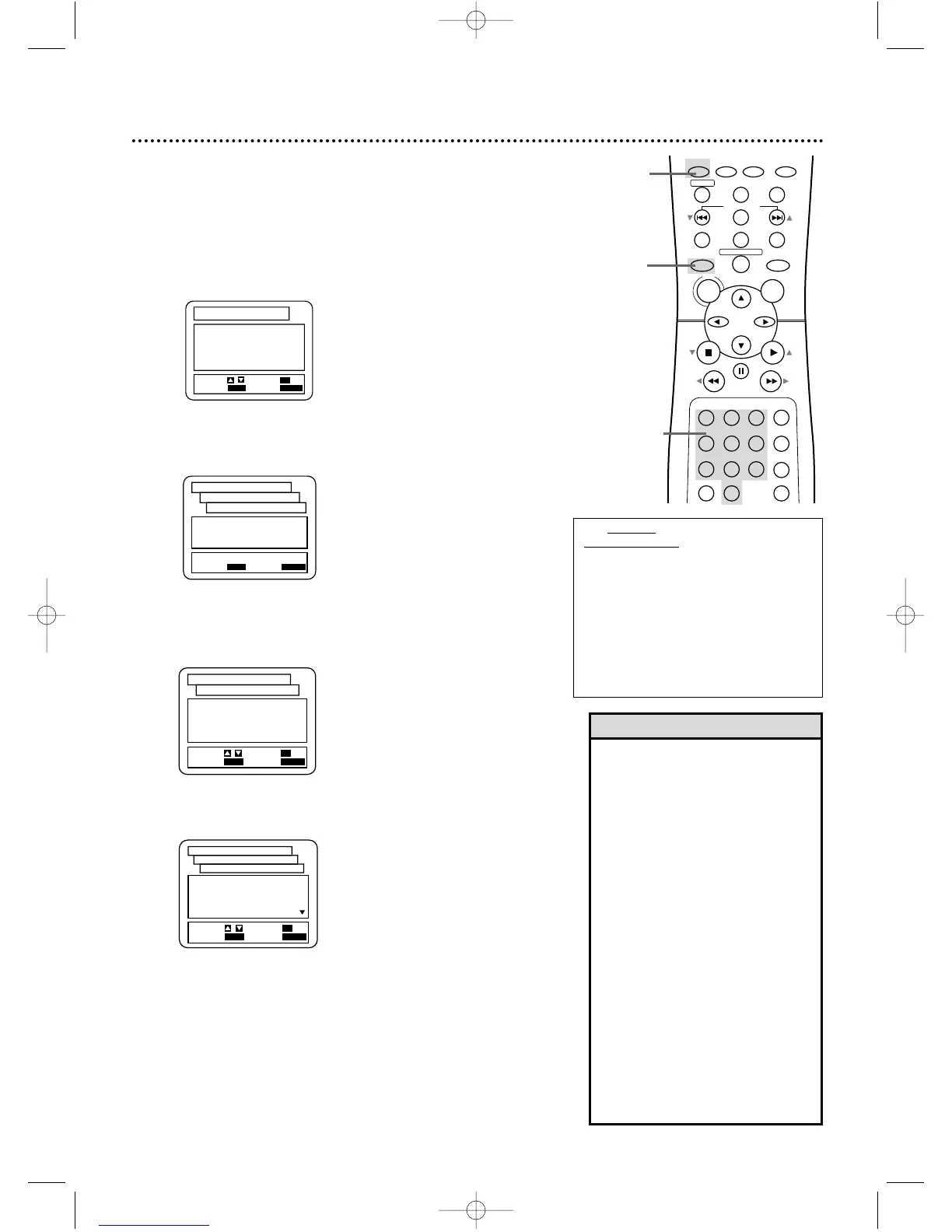
● Before you begin, place the DVD/VCR in DVD mode. Press
OUTPUT SELECT so the red DVD light appears on the front of
the DVD/VCR.
1
While playback is stopped, press DVD, then press
SETUP.
1,6
1
2
Press the Number 4 button to select PARENTAL.
The SET-UP PARENTAL CONTROLS PASSWORD screen
will appear.
3
Press the Number buttons to enter your four-digit
password. If your entry is incorrect, press OK, then enter
the correct password as prompted by the on-screen message.
4
Press the Number 1 button to select PARENTAL
LEVEL.
1.
LANGUAGE
2.
DISPLAY
3.
AUDIO
4.
PARENTAL
SET-UP
EXIT
: SETUP
CANCEL
: RETURN
SELECT:
/ SET
: OK
Enter current password.
- - - -
SET-UP
EXIT
: SETUP
CANCEL
: RETURN
PARENTAL CONTROLS
PASSWORD
5
Press a Number button to select the level you
desire. For example, if you want to play Discs rated PG-
13, press the Number 4 button (press o or p to see all
the rating levels). The level you select will appear on the
screen beside PARENTAL LEVEL in the SET-UP
PARENTAL CONTROLS screen.
6
Press SETUP to remove the menu.
1.
PARENTAL LEVEL ALL
2.
CHANGE
SET-UP
EXIT
: SETUP
CANCEL
: RETURN
SELECT:
/ SET
: OK
PARENTAL CONTROLS
ALL
8
7
[NC-17]
6
[R]
5
SET-UP
EXIT
: SETUP
CANCEL
: RETURN
SELECT:
/ SET
: OK
PARENTAL CONTROLS
PARENTAL LEVEL
• When you play a DVD whose rat-
ing exceeds the level you set, an on-
screen message will indicate the
DVD cannot play. Remove the
DVD, then select a level that allows
playback or select ALL to turn off
Parental Controls. Reload the DVD
and begin playback. Some DVDs
may let you enter your four-digit
password to begin playback. Refer
to the DVD messages.
• Some DVDs are not compatible
with Parental Controls. Make sure
the DVD plays according to the
Parental Controls settings you have
made before you allow children
access to the DVD/VCR.
• You cannot change Parental Level
settings until you enter the correct
password.
• You cannot use the default pass-
word (4737) to play a DVD.
Helpful Hints
RATING
EXPLANATIONS
• ALL - Parental
Controls is inac-
tive; All discs can
play.
• 8 - Adult material
• 7 - NC-17 Not
appropriate for
children under 17
• 6 - R - Restricted;
parental approval
required for
viewers under 18.
• 4 - PG-13 -
Unsuitable for
children under 13
• 3 - PG - Parental
Guidance sug-
gested.
• 1- G - General
Audience; recom-
mended for all
ages.
DVD740VR 4/12/02 12:09 PM Page 57














 To Next Page