EasyManua.ls Logo

Philips DVD740VR - Display Settings Menu

Philips DVD740VR
80 pages
Print Icon
To Next Page IconTo Next Page
To Previous Page IconTo Previous Page
Loading...
POWER
MARKER
SEARCH MODE
DISPLAY SLOWZOOM
OUTPUT SELECT
3
4
5
6
7
8
9
SPEED
TIMER SET
0
+
10
2
1
VCRDVD
CLEAR
REPEAT
SETUP
TITLE
RETURN
MODE
CHANNEL/SKIP
A-B
AUDIO
ANGLESUBTITLE
REC/OTR
REPEAT
DISC
MENU
OK
PAUSE
REW FF
PLAYSTOP
VCR/TV
MEMORY
STATUS/EXITTIME SEARCH
66 Display Settings
You can change certain aspects of the DVD Players display
screens, on-screen messages, and the display panel on the front of
the DVD/VCR. You also can change the Aspect Ratio. To change
such settings, follow these steps.
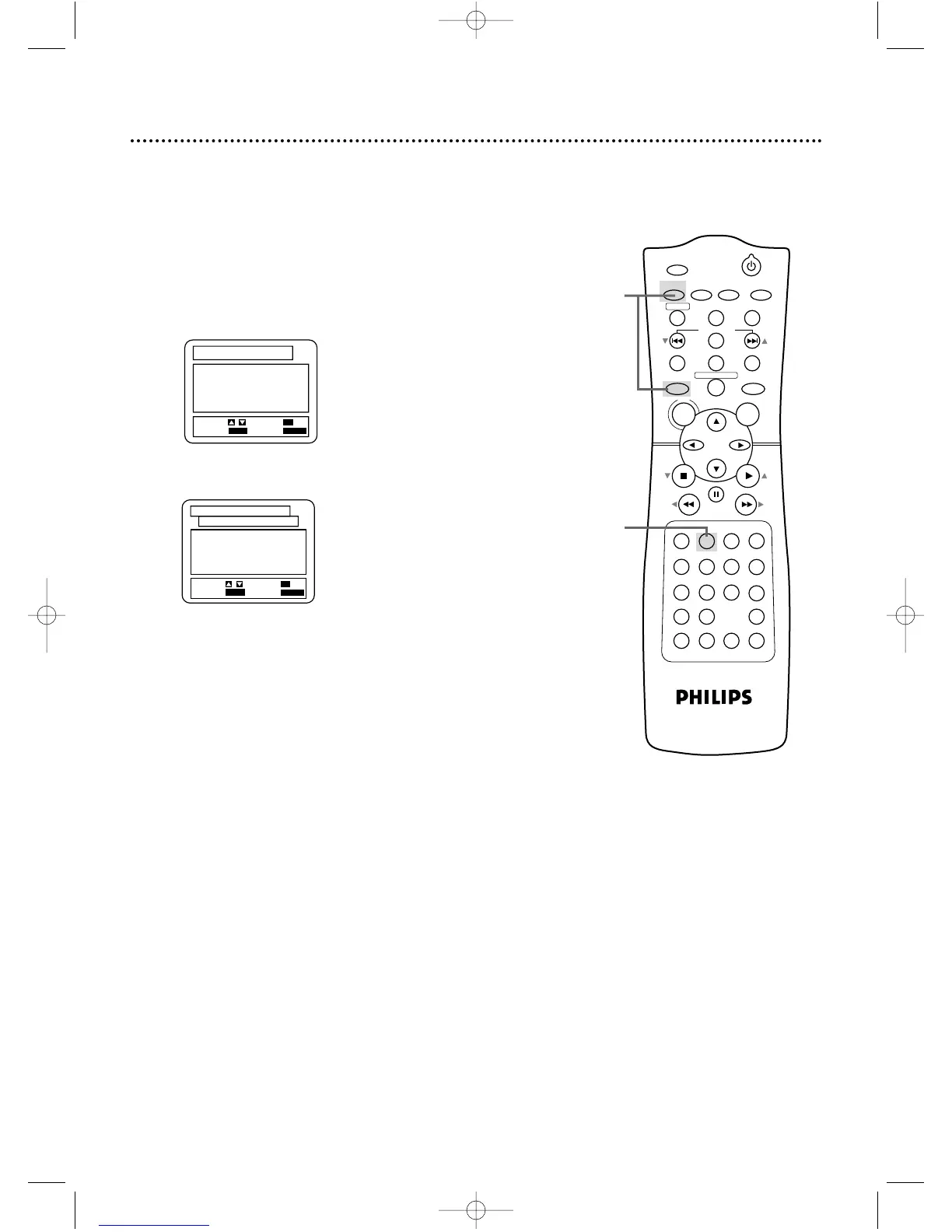
Before you begin, place the DVD/VCR in DVD mode. Press
OUTPUT SELECT so the red DVD light appears on the front of
the DVD/VCR.
1
When playback is stopped, press DVD, then press
SETUP. The SET-UP screen will appear.
1

1.
TV ASPECT 4:3 LETTER BOX
2.
PANEL DISPLAY BRIGHT
3.
ANGLE ICON ON
4.
AUTO POWER OFF ON
5.
BACKGROUND BLUE
SET-UP
EXIT
: SETUP
CANCEL
: RETURN
SELECT:
/ SET
: OK
DISPLAY CONTROLS
2
Press the Number 2 button to select DISPLAY.
1.
LANGUAGE
2.
DISPLAY
3.
AUDIO
4.
PARENTAL
SET-UP
EXIT
: SETUP
CANCEL
: RETURN
SELECT:
/ SET
: OK
2
DVD740VR 4/12/02 12:09 PM Page 66

Table of Contents

Other manuals for Philips DVD740VR

Related product manuals