Subtitles, Camera Angles 55
Subtitles
You can select a language for DVD subtitles during playback. You
can select only languages that are available on the DVD.
● Before you begin, place the DVD/VCR in DVD mode. Press
OUTPUT SELECT so the red DVD light appears on the front of
the DVD/VCR.
1
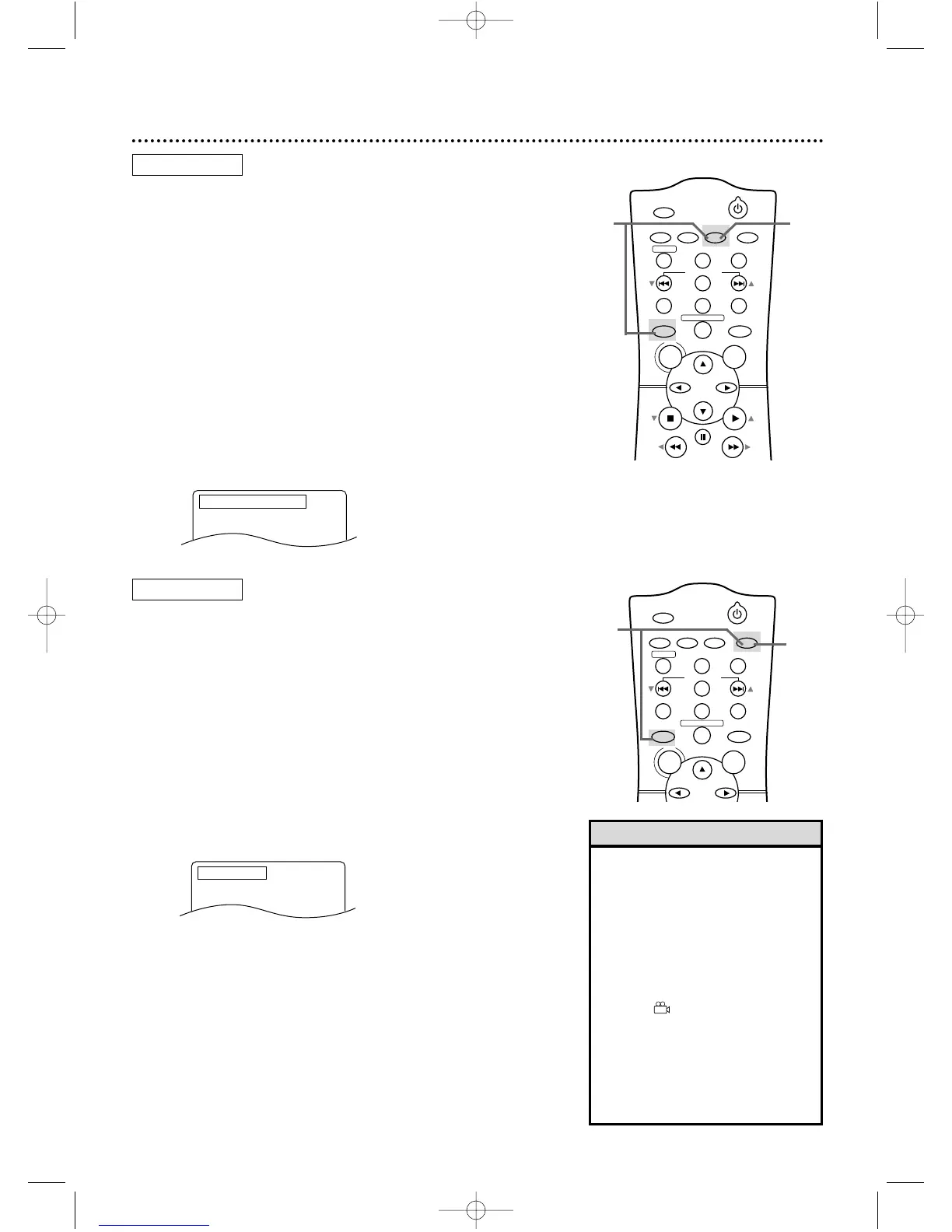
Press DVD, then press SUBTITLE during playback
so the subtitle display appears on the TV screen.
2
Within five seconds, press SUBTITLE repeatedly to
select a subtitle language. The number of available lan-
guages appears at the right of the subtitle display. In the
example below, eight languages are available ( /8). After a
few seconds, the subtitles will appear.
To turn off Subtitles, press SUBTITLE repeatedly until
SUBTITLE OFF appears on the TV screen.
21
• On some DVDs, you must select a
subtitle language in the Disc menu.
• If the desired language does not
appear after pressing SUBTITLE
several times, the Disc does not
have subtitles in that language.
• Opening the disc tray will cancel
your subtitle setting.
• If the Disc has multiple camera
angles, will appear on the TV
screen. ANGLE ICON must be On.
Details are on pages 66-67.
• The camera angle will not change
if the DVD does not contain
sequences recorded from different
camera angles.
Helpful Hints
Camera Angles
Some DVDs contain scenes recorded from different angles. You
may select a camera angle during playback.
● Before you begin, place the DVD/VCR in DVD mode. Press
OUTPUT SELECT so the red DVD light appears on the front of
the DVD/VCR.
1
Press DVD, then press ANGLE during playback so
the Angle display appears on the TV screen.
2
Within five seconds, press ANGLE repeatedly to
select a different angle. The number of available angles
appears at the right of the Angle display. In this example,
eight angles are available ( /8).
2
1













 To Next Page