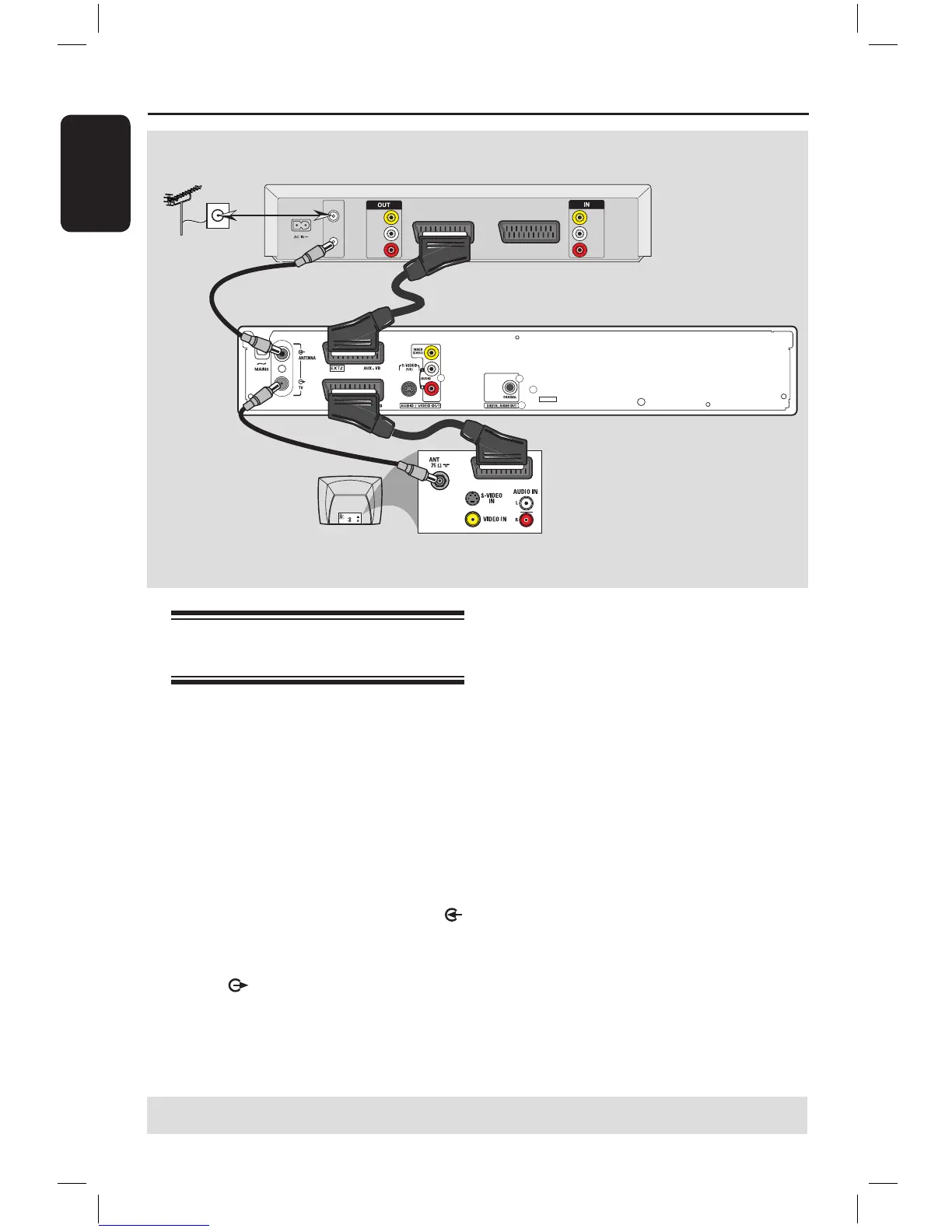
A
B
C
Antenna/cable
TV signals
Back of aVCR
(Example only)
E
D
Connecting to a VCR or
other similar device
This connection enables you to record
from video tape to a DVD+R/+RW and
allows the VCR to be used for playback if
the DVD recorder is turned off.
A Connect the Antenna/Cable TV signal to
the antenna input (RF IN) socket on the
VCR.
B Use the supplied RF coaxial cable to
connect the antenna output (RF OUT)
socket on the VCR to the ANTENNA
socket on the DVD recorder.
C Use another RF coaxial cable to connect
the TV socket on the DVD recorder
to the antenna input socket on the TV.
D Use the scart cable to connect the EXT1
TO TV-I/O socket on the DVD
recorder to the corresponding SCART
input socket on the TV.
E Use another scart cable to connect the
EXT2 AUX-I/O socket on the DVD
recorder to the Scart output socket
(possibly labelled as TV OUT or TO TV)
on the VCR.
Helpful Hints:
– Most commercial video cassettes and
DVDs are copy-protected and therefore
cannot be recorded.
– Connect the DVD recorder directly to the
TV. If there is a VCR or an additional device
in between, the picture quality may be poor
because of the copy protection system built
into the DVD recorder.
TIPS: Before making or changing any connections, make sure that all the devices are disconnected
from the power outlet.
16861_dvdr3305_05_eng5.indd 16 2005-06-29 4:09:13 PM



 To Next Page