Recording (continued)
Timer recording (manually)
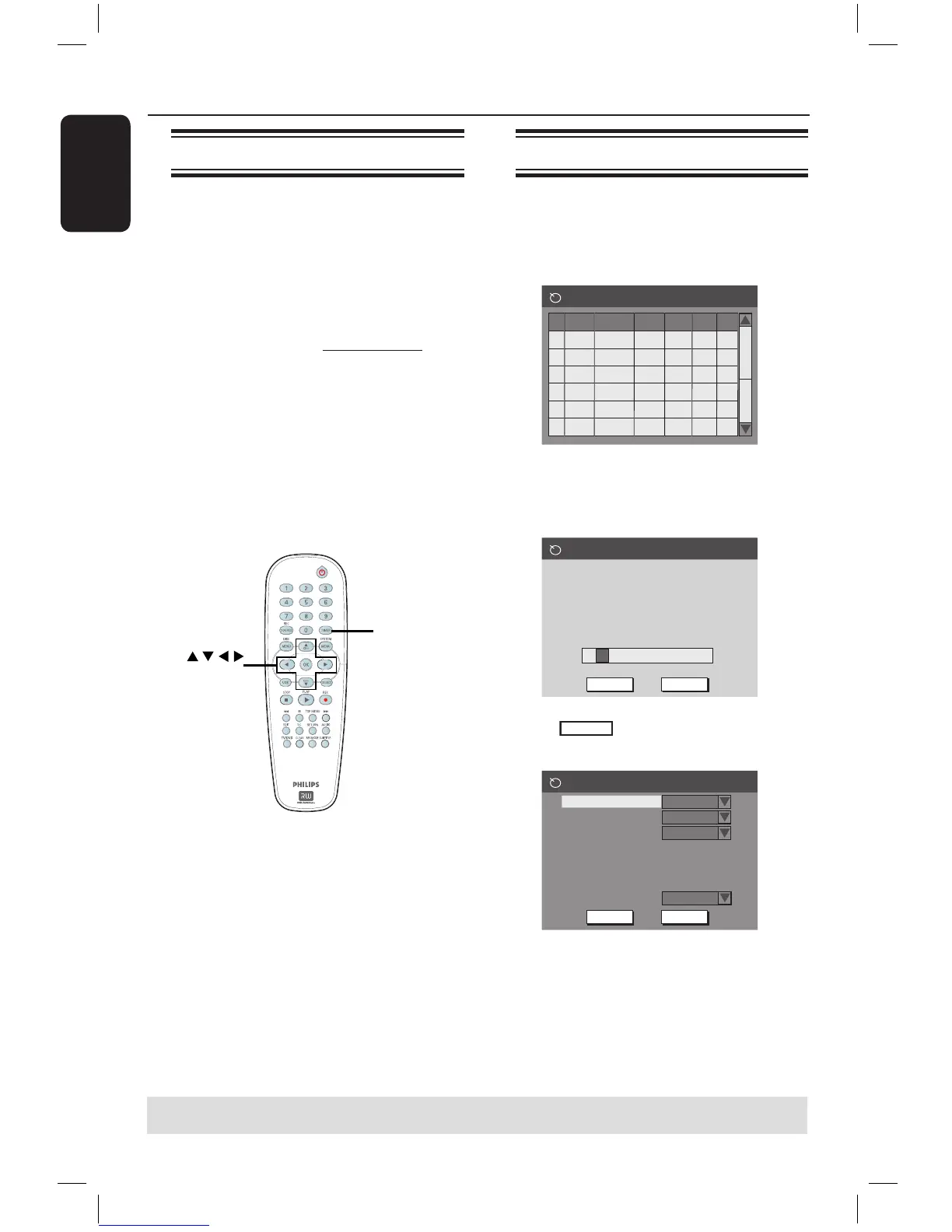
A Turn on the TV power. Select the
correct Video In channel at the TV.
B Press TIMER on the remote control.
The timer schedule list appears.
1
2
3
4
5
6
Source RecMode Date Start
End
Timer Schedule
VPS
C Press OK on the remote control.
The VIDEO PLUS+
®
System menu
appears.
VIDEO Plus+ System
OK
CancelConfirm
5
Enter the VIDEO Plus+ programming
number for the show you wish to
record. Press [RETURN] to return
to timer schedule or [TIMER] to
exit timer.
in the menu and press OK.
The timer editor menu appears.
Timer Editor
Rec Mode
Mode
Date
Start
End
2 Hour Mode
Once
Source
Ch003
31 / 01 / 05
10 : 33 : 57
11 : 03 : 57
OK
Cancel
OK
VPS/PDC
Off
E Use keys to select an entry in the
menu and press to enter its options.
About timer recording
Use ‘Timer Recording’ to automatically
start and stop a recording at a later date/
time. The DVD recorder will tune to the
right programme channel and begin
recording at the specified time.
With this DVD recorder, you can
preprogramme up to 8 recordings.
To make a timer recording, your
DVD recorder needs to know:
– The date you want to make the
recording.
– The recording input source.
– The start and stop time of the
recording.
– The recording mode, see page 28.
About ‘VPS/PDC’
‘VPS’ (Video Programming System) or
‘PDC’ (Programme Delivery Control) is
used to control the start and duration of
TV channel recordings. If a TV programme
starts earlier or ends later than was
scheduled, the DVD recorder will then
switch on and off at the correct time.
If you want to programme a time that is
different from the VPS/PDC time, you
must turn off VPS/PDC.
TIPS: Ensure that there is sufficient space available on the DVD+R/+RW before recording.
You have to finalise the DVD+R before it can be played on other players, see page 36.
16861_dvdr3305_05_eng5.indd 30 2005-06-29 4:09:54 PM



 To Next Page