18 EN
Select Modes
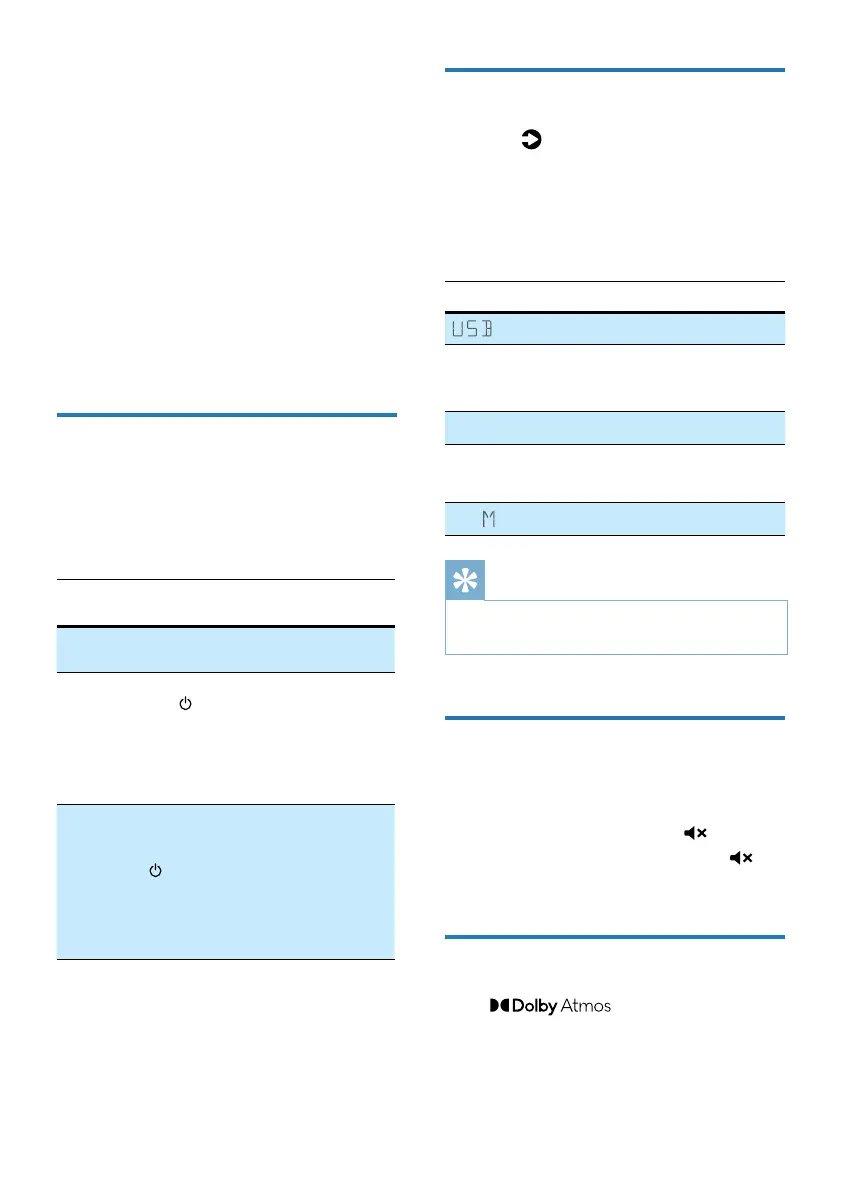
Press the button repeatedly on the
unit or on the remote control to select
the Optical, HDMI in, HDMI eARC/ARC,
BT, USB mode.
» The selected mode will show on
the display.
Display Status
USB
BT
NO BT
BT (Bluetooth)
• Connected
• Not connected
OPT
Optical
E-ARC
ARC
HDMI eARC
HDMI ARC
HD I
HDMI in
Tips
•
Play- is not an optional source. Play- needs to
be directly controlled by APP.
Adjust the Volume
Press +/- (Volume) buttons to increase
or decrease a volume level.
• To mute sound, press
(Mute).
• To restore the sound, press
(Mute) again or press
+/-.
Enjoy Dolby Atmos sound
Press button to select a
height surround eects level to best suit
your personal taste according to your
environment.
4 Use your
Soundbar
This section helps you use the soundbar
to play audio from connected devices.
Before you start
• Make the necessary connections
described in the quick start guide
and the user manual.
• Switch the soundbar to the correct
source for other devices.
Turn ON and OFF
• When you rst connect the unit to
the main socket, the unit will be
in STANDBY mode. The STANDBY
indicator will light up.
Power
State
Action Function
Power
On
Follow source state
Semi
Standby
Press
the
button
once
• Wi-Fi is connected.
• It supports Play-
and Airplay2,
Chromecast,
Spotify connect,
work with Alexa.
Eco
Standby
Press
and
hold
>2
seconds
• Wi-Fi is o.
• The product enters
the lower power
consumption mode.
• Restarting the
system will take a
relatively longer time.



 To Next Page