17EN
8 Recordings
Make recordings
With , you can record:
voice through the built in microphone; or
radio programs that play on MUSE.
Record voices
1 From the Home screen, go to .
2 Make sure that the microphone is close to
the sound source.
3 Do the following to start, pause, or stop
recording:
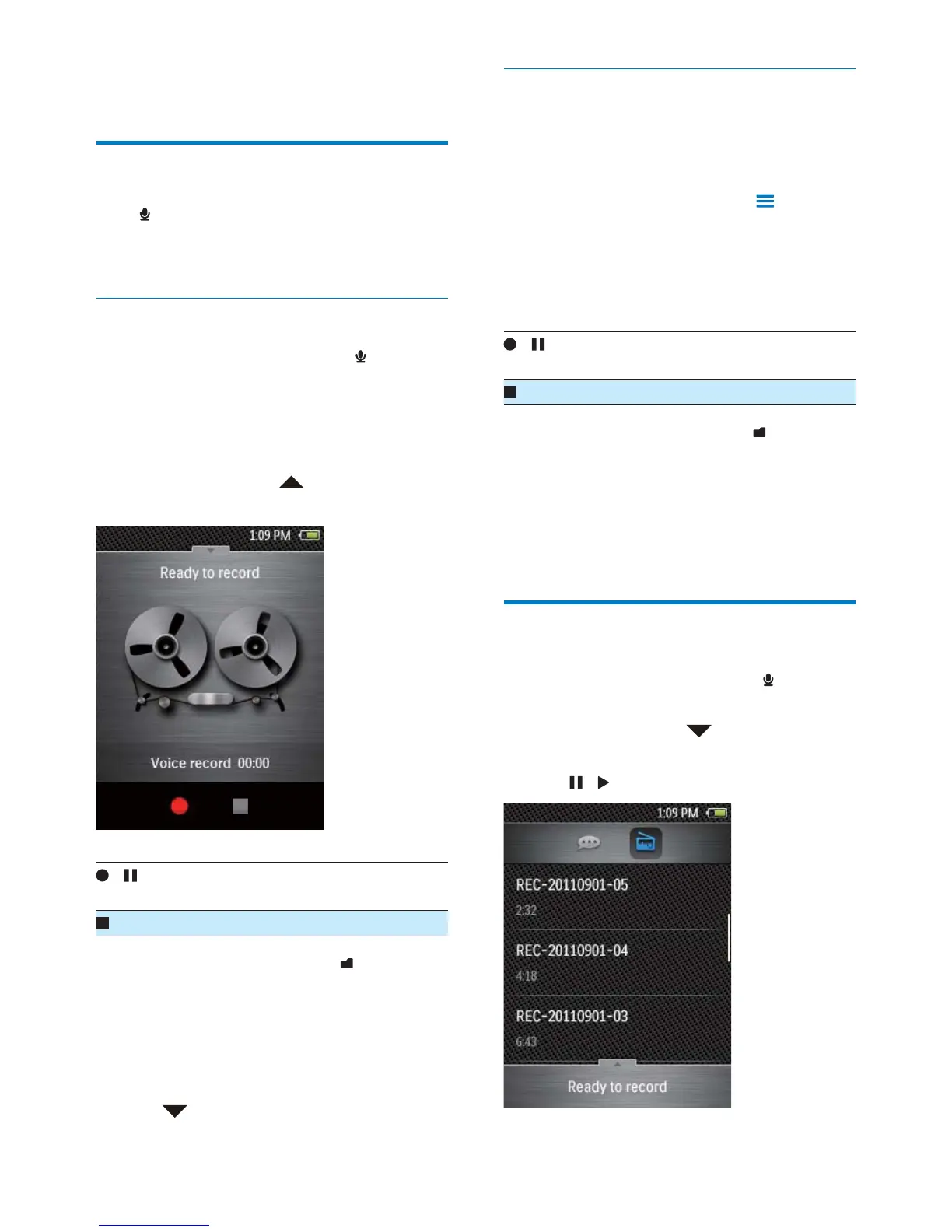
If necessary, tap
to switch to the
recording screen.
/ Tap to start, pause, or resume
recording.
Tap to stop recording.
» Recordings are saved to
>
Recordings > VOICE. (Filename
format: VoXXXXXXXXXXXXXX.
WAV, where XXXXXXXXXXXXXX
is the recording number that is
generated automatically.)
4 Tap to switch to the recordings library.
Record from the FM radio
Record radio programs when you listen to the
FM radio.
1 Tune in to a radio station.
2 On the radio play screen, tap > [Start
FM radio recording].
» You switch to the recording screen.
3 Do the following to start, pause, or stop
recording.
/ Tap to start, pause, or resume
recording.
Tap to stop recording.
» Recordings are saved to
>
Recordings > FM. (Filename format:
FMXXXXXXXXXXXXXX.WAV ,
where XXXXXXXXXXXXXX is the
recording number that is generated
automatically.)
Play recordings
1
From the Home screen, go to .
2 Tap a recording to start play.
If necessary, tap
to switch to the
recordings library.
3 Tap / to pause/ resume play.










 To Next Page