7EN
2 Your new player
What's in the box
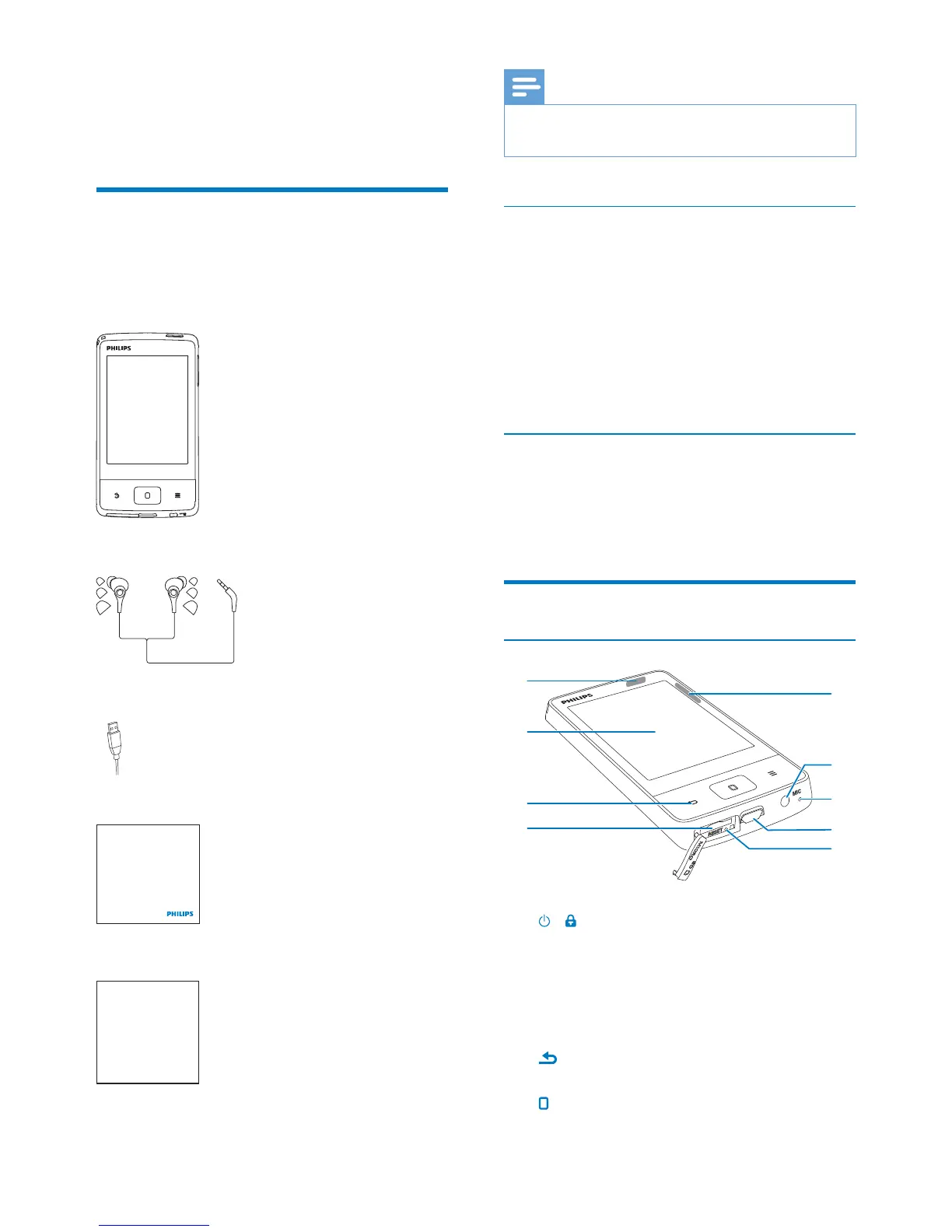
Make sure that you have received the following
items:
Player
Earphones
USB cable
Quick start guide
Safety and Warranty sheet
Ph ips GoGear a dio p ay r
Quick start guide
Safety and Warranty
Be o e u i g our set
Che k o t det i s nsde th s book et
Note
The images serve as reference only. Philips reserves the
right to change color/design without notice.
PC software loaded on the player
MUSE comes with the following PC software:
Philips Songbird (helps you update the
media library on a PC and the player).
To getPhilips Songbirdonline,
On your PC, go to www. philips.com/
Songbird or www.philips.com/support.
Files loaded on the player
MUSE:
User manual
Frequently asked questions
Overview
Controls
a /
Press and hold: Switch on or off the
device.
Press: Lock/unlock the screen.
b Touch screen
c
Back one level
Return to the Home screen.
a
i
h
g
f
e
d
c
b










 To Next Page