33EN
14 Update the
firmware
through Philips
Songbird
MUSE is controlled by an internal program
have purchased MUSE.
Through Philips Songbird, you can check for
MUSE over the
Internet.
Tip
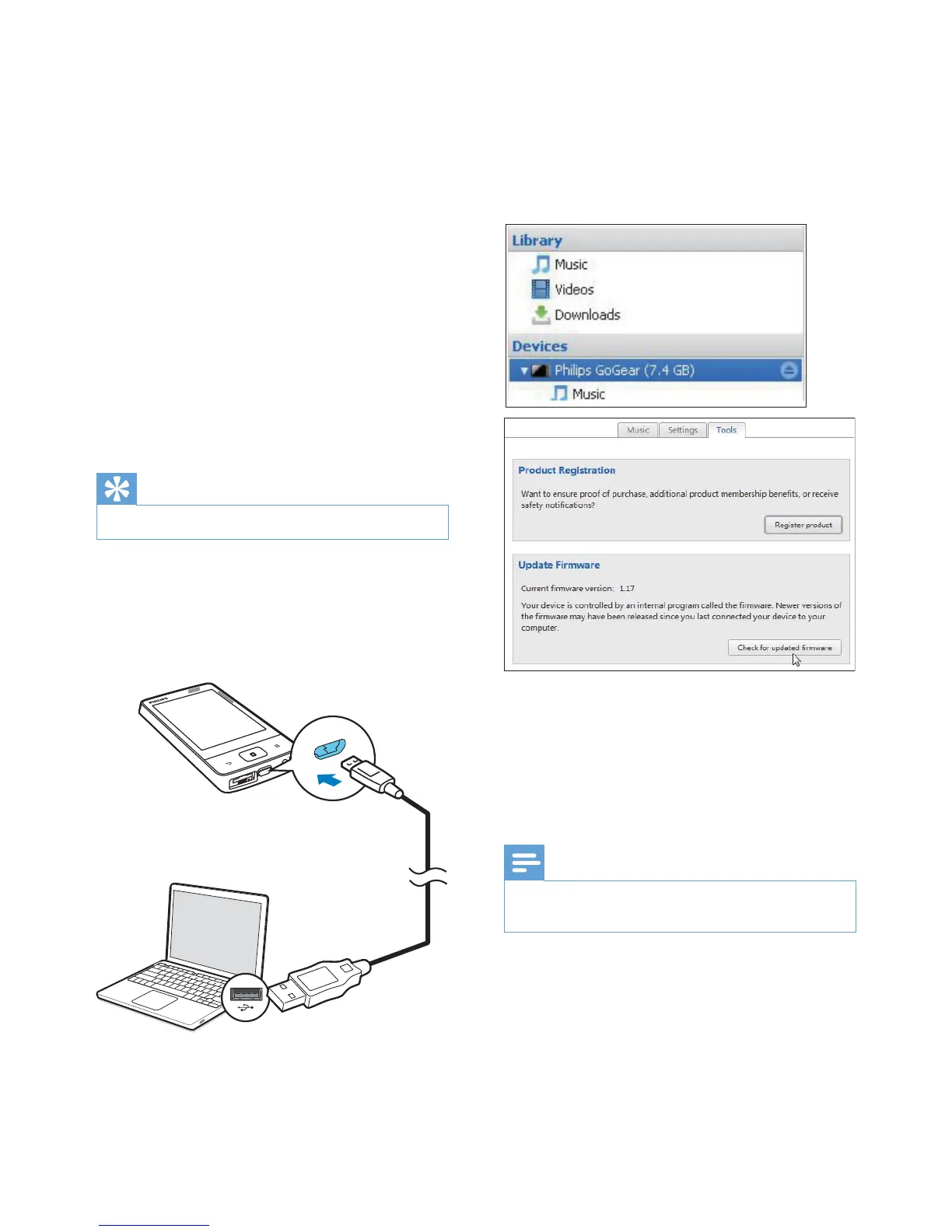
1 Make sure that you have connected your
PCto the Internet.
2 Connect the MUSE to the PC by using a
USB cable.
3 On the PC, launch Philips Songbird.
If necessary, click Start > Programs >
Philips > Philips Songbird.
4 Click MUSE in the Player pane. Then, select
Tools > += * in
the pop up window.
» Philips Songbird checks for updates
Internet, if available.
5 Follow the onscreen instructions.
» Downloading and installation of
» The MUSE
is updated and is ready for use again.
Note
Wait until the update is completed, then disconnect
MUSE from the computer.












 To Next Page