34 EN
15 Repair the
player through
Philips Songbird
If MUSE is not working properly or the display
freezes, you can reset it without losing data:
To reset MUSE?
> Insert a pen tip or other object into the
reset hole located at the base of MUSE.
Hold until the player shuts down.
If you fail to reset the player, repair the player
throughPhilips Songbird:
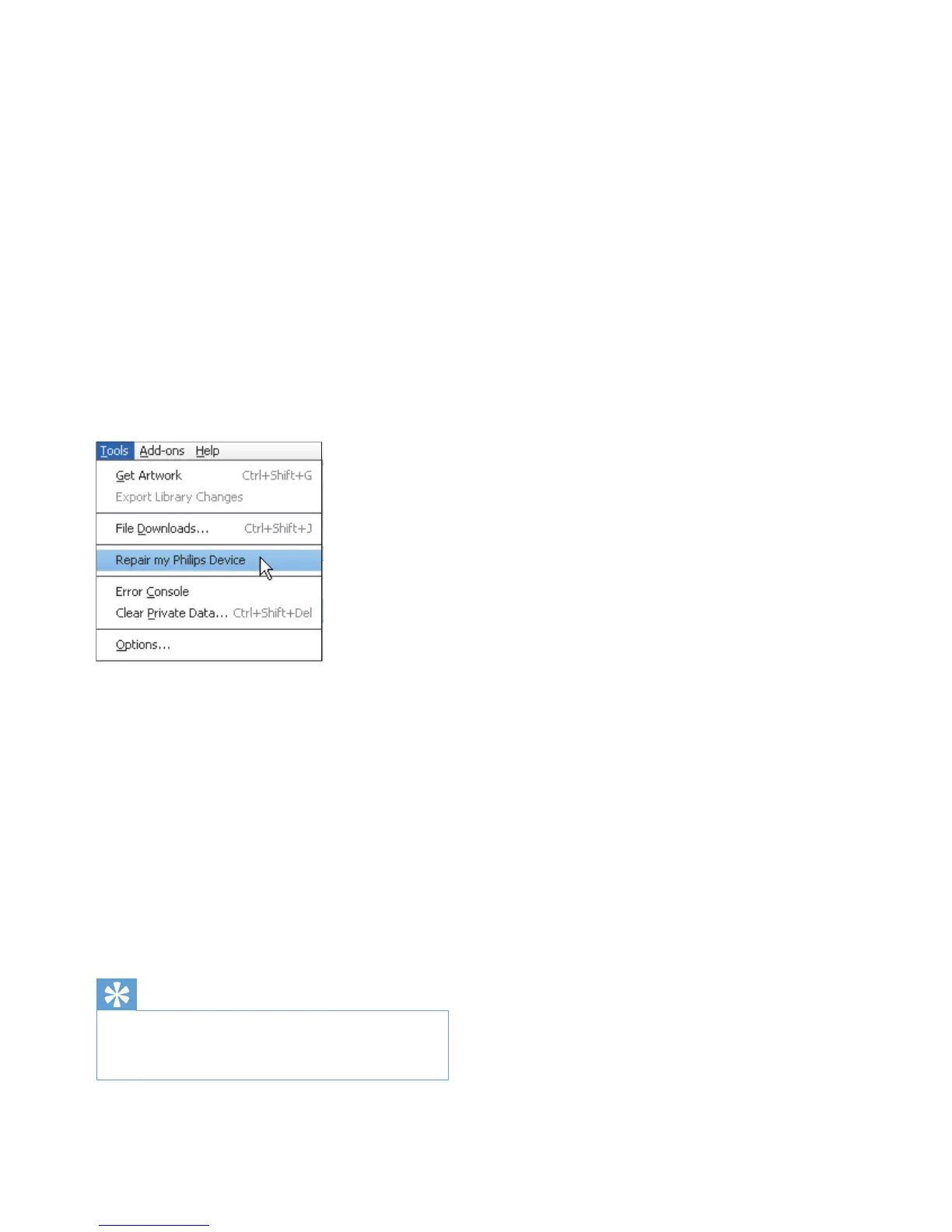
1 On your PC, launch Philips Songbird.
2 In Philips Songbird,
select Tools > Repair my Philips
Device;
select MUSE in the pop up list.
3 Connect the player to the PC.
Make sure that you follow the
onscreen instructions on how to
connect the player to the PC.
4 Follow the onscreen instructions to
complete the repair.
Tip
After you repair the player, the CD-ROM partition and
the Philips Songbird installer are removed from the
player. More space is available on the player.











 To Next Page