19
ENGLISH
19
9
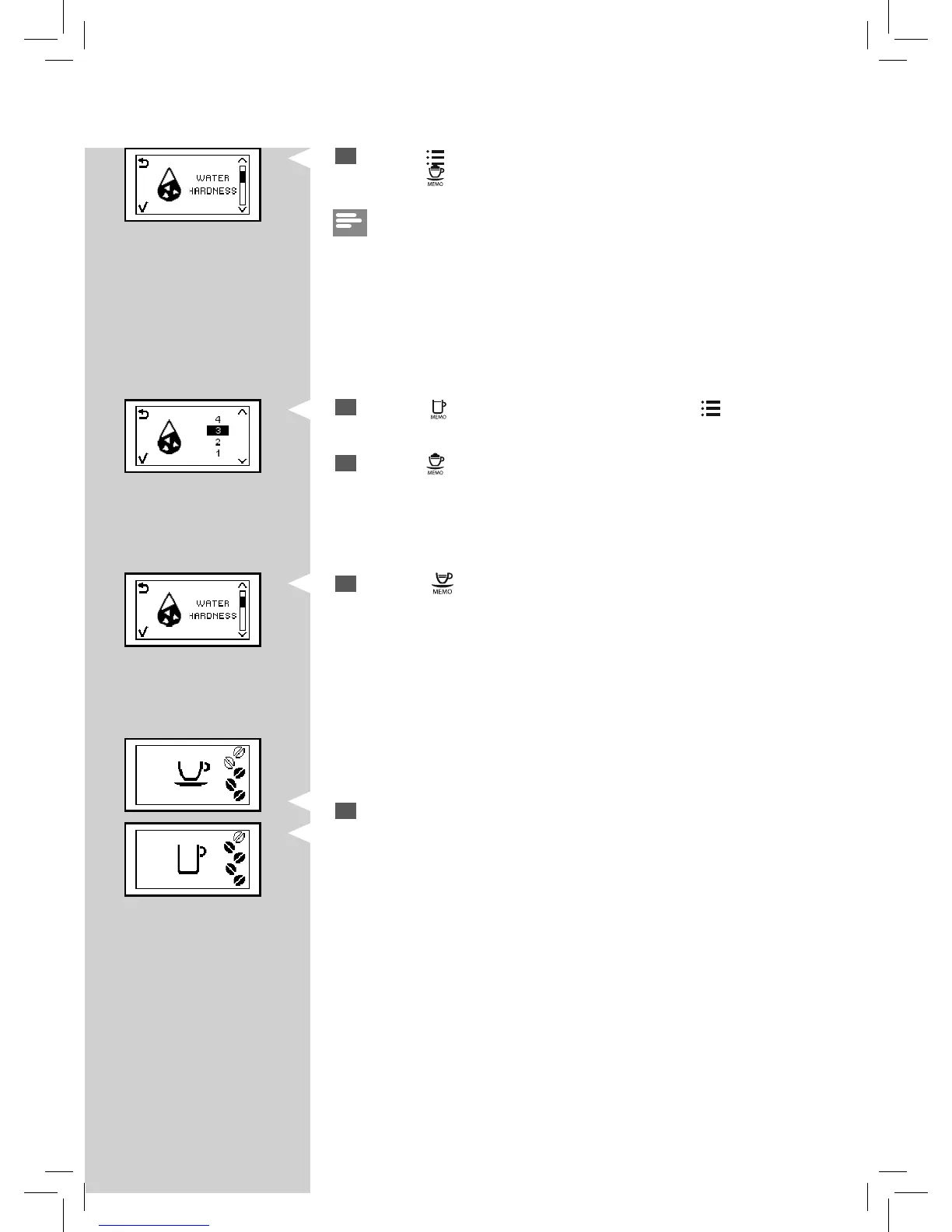
Press the ““ ” button to exit the programming MENU.
7
Press the ““ ” button to increase the value and the “ ” button to
decrease the value.
8
Press the “ ” button to con rm the setting.
GreenGreen YellowYellow
10
The machine shows this display and is ready to brew.
Yellow
6
Press the “ ” button to scroll the functions until this icon appears.
Press the “
” button to access the function.
Note:
The machine is supplied with a standard water hardness setting, suitable
for most types of water.



 To Next Page