21
ENGLISH
21
4
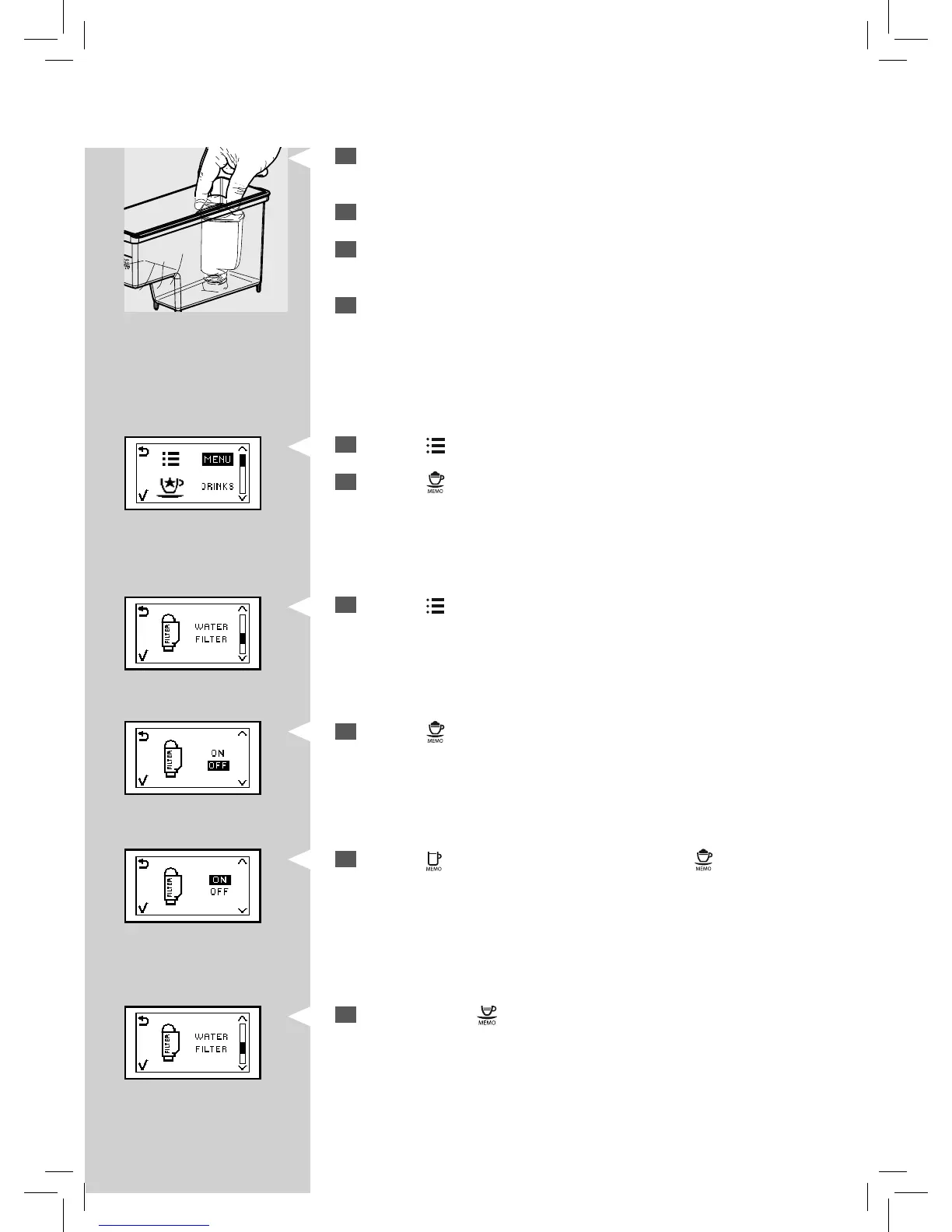
Put the “INTENZA+” water lter into the empty water tank. Press it
down until it cannot move any further.
5
Fill the water tank with fresh water and put it into the machine.
6
Dispense all the water in the water tank by using the hot water func-
tion (see the “Hot Water Dispensing” chapter).
7
Fill the water tank again.
10
Press the “ ” button to scroll the functions until this display is shown.
YellowYellow
12
Press the “ ” button to select “ON”, then press the “ ” button to con-
rm.
Yellow Yellow
Green
8
Press the “ ” button. The machine shows this display.
9
Press the “ ” button to access the function.
11
Press the “ ” button to access the function.
13
To exit, press the “ ” button.



 To Next Page