23
ENGLISH
23
Yellow
6
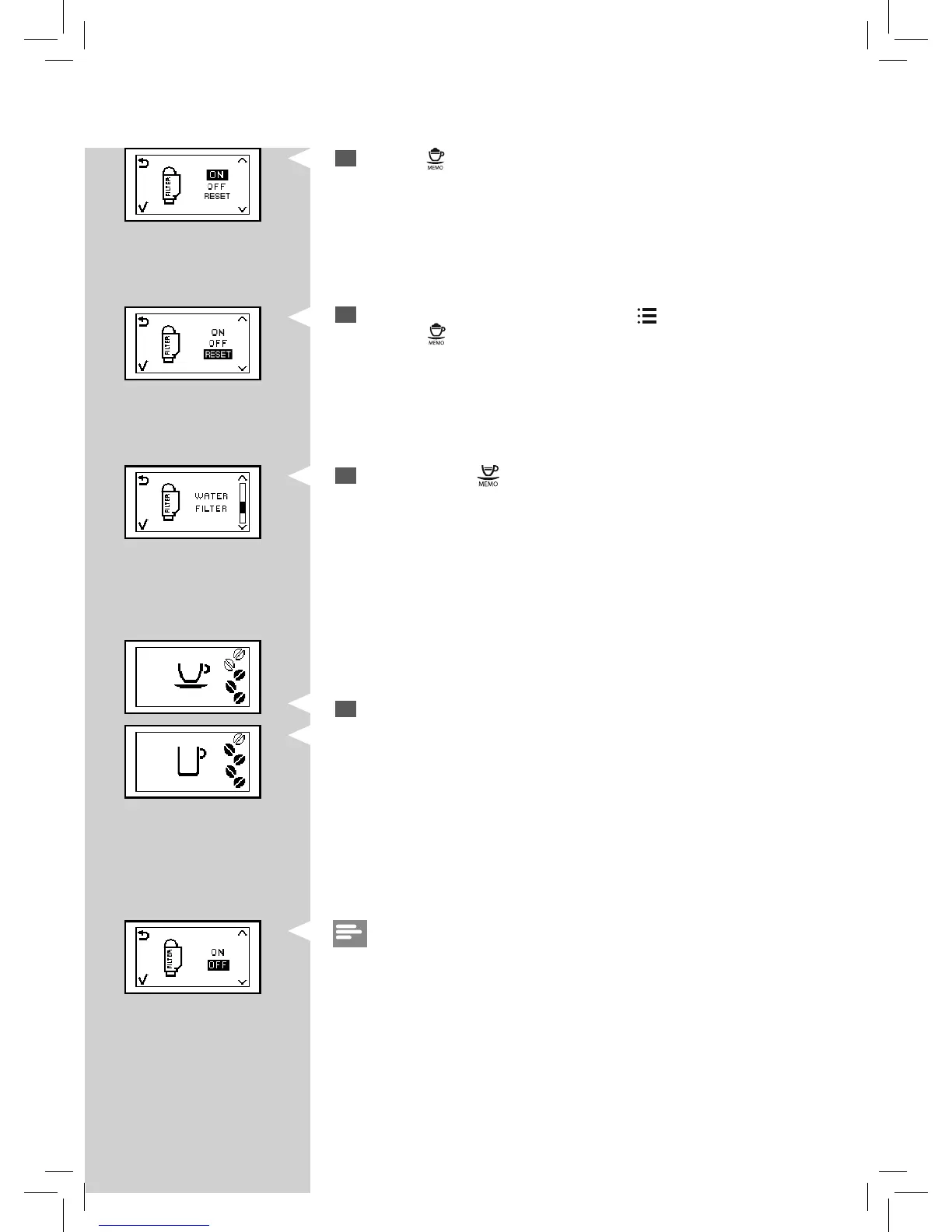
Select the “RESET” option by pressing the “ ” button.
Press the "
" button to con rm.
8
The machine shows this display and is ready to brew.
The machine is now programmed to manage a new “INTENZA+” water
lter.
Note:
If the “INTENZA+” water lter is already installed and you want to remove,
but not replace it, select the “OFF” option instead.
If there is no “INTENZA+” water lter installed, insert the small white lter
previously removed into the water tank.
Yellow Yellow Yellow
5
Press the “ ” button to access the function.
7
To exit, press the “ ” button.
GreenGreen



 To Next Page