EN 25
9 Redial list
The redial list stores the call history of dialed
calls. It includes the names and/or numbers
you have called.
This phone can store up to 10 redial
records. The redial records are displayed in
chronological order with the most recent
dialed number at the top of the list.
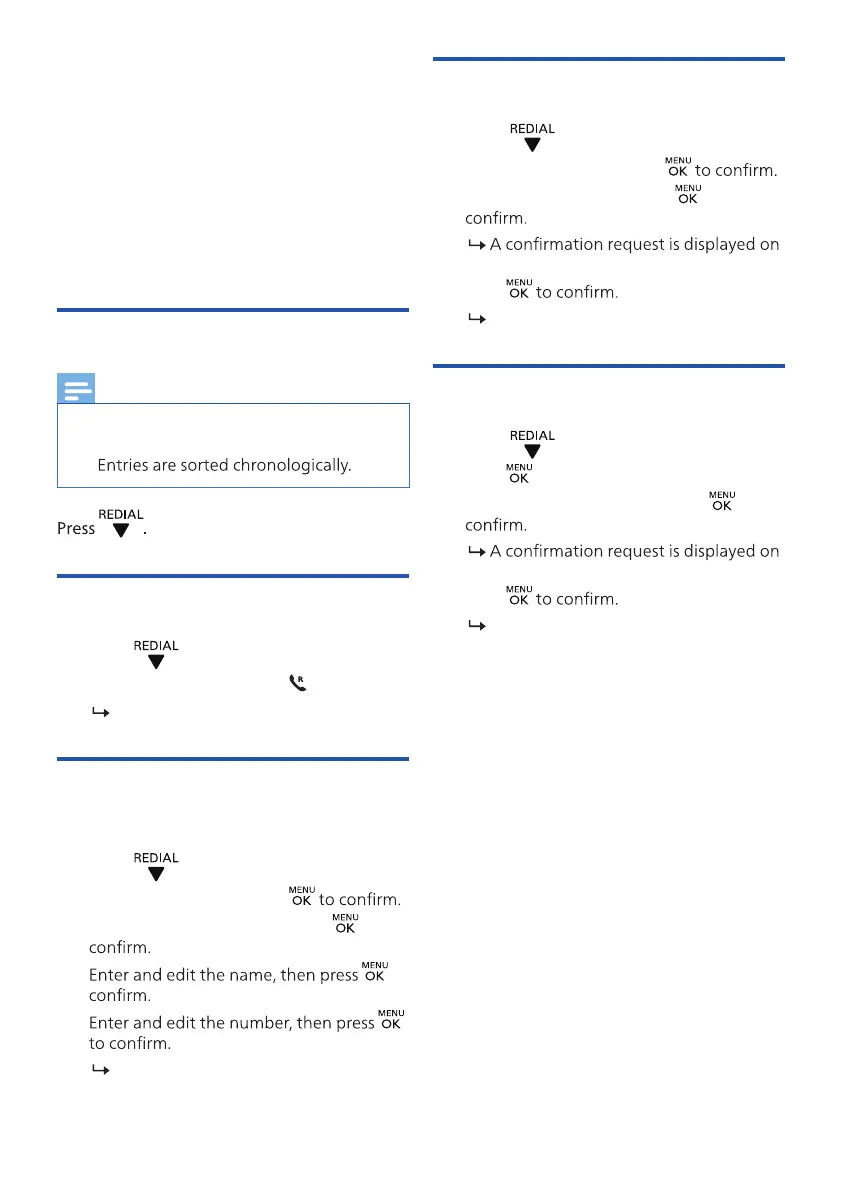
View the redial records
Note
• You can view the dialed call records on
one handset only each time.
•
Redial a call
1. Press .
2. Select a record, then press
.
The number is dialed out.
Save a call record to the
phonebook
1. Press to enter the list of dialed calls.
2. Select a record, then press
3. Select [ADD TO PB], then press to
4. to
5.
The record is saved.
Delete a redial record
1. Press to enter the list of dialed calls.
2. Select a record, then press
3. Select [DELETE], then press to
the handset.
4. Press
The record is deleted.
Delete all redial records
1. Press to enter the list of dialed calls.
2. Press
to enter the options menu.
3. Select [DELETE ALL], then press
to
the handset.
4. Press
All records are deleted.



 To Next Page