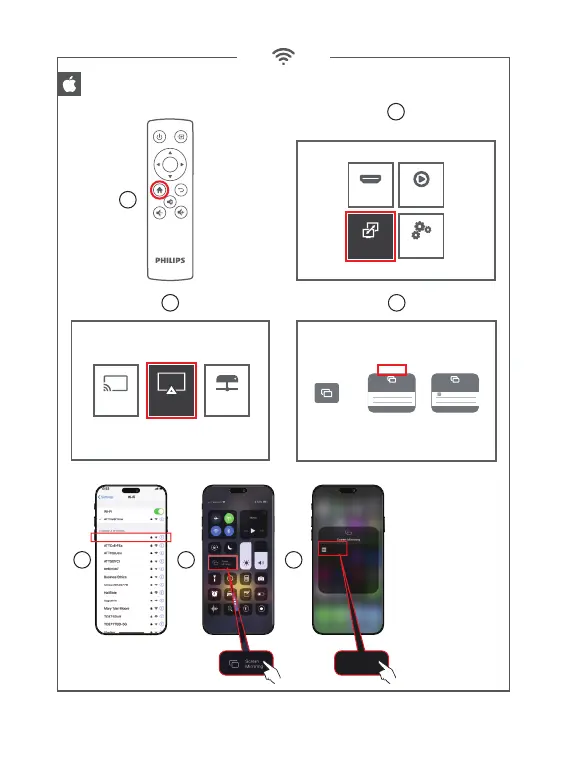
Wireless screen mirroring : Method 1 (peer to peer)
1
2
3
Mirroring your iPhone, iPad or iPod touch
Make sure that your iOS device is connected to the same network as your
Projector, or connect iOS device with AP by Projector:
1. On your iOS device, open Control Center an tap screen Mirroring.
2. Looking for devices that can be mirrored on.
3. Select icast-9cf2 from the list
Connecting...
Screen mirroring
icast-9cf2
TV
Screen mirroring
hostap-9cf2
4
5 6 7
If projector was already connected
to the Wi routeur dont forget
to disconnect rst before pairing
with your smartphone.
Source Media Player
Settings
Multi Screen
hostap-9cf2
ScreenCast
AirPlayTM DLNA
icast-9cf2
icast-9cf2
OK










 To Next Page