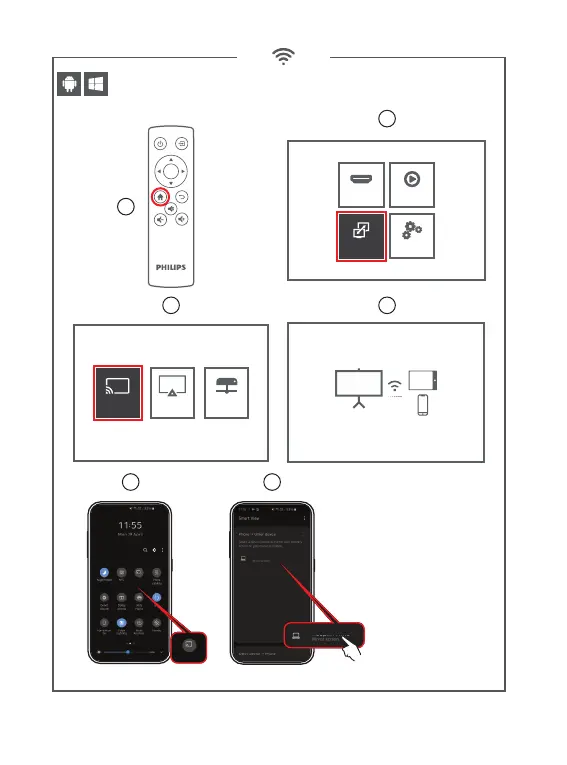
1
3 4
5 6
2
If projector was already connected
to the Wi routeur dont forget to
disconnect rst before pairing with
your smartphone.
Source Media Player
Settings
Multi Screen
ScreenCast
To connect Android Mobile/Pad Device with Projector Based on
WiFi-Display Technology
1. On your Android Mobile/Pad open the settings menu.
2. Access your display settings or sceen-mirroring
3. Select your Miracast receiver :
mcast-9cf2
Miracast Dongle Initialize, Please Wait
Screen Cast
Screen Cast
mcast-9cf2
ScreenCast
AirPlayTM DLNA
Wireless screen mirroring : Method 1 (peer to peer)
OK










 To Next Page