EasyManua.ls Logo

Philips PCL304 - System Utility; Setup; Setup Page

Philips PCL304
82 pages
Print Icon
To Next Page IconTo Next Page
To Previous Page IconTo Previous Page
Loading...
4.
SYSTEM
UTILITY
in
this
chapter
a
description
is
given
of
the
utilities
delivered
with
the
system
on
the
utilities
diskette.
4.1
Setup
The
SETUP
consists
of
a
display
page
for
the
ROM
version.
To
access
the
ROM
BIOS
SETUP,
the
following
keys
should
be
pressed
simultaneously:
<CTRL>
+
<ALT>
+
<ESC>
This
can
be
done
at
any
time,
provided
that
no
running
ap-
plication
has
taken
over
the
keyboard
interrupt
handlers.
<CTRL>+<ALT>
+
<ESC>
may
be
pressed
during
Power
On
Diagnostics
when
the
machine
is
first
switched
on
to
change
the
setup
information
prior
to
the
machine
booting.
If
a
configuration
error
is
detected
during
POD,
an
appropriate
beep
code
and
error
message
is
displayed,
then
the
follo-
wing
message
is
displayed:
Press
<F1>
toresume,
<F3>
to
enter
Setup
lithe
<Fi>
key
is
pressed,
the
machine
continues
with
its
booting
procedure.
If
<F3>
is
pressed,
the
SETUP
pro-
gram
is
immediately
executed.
The
SETUP
consists
of
two
columns,
in
which
the
current
values
of
the
CMOS
RAM
are
highlighted.
The
current
set-
tings
can
be
changed
by
using
the
<INS>
and
<DEL>
the
keys.
<+>,<+>,<
+
>,<
4
>and
<ENTER>:
Use
to
select
the
field(s)
within
the
page
whose
values
are
to
be
changed.
<INS>,
<DEL>
:
Used
to
change
the
field
to
the
required
value.
<F10>
:
Used
to
write
the
new
configuration
information
to
the
CMOS
and
reboot
the
system.
<F1>
:
Changes
will
not
be
saved
into
the
CMOS
RAM
and
the
system
will
reboot.
In
the
disk
version
of
SETUP,
pressing
<F1>
will
not
reboot
the
system.
4.1.1
Setup
page
4-1
The
system
SETUP
program
is
contained
in
theB31I0S-ROM
which
is
built
into
the
set.
It
can
be
invoked
by
pissing
si-
multaniously
the
CTRL
and
the
ALT
key,
and
wife
holding
them
down,
hitting
the
ESC
key.
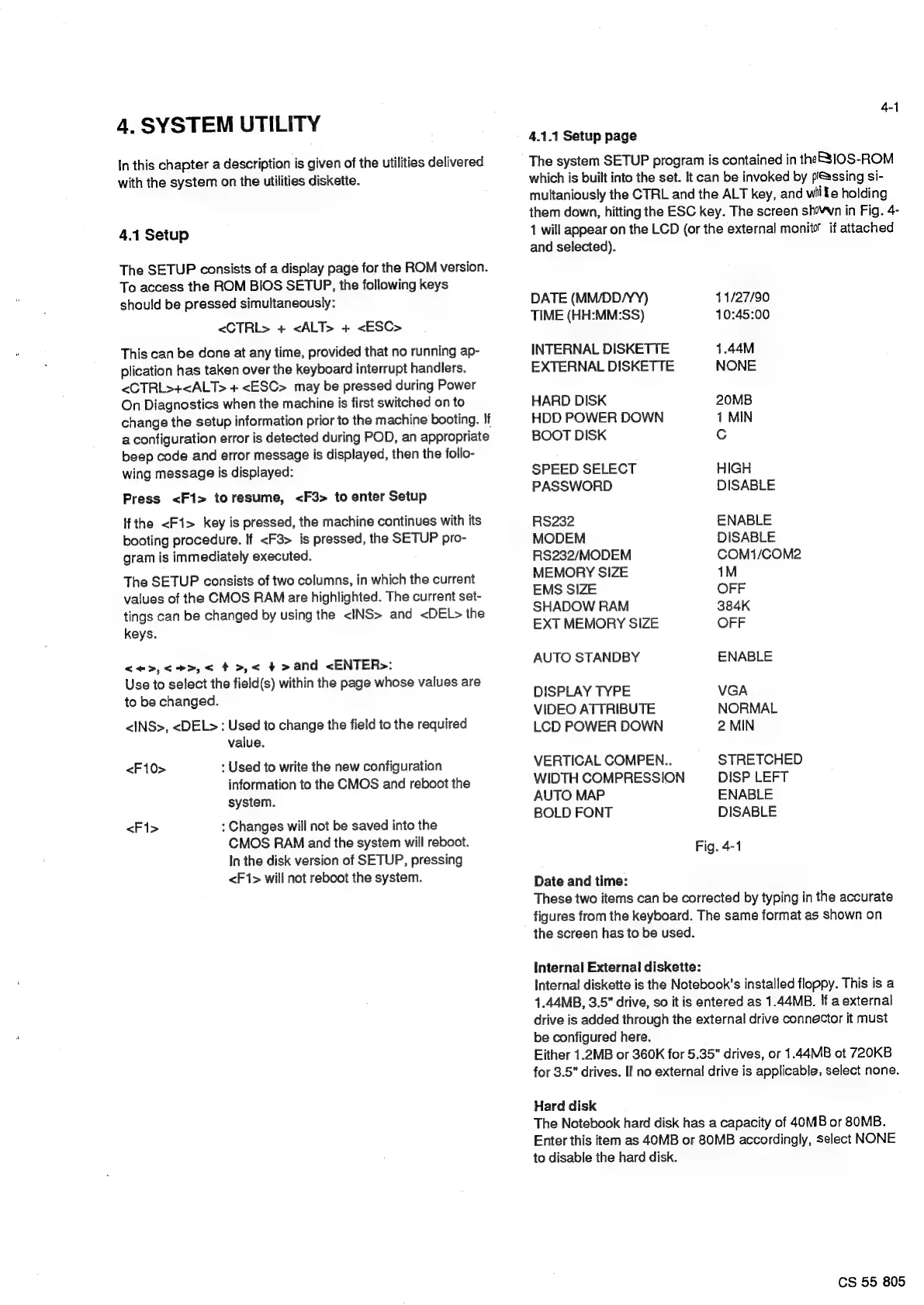
The
screen
sh0-wn
in
Fig.
4-
1
will
appear
on
the
LCD
(or
the
external
monito’
if
attached
and
selected).
DATE
(MM/DD/YY)
11/27/90
TIME
(HH:MM:SS)
10:45:00
INTERNAL
DISKETTE
1.44M
EXTERNAL
DISKETTE
NONE
HARD
DISK
20MB
HDD
POWER
DOWN
1
MIN
BOOT
DISK
Cc
SPEED
SELECT
HIGH
PASSWORD
DISABLE
RS232
ENABLE
MODEM
DISABLE
RS232/MODEM
COM1/COM2
MEMORY
SIZE
1M
EMS
SIZE
OFF
SHADOW
RAM
384K
EXT
MEMORY
SIZE
OFF
AUTO
STANDBY
ENABLE
DISPLAY
TYPE
VGA
VIDEO
ATTRIBUTE
NORMAL
LCD
POWER
DOWN
2
MIN
VERTICAL
COMPEN..
STRETCHED
WIDTH
COMPRESSION
DISP
LEFT
AUTO
MAP
ENABLE
BOLD
FONT
DISABLE
Fig.
4-1
Date
and
time:
These
two
items
can
be
corrected
by
typing
in
the
accurate
figures
from
the
keyboard.
The
same
format
as
shown
on
the
screen
has
to
be
used.
Internal
External
diskette:
Internal
diskette
is
the
Notebook’s
installed
floppy.
This
is
a
1.44MB,
3.5"
drive,
so
it
is
entered
as
1.44MB.
If
a
external
drive
is
added
through
the
external
drive
connector
it
must
be
configured
here.
Either
1.2MB
or
360K
for
5.35"
drives,
or
1.44MB
ot
720KB
for
3.5"
drives.
If
no
external
drive
is
applicable,
select
none.
Hard
disk
The
Notebook
hard
disk
has
a
capacity
of
40MB
or
80MB.
Enter
this
item
as
40MB
or
80MB
accordingly,
select
NONE
to
disable
the
hard
disk.
CS
55
805

Related product manuals