EasyManua.ls Logo

Philips PCL304 - Diagnostics; Functional Testprogram; Error Messages; Power on Test Messages

Philips PCL304
82 pages
Print Icon
To Next Page IconTo Next Page
To Previous Page IconTo Previous Page
Loading...
6
DIAGNOSTICS
6.1
Functional
test
program
The
power
self
test
will
only
test
a
part
of
the
total
system.
Therefor
a
functional
test
program
is
available
to
test
the
remaining
system
parts
for
correct
functioning.
This
test
program
comes
on
a
3
1/2”
720
K
floppy
(4822
710
20001)
and
can
be
used
for
all
PCL-line
personal
compuiers.
The
test
program
was
designed
to
test
the
basic
system
functions
in
a
fast
way:
@
floppy
drive
hard
disk
mouse
R232-interface
Video
controller
monitor
printer
interface
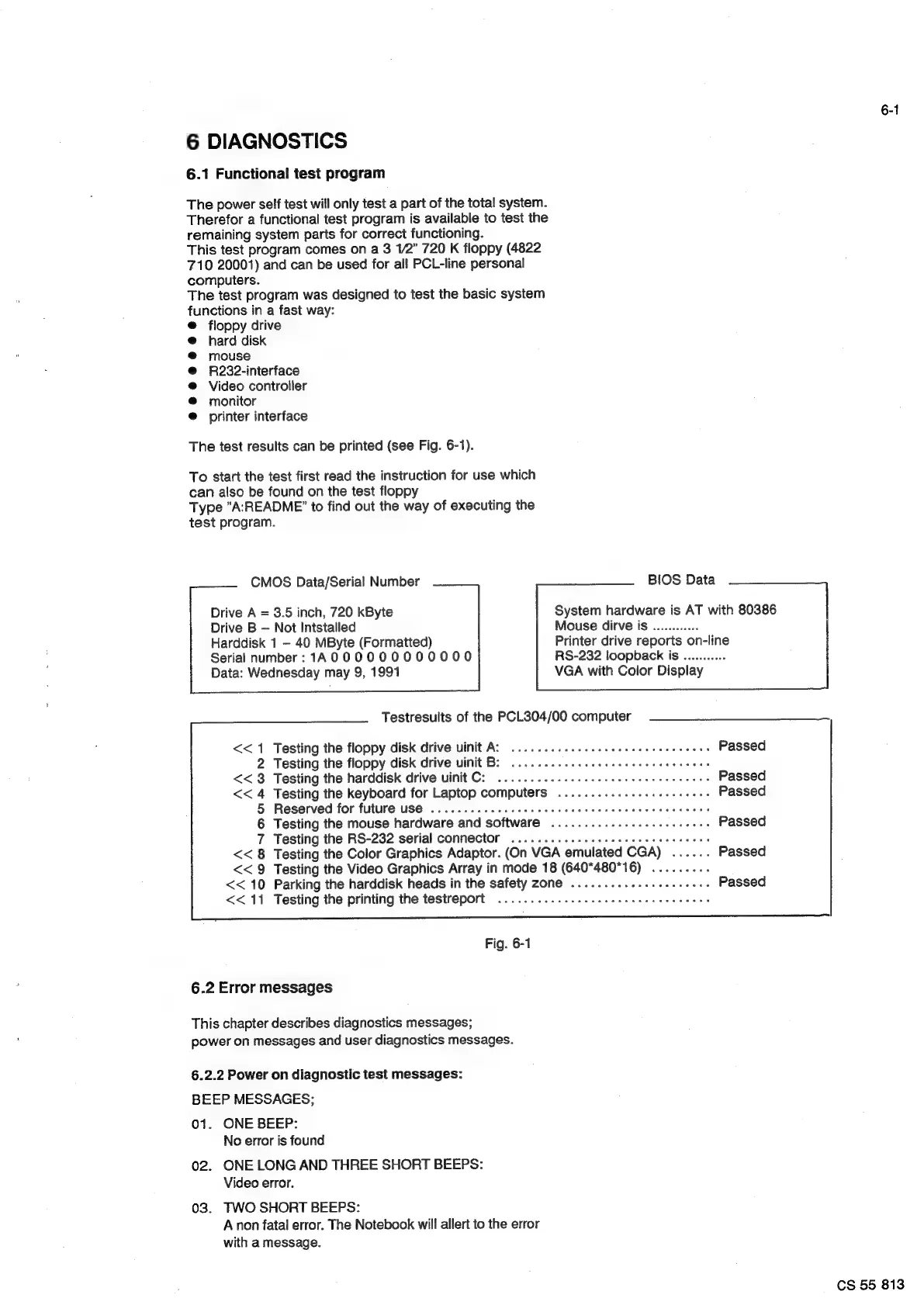
The
test
results
can
be
printed
(see
Fig.
6-1).
To
start
the
test
first
read
the
instruction
for
use
which
can
also
be
found
on
the
test
floppy
Type
"A:README”
to
find
out
the
way
of
executing
the
test
program.
CMOS
Data/Serial
Number
BIOS
Data
Drive
A
=
3.5
inch,
720
kByte
Drive
B
Not
Intstalled
Harddisk
1
-
40
MByte
(Formatted)
Serial
number:
1A
000000000000
Data:
Wednesday
may
9,
1991
System
hardware
is
AT
with
80386
Mouse
dirve
is
............
Printer
drive
reports
on-line
RS-232
loopback
is
...........
VGA
with
Color
Display
Testresults
of
the
PCL304/00
computer
<<
1
Testing
the
floppy
disk
drive
uinit
A:
.....
6.6
eee
eee
eter
eens
Passed
2
Testing
the
floppy
disk
drive
uinit
B:
2...
2...
eee
eee
eee
renee
eee
<<
3
Testing
the
harddisk
drive
uinit
C:
60...
1
eee
eee
eect
eee
eee
eee
Passed
<<
4
Testing
the
keyboard
for
Laptop
computers
..........-..
eee
eee
eees
Passed
5
Reserved
for
future
US€
........
ccc
e
cece
teen
ence
nent
enes
6
Testing
the
mouse
hardware
and
software
............s.eeeeeeeeee
Passed
7
Testing
the
RS-232
serial
connector
.........--..eeeee
cece
eect
eee
<<
8
Testing
the
Color
Graphics
Adaptor.
(On
VGA
emulated
CGA)
......
Passed
<<
9
Testing
the
Video
Graphics
Array
in
mode
18
(640*480*16)
.........
<<
10
Parking
the
harddisk
heads
in
the
safety
zone
..................00-
Passed
<<
11
Testing
the
printing
the
testreport
........
es
cece
eee
eee
eee
eee
Fig.
6-1
6.2
Error
messages
This
chapter
describes
diagnostics
messages;
power
on
messages
and
user
diagnostics
messages.
6.2.2
Power
on
diagnostic
test
messages:
BEEP
MESSAGES;
01.
ONE
BEEP:
No
error
is
found
02.
ONE
LONG
AND
THREE
SHORT
BEEPS:
Video
error.
03.
TWO
SHORT
BEEPS:
Anon
fatal
error.
The
Notebook
will
allert
to
the
error
with
a
message.
6-1
CS
55
813

Related product manuals