EasyManua.ls Logo

Philips PCL304 - Video Diagnostics; Floppy Disk Diagnostics; Printer Port Diagnostics

Philips PCL304
82 pages
Print Icon
To Next Page IconTo Next Page
To Previous Page IconTo Previous Page
Loading...
6-4
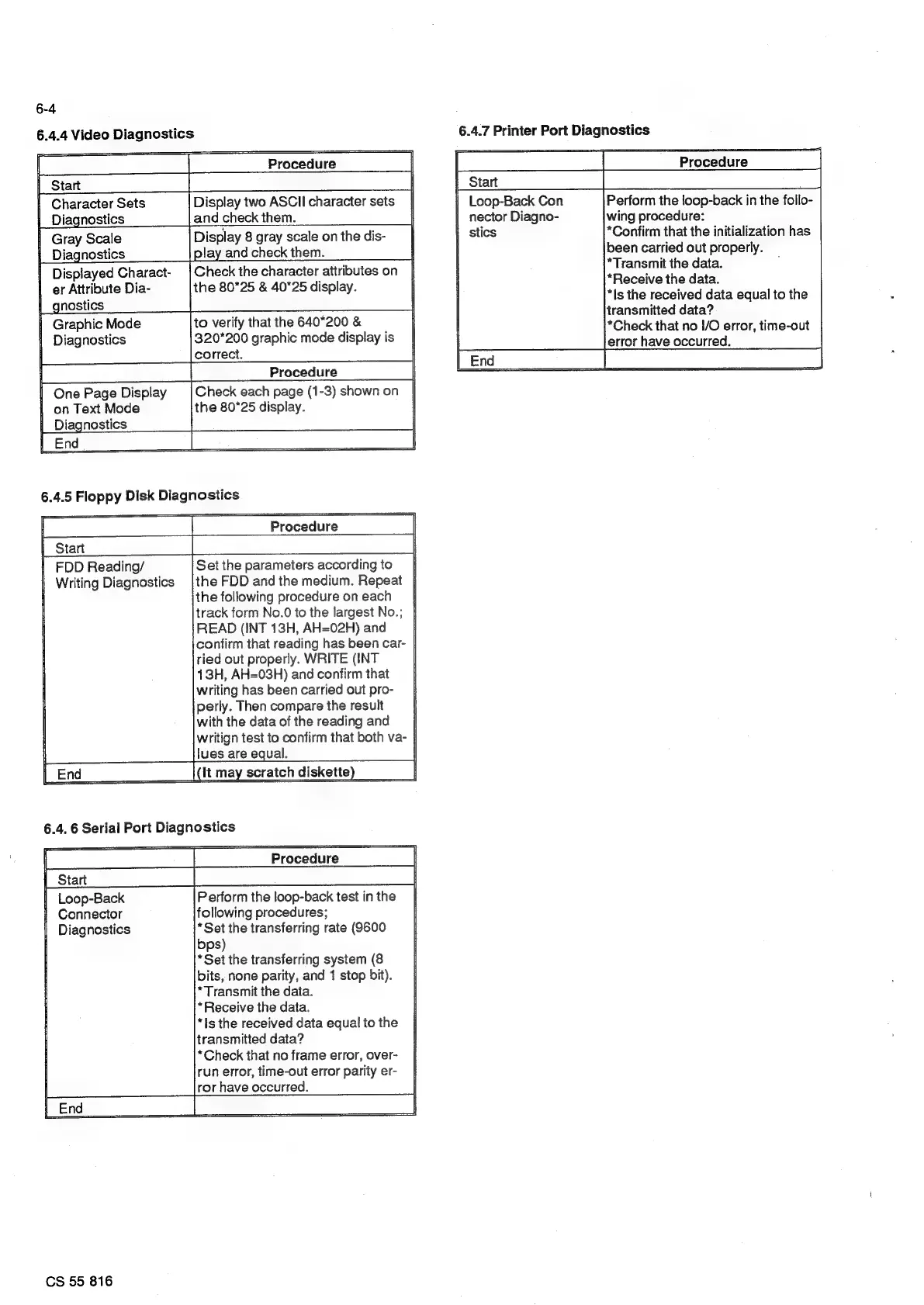
6.4.4
Video
Diagnostics
Procedure
eee
ee
So
a
aes
ol
|
Character
Sets
Display
two
ASCll
character
sets
|
|
Diagnostics
and
check
them.
|
|
Gray
Scale
|
Diagnostics
|
olay
and
check
them.
|
er
Attribute
Dia-
the
80°25
&
40*25
display.
|
|_gnostics
Graphic
Mode
to
verify
that
the
640*200
&
|
Diagnostics
320*200
graphic
mode
display
is
|
|
correct.
aaa
Procedure
|
I
|
One
Page
Display
Check
each
page
(1-3)
shown
on
|
|
on
Text
Mode
the
80°25
display.
|
|
Diagnostics
6.4.5
Floppy
Disk
Diagnostics
Procedure
|
FDD
Reading/
Set
the
parameters
according
to
|
Writing
Diagnostics
|the
FDD
and
the
medium.
Repeat
|
|
the
following
procedure
oneach_
|
track
form
No.0
to
the
largest
No.;
|
READ
(INT
18H,
AH=02H)
and
confirm
that
reading
has
been
car-
ried
out
properly.
WRITE
(INT
13H,
AH=03H)
and
confirm
that
writing
has
been
carried
out
pro-
perly.
Then
compare
the
result
with
the
data
ofthe
reading
and
|
writign
test
to
confirm
that
both
va-
|
lues
are
equal.
Procedure
Perform
the
loop-back
test
in
the
following
procedures;
*Set
the
transferring
rate
(9600
bps)
*Set
the
transferring
system
(8
bits,
none
parity,
and
1
stop
bit).
*Is
the
received
data
equal
to
the
transmitted
data?
*Check
that
no
frame
error,
over-
run
error,
time-out
error
parity
er-
ror
have
occurred.
CS
55
816
6.4.7
Printer
Port
Diagnostics
nector
Diagno-
1
stics
Procedure
Perform
the
loop-back
in
the
follo-
wing
procedure:
*Confirm
that
the
initialization
has
been
carried
out
properly.
*Transmit
the
data.
*Receive
the
data.
*Is
the
received
data
equal
to
the
transmitted
data?
*Check
that
no
I/O
error,
time-out
error
have
occurred.

Related product manuals