EasyManua.ls Logo

Philips PCL304 - Page 59

Philips PCL304
82 pages
Print Icon
To Next Page IconTo Next Page
To Previous Page IconTo Previous Page
Loading...
8-27
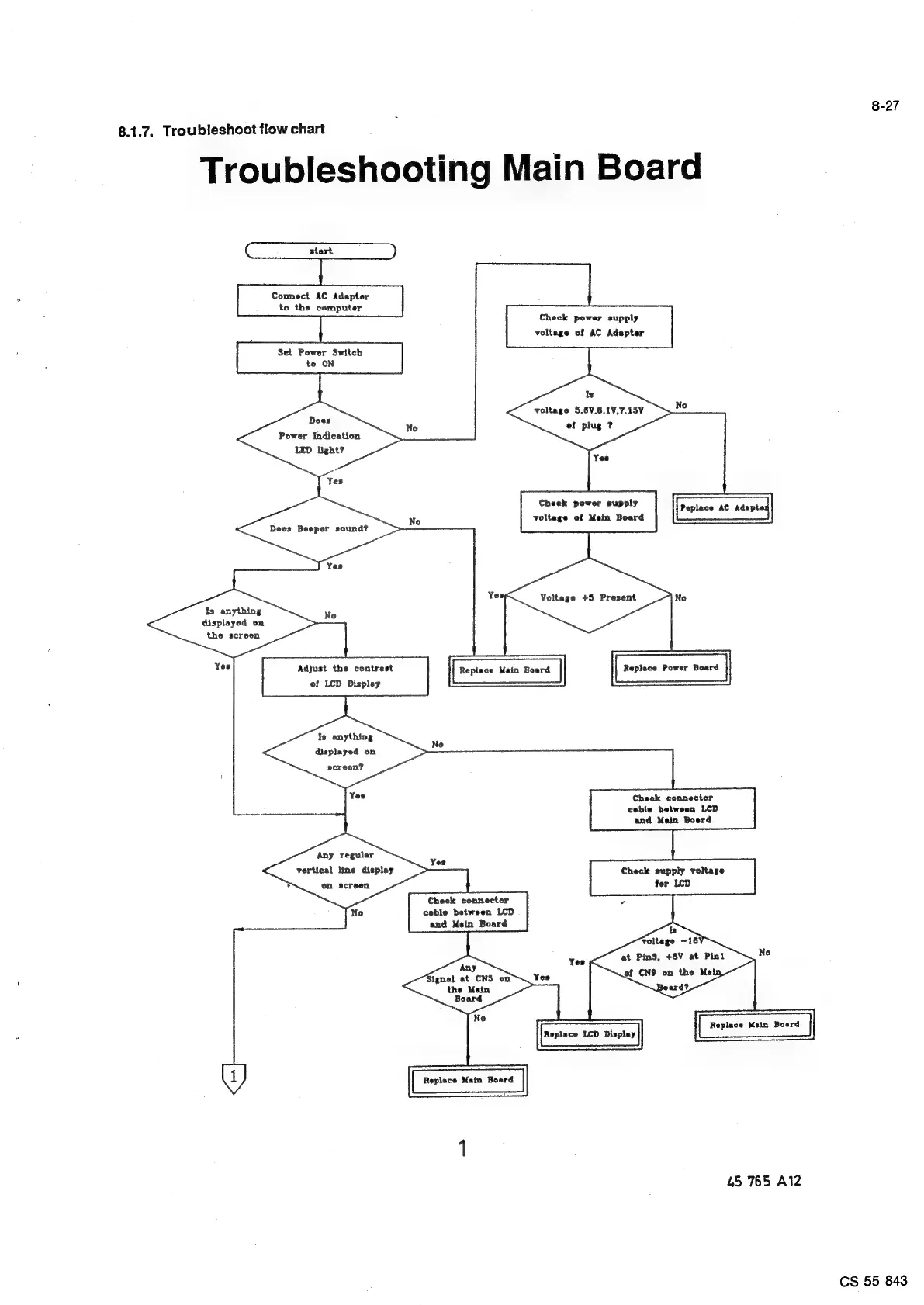
8.1.7.
Troubleshoot
flow
chart
Troubleshooting
Main
Board
Connect
AC
Adapter
to
the
computer
Set
Power
Switch
te
ON
Does
Power
Indication
LED
light?
Check power
supply
voltage
of
AC
Adapter
Is
voltage
5.6V,6.1V,7.15V
of
plug
?
Check power
supply
voltage
of
Main
Board
Peplace
AC
Adaptes
Dees
Beeper
sound?
No
Voltage
+5
Present
Is
anything
displayed
on
the
screen
Yes
Adjust
the
contrast
of
LCD
Displey
Replace
Power
Boerd
Replace
Main
Board
fs
anything
No
displayed
on
screen?
1
Check
connector
a
dae
aie
cable
between
LCD
and
Main
Boerd
Any
reguler
vertical
line
display
screen
Yes
Check
supply
voltage
on
for
LCD
Check
connector
cable
between
LCD
and
Mein
Board
No
Any
Signal
at
CNS
on
the
Main
Board
No
Replace
Main
Boerd
Replece
LCD
Display
1)
Repisce
Main
Boerd
Yes
45
765
A12
CS
55
843

Related product manuals