User Guide
16
Customizing Pronto
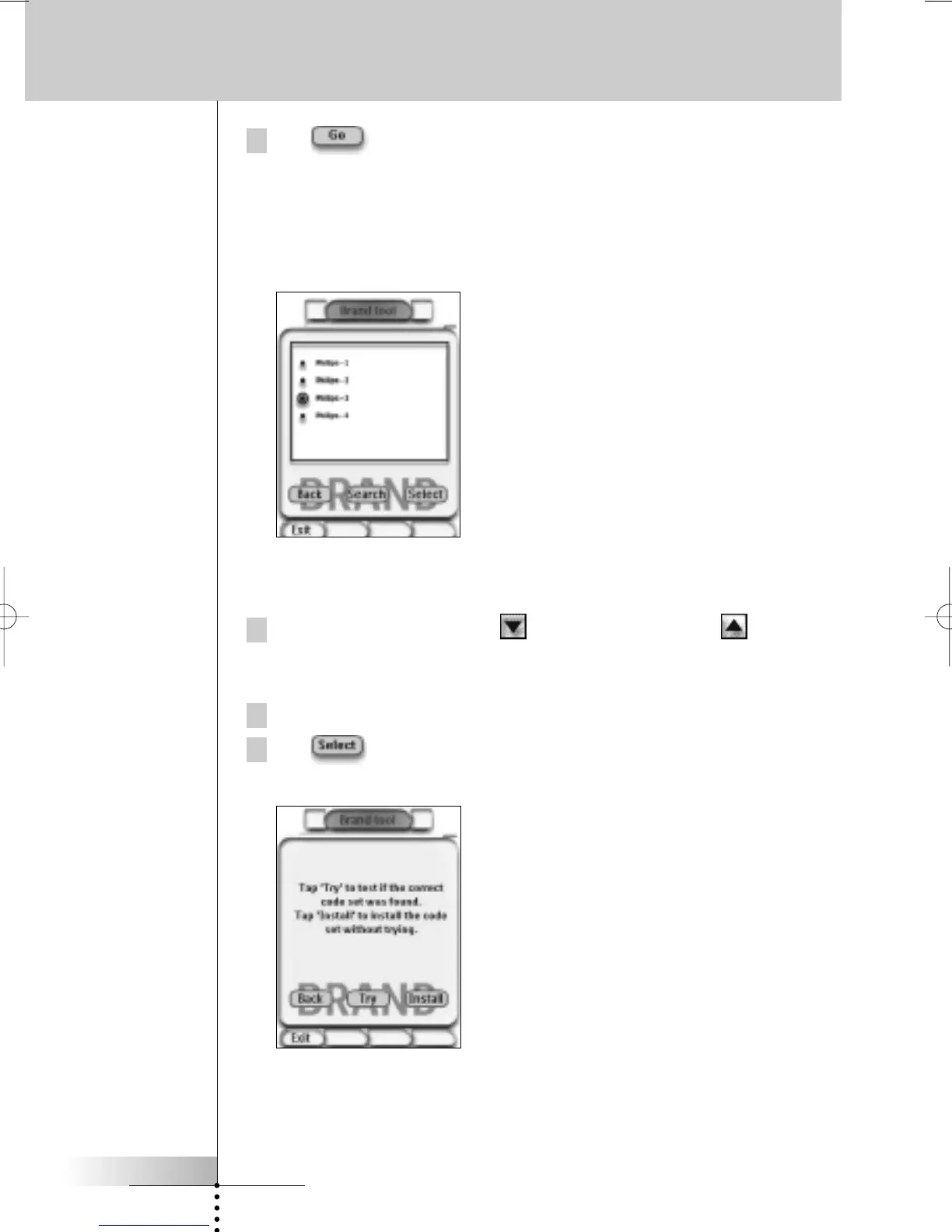
4 Tap in the ‘Brand Tool’ screen.
If there is only one code set, the ‘Installing the Brand’ screen appears.
-or-
If there is more than one possible code set, the ‘Code Sets’ screen
appears.
Selecting the code set
1 Tap the Scroll Down button or the Scroll Up button next to the
Code Sets list.
The Code Sets list scrolls down/up.
2 Tap the Code Set for the selected Device in the Code Sets list.
3 Tap in the ‘Code Sets’ screen.
The ‘Installing the Brand’ screen appears.









 To Next Page