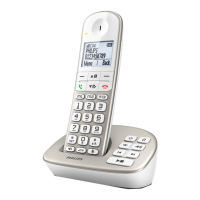
10 Your SE245 Digital Cordless Telephone
8 Loudspeaker key
Activate and deactivate the
loudspeaker during a call.
Warning
Handsfree activation can
suddenly increase the volume
in the earpiece to a very high
level. Make sure the handset is
not too close to your ear.
9 Intercom (at least
2 handsets needed)
In standby mode, use to make
an internal call.
During a call, use to transfer
an external call to another
handset.
10 0 key
In standby, press and hold to
switch between handset name
and date/time display.
11 #/Ringer off/Pause
Press and hold to switch
handset ringer on or off.
When dialling or storing a
number, press and hold to enter
a pause (P).
Dial a #, displayed as
.
12 End/Exit/Handset on-off
End a call.
When in a menu, go back to
standby mode.
Press and hold to switch handset
off (when in standby) or on.
13 Phonebook/Scroll down/
Volume down
Open the phonebook.
Scroll down through lists and
menus.
Decrease the earpiece volume.
14 Redial/Scroll right/
Clear/Mute
Open the redial list.
Scroll to the right.
Delete characters on screen
when entering names and
numbers.
Mute/unmute the microphone
during a call.
Go back to previous menu level
– BACK displayed on screen.



 To Next Page