32
8.2 Handset name
Personalise your handset,
for example, with a name or
location – Peter or Bedroom.
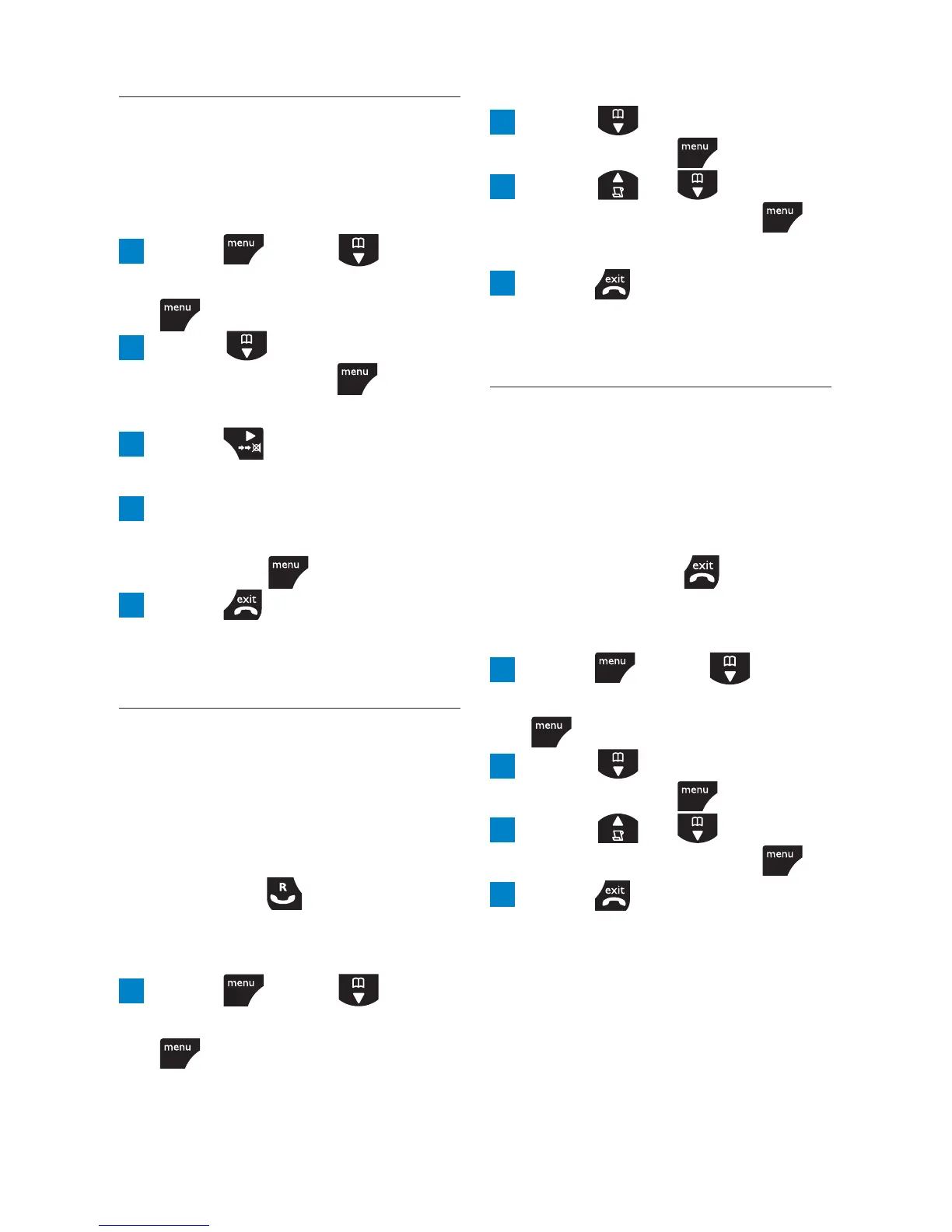
1 Press , scroll to
PERSONAL SET
and press
.
2 Scroll to
HANDSET
NAME
and press .
The current name is displayed.
3 Press to delete the
current name.
4 Enter the name you want
– maximum 10 characters
and press
to save.
5 Press to return to
standby.
8.3 Auto pick-up
When auto pick-up is switched
on, you can answer a call just by
lifting the handset off the base
or charger. If switched off, you
have to press
to answer a
call. The default setting is Off.
1 Press , scroll to
PERSONAL SET
and press
.
2 Scroll to
AUTO PICK
UP
and press .
3 Scroll or to select
ON
or
OFF
and press
to confi rm.
4 Press to return to
standby.
8.4 Auto hang-up
When auto hang-up is switched
on, you can end a call just by
replacing the handset on the
base or charger. If switched off,
you have to press
to hang
up. The default setting is On.
1 Press , scroll to
PERSONAL SET
and press
.
2 Scroll to
AUTO HANG-
UP
and press .
3 Scroll or to select
ON
or
OFF
and press .
4 Press to return to
standby.
Personal settings



 To Next Page