EN 11
English
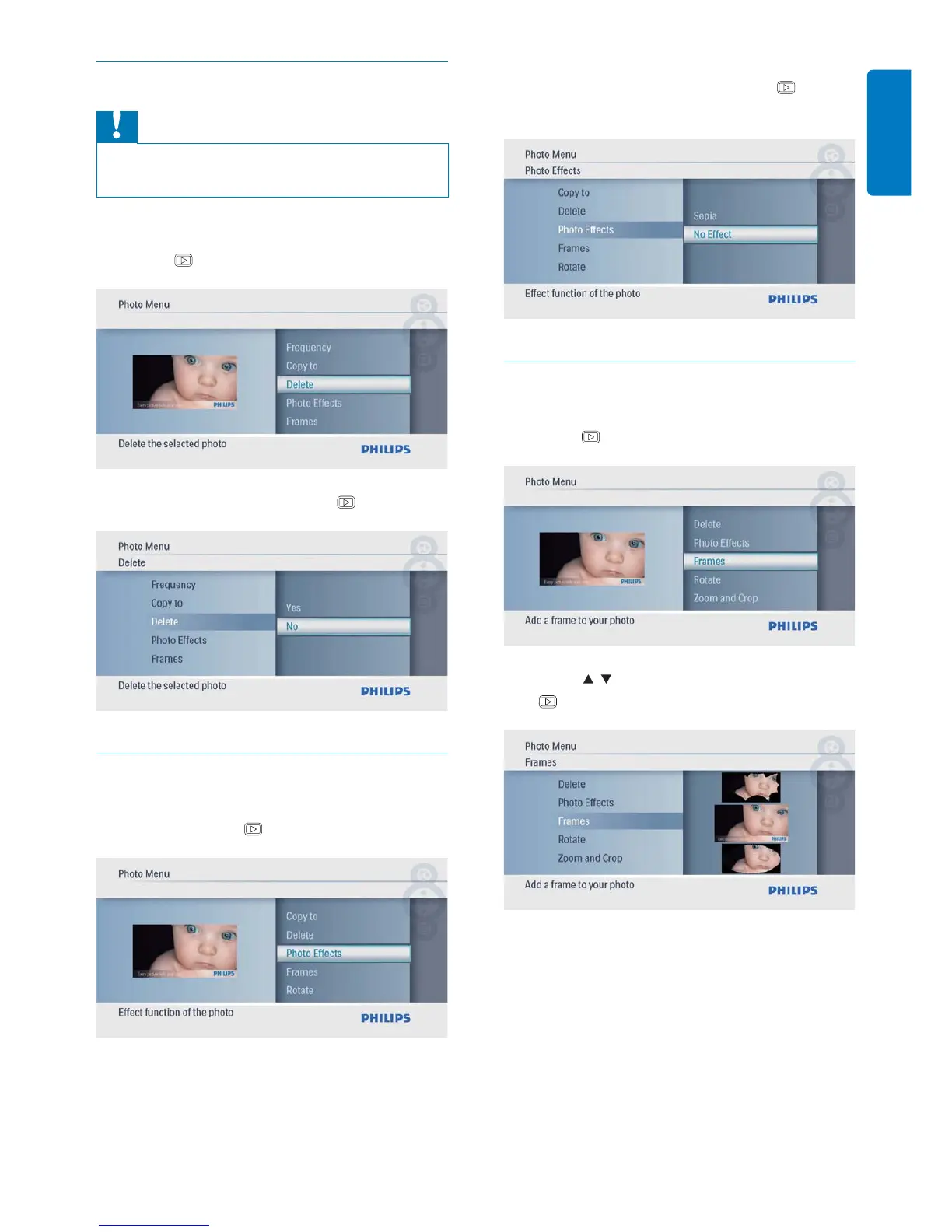
Delete a photo
Caution
Never remove a storage device before the copy or •
delete action completes.
1 In [Photo Menu], select [Delete] and then
press
to confi rm.
2 Select [Yes], and then press to confi rm.
Select a photo effect
1 In [Photo Menu], select [Photo Effects]
and then press
to confi rm.
2 Select an option, and then press to
confi rm.
Select a photo frame
1 In [Photo Menu], select [Frames] and then
press
to confi rm.
2 Press / to select a frame, and then press
to confi rm.



 To Next Page