20 EN
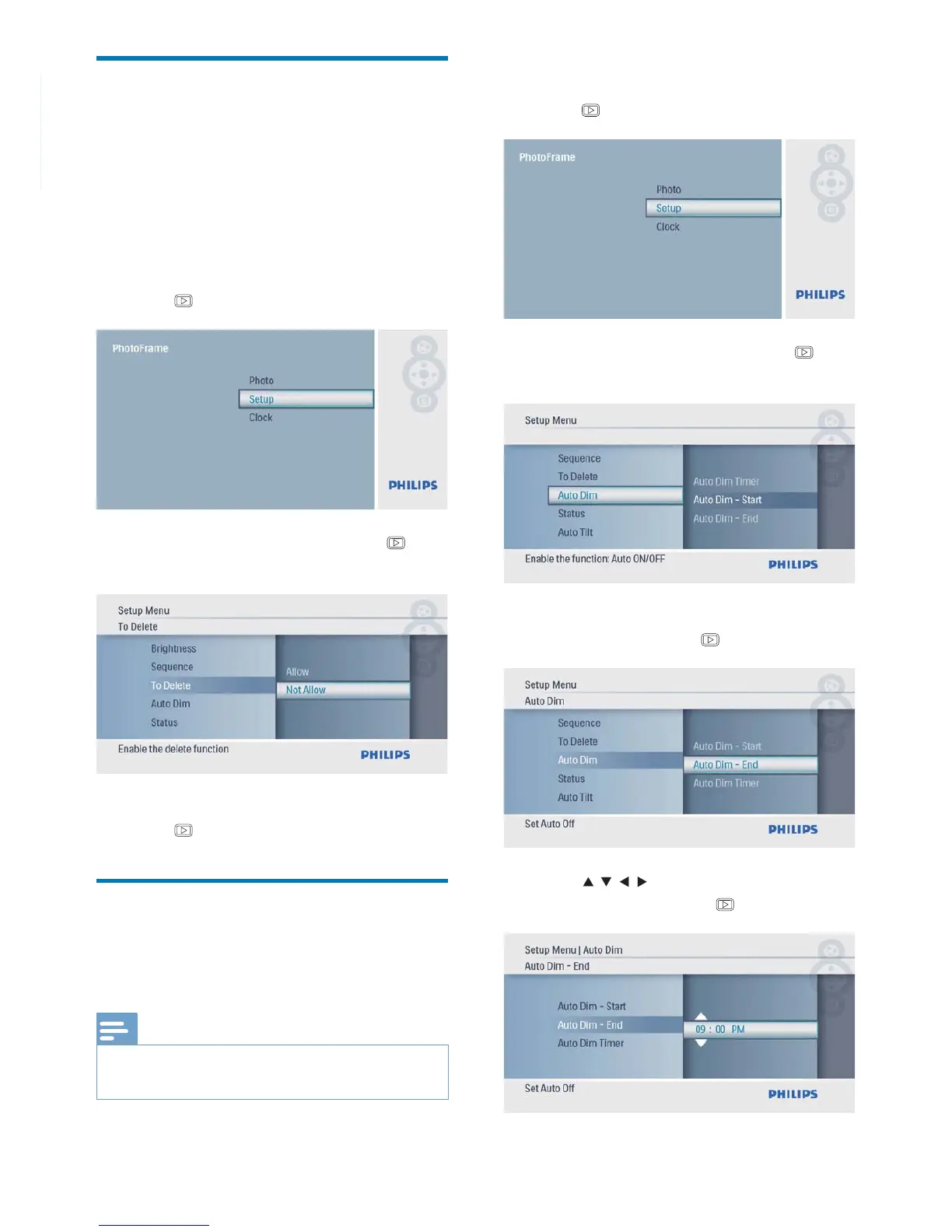
Protect/Unprotect content of
a memory card
You can enable the delete function on a storage
device available on the PhotoFrame. To avoid
deleting photos on a storage device, you can
also disable the delete function on a storage
device.
1 In the main menu, select [Setup] and then
press
to confi rm.
2 Select [To Delete], and then press to
confi rm.
3 Select [Allow] / [Not Allow], and then
press
to confi rm.
Set display auto on/off
You can confi gure the time for the PhotoFrame
to turn on or off the display automatically.
Note
Ensure that you set the current time and date of the •
PhotoFrame before you set the auto on/off function.
1 In the main menu, select [Setup] and then
press
to confi rm.
2 Select [Auto Dim], and then press to
confi rm.
3 Select [Auto Dim - End] / [Auto Dim -
Start], and then press
to confi rm.
4 Press / / / to set time for auto-on/
auto-off, and then press
to confi rm.



 To Next Page