14 EN
5 Clock
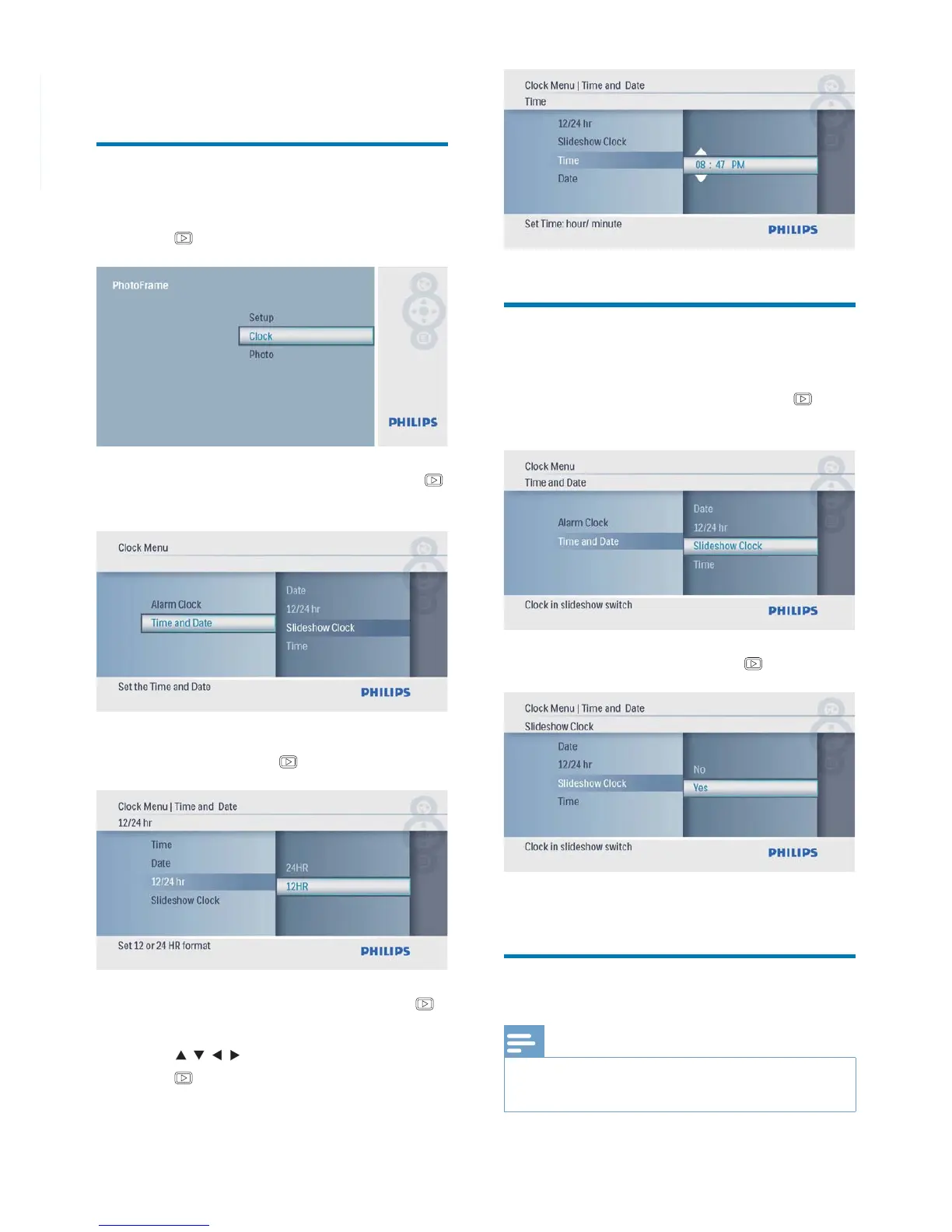
Set time and date
1 In the main menu, select [Clock] and then
press
to confi rm.
2 Select [Time and Date], and then press
to confi rm.
Select• [12/24 hr] > [12HR] / [24HR],
and then press
to confi rm.
3 Select [Time] / [Date], and then press
to confi rm.
4 Press / / / to set time/date, and then
press
to confi rm.
Show clock in slideshow
1 In the [Time and Date] menu, select
[Slideshow Clock] and then press
to
confi rm.
2 Select [Yes], and then press to confi rm.
You can have clock shown in slideshow.»
Set alarm clock
Note
Ensure that you set time and date of you PhotoFrame •
correctly.



 To Next Page