EN 7
English
3 Get started
Caution
Use the controls only as stated in this user manual.•
Always follow the instructions in this chapter in
sequence.
If you contact Philips, you will be asked for the
model and serial number of this apparatus. The
model number and serial number are on the
back of the apparatus. Write the numbers here:
Model No. __________________________
Serial No. ___________________________
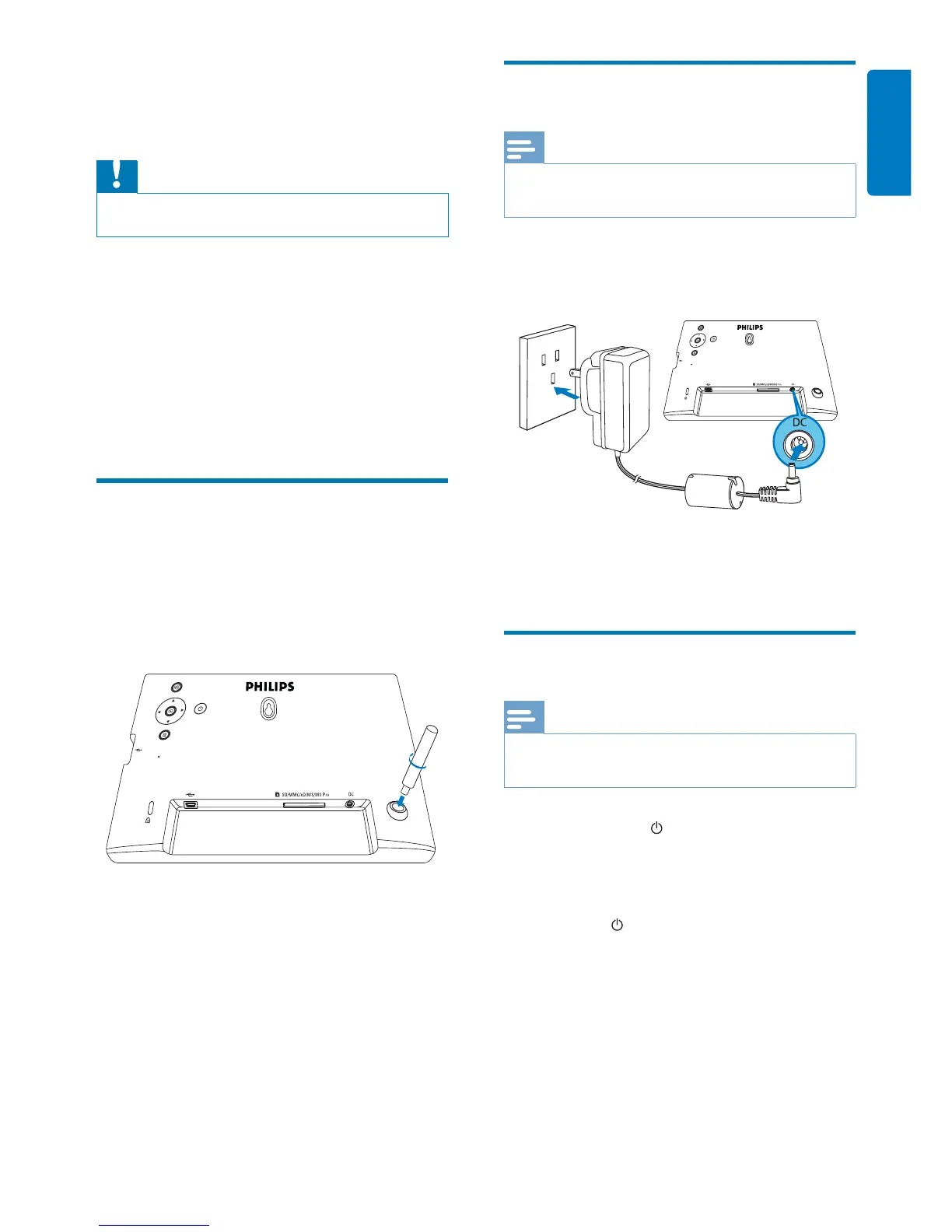
Install the stand
To place the PhotoFrame on a fl at surface,
attach the supplied stand to the back of the
PhotoFrame.
1 Insert the stand into the PhotoFrame.
2 Screw the stand into the stand hole fi rmly.
Connect power
Note
When you position the PhotoFrame, ensure that the •
power plug and outlet are easily accessible.
1 Connect the power cord to the DC
socket of the PhotoFrame.
2 Connect the power cord to a power
supply socket.
Turn on the PhotoFrame
Note
You can only turn off the PhotoFrame after all copy and •
save actions are complete.
1 Press and hold for more than 1 second.
Photos are displayed in slideshow »
mode.
To turn off the PhotoFrame, press and •
hold
.
a
b



 To Next Page