6 EN
Overview of your
PhotoFrame
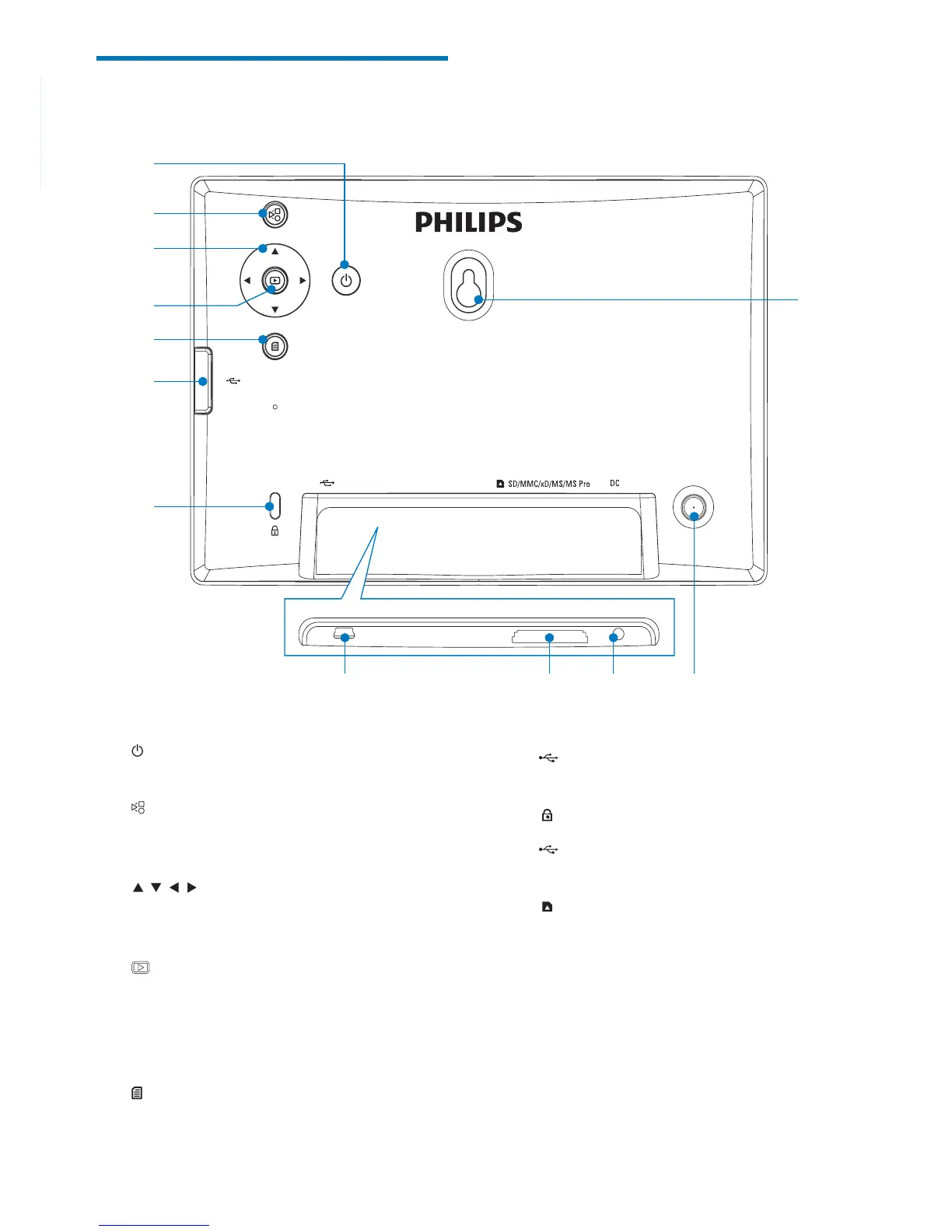
a
Turn on/off the PhotoFrame•
b
Toggle between slideshow mode, •
thumbnail mode, and main menu
c
/ / /
Select the previous/next/right/left •
option
d
Play photos in slideshow mode, •
browse mode, or clock mode
Pause slideshow•
Confi rm a selection•
e
Enter/Exit photo menu•
b
a
c
e
f
d
g
l
k
h
i
j
f
Slot for a USB fl ash drive•
g
Kensington lock
h
Slot for a USB cable to PC•
i
SD/MMC/xD/MS/MS Pro
Slot for an SD/MMC/xD/MS/MS Pro •
card
j DC
Socket for the AC-DC power adaptor•
k Stand hole
l Wall mounting hole



 To Next Page