EN 15
English
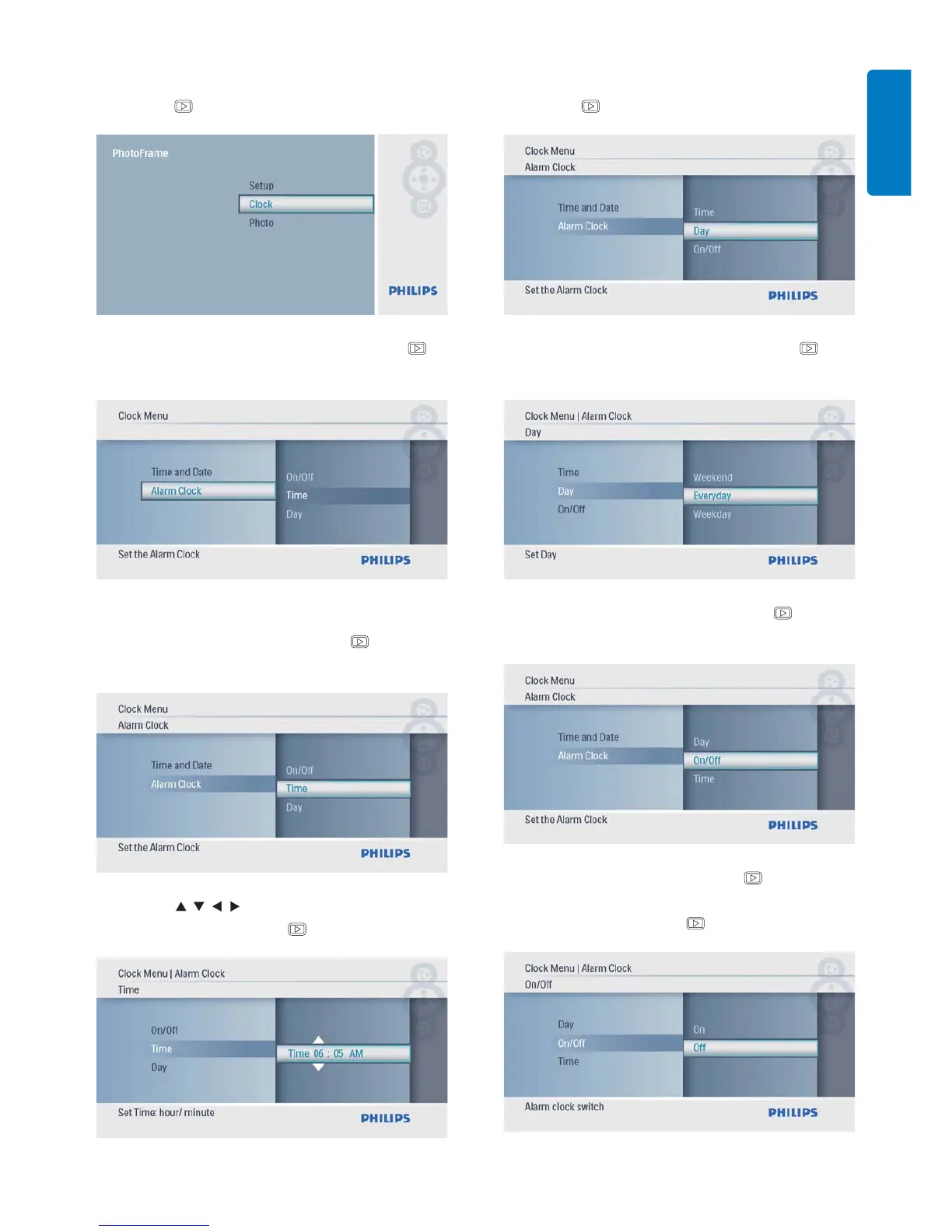
1 In the main menu, select [Clock] and then
press
to confi rm.
2 Select [Alarm Clock], and then press to
confi rm.
The» [Alarm Clock] menu is displayed.
3 Select [Time], and then press to
confi rm.
4 Press / / / to set time for an alarm
clock, and then press
to confi rm.
5 Select [Day] for an alarm clock, and then
press
to confi rm.
6 Selection an option, and then press to
confi rm.
7 Select [On/Off], and then press to
confi rm.
8 Select [On], and then press to confi rm.
To set off an alarm clock, select • [Off]
and then press
to confi rm.



 To Next Page