Getting started
Philips Digital PhotoFrame
EN-14
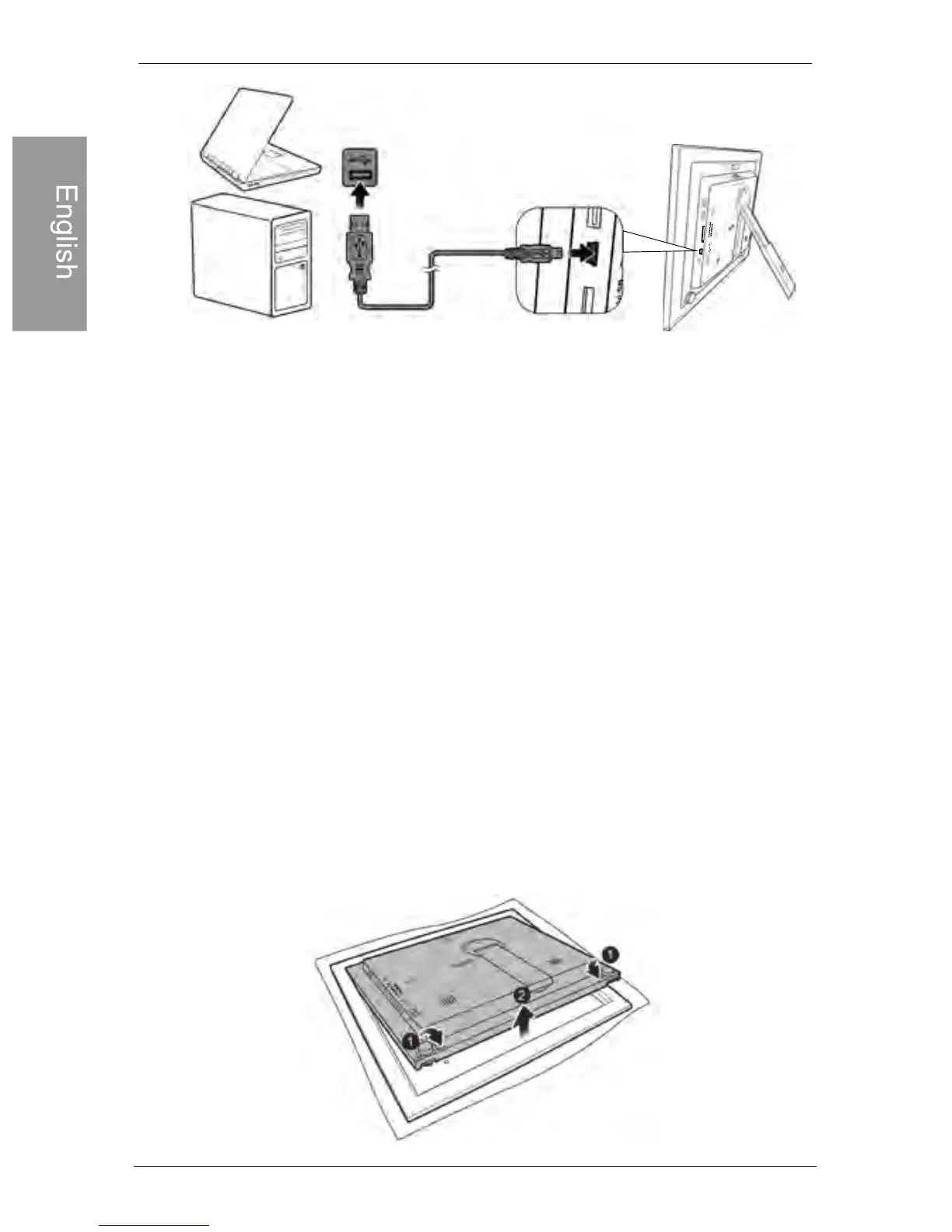
• You can copy photos from the computer to the PhotoFrame, and
vice versa.
• The files on the memory cards and USB flash drive cannot be
viewed/edited via USB connection.
Step 7: Replacing the paper mat
Your PhotoFrame may come with one or more bonus paper mats
depending on your purchased model. You can replace the existing
paper mat with the one supplied (if available). Follow the
instructions below to replace the supplied paper mat.
1. On a flat table, place the PhotoFrame facing down on top of a
soft towel. Be careful not to scratch the unit.
2. Twist the EZ Lock Screws on the back of the PhotoFrame to
the “UNLOCK” position, then carefully lift up the core unit from
the wood frame.



 To Next Page