
 Need help?
Do you have a question about the Philips VoiceTracer DVT4010 and is the answer not in the manual?
General safety instructions for device operation, including protection from water, heat, and cable damage.
Guidelines for charging, usage, and disposal of batteries and rechargeable batteries.
Information on supported microSD card capacity, data transfer rate, and formatting procedures.
Guidelines for safe volume levels and headphone use to prevent hearing damage.
Manufacturer guarantee regarding maximum sound power, recommendations for replacement headphones.
Information on legal restrictions for recording functions and respecting privacy rights.
Explains that the manual covers multiple device models and features may vary.
Defines symbols used in the manual to indicate tips, notes, cautions, and warnings.
Overview of the key features and capabilities of the Philips VoiceTracer recorder.
Lists all items included in the product package for various Philips VoiceTracer models.
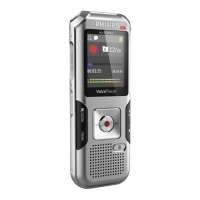
General overview of the device's physical layout and components.
Description of the device's start-up screen and its various icons and indicators.
Instructions for charging the device using a computer or external charger.
Procedure for turning the device on and off using the side switch.
Steps for initial setup, including language selection and setting date and time.
Guide on how to insert a microSD card into the device's memory card slot.
Instructions for connecting the device to a computer for data transfer or power.
Customizing recording quality, microphone sensitivity, and file location.
How to mark important points in a recording for easy reference.
Enabling the feature to record the last five seconds before pressing the record key.
Using Timer function and voice activation to start recordings automatically.
How to select a recording from internal memory or microSD card.
Instructions for playing back audio files and adjusting volume.
Options to change playback speed to slow, fast, or normal.
Setting up playback to repeat a file, folder, or a selected sequence.
Overwriting parts of recordings or adding new parts to existing recordings.
Dividing a large recording into two separate files.
Procedure for deleting individual recordings from the device.
Entering radio mode, tuning frequencies, and adjusting volume.
Automatically and manually saving radio stations and deleting presets.
Selecting whether to listen to the radio via headphones or speakers.
Instructions on how to record FM radio broadcasts.
Configuring file location, quality, sensitivity, and other recording parameters.
Enabling or disabling wind filter and noise reduction for clearer recordings.
Adjusting language, display contrast, and backlight settings.
Configuring date/time, Clear Voice, equalizer, AUTO-OFF, and sound tones.
Procedure to delete all data and format the internal memory or microSD card.
Guide on how to replace the battery in the remote control.
Instructions for updating the device's firmware to the latest version.
Common problems and their possible causes and solutions.
Specifications including dimensions, weight, connectivity, recording formats, and battery life.
Information regarding EU directives compliance and product disposal.
 General
| Brand | Philips |
|---|---|
| Model | VoiceTracer DVT4010 |
| Category | Voice Recorder |
| Language | English |













 To Next Page