ACTIVATE / DEACTIVATE DIRECT RECORDING ENGLISH
30
30
AAccttiivvaattee // ddeeaaccttiivvaattee ddiirreecctt rreeccoorrddiinngg
SSwwiittcchh tthhee vviiddeeoo rreeccoorrddeerr ooffff!!
The Direct Record function only works when the
Record button n is pressed when the video recorder
is switched off.
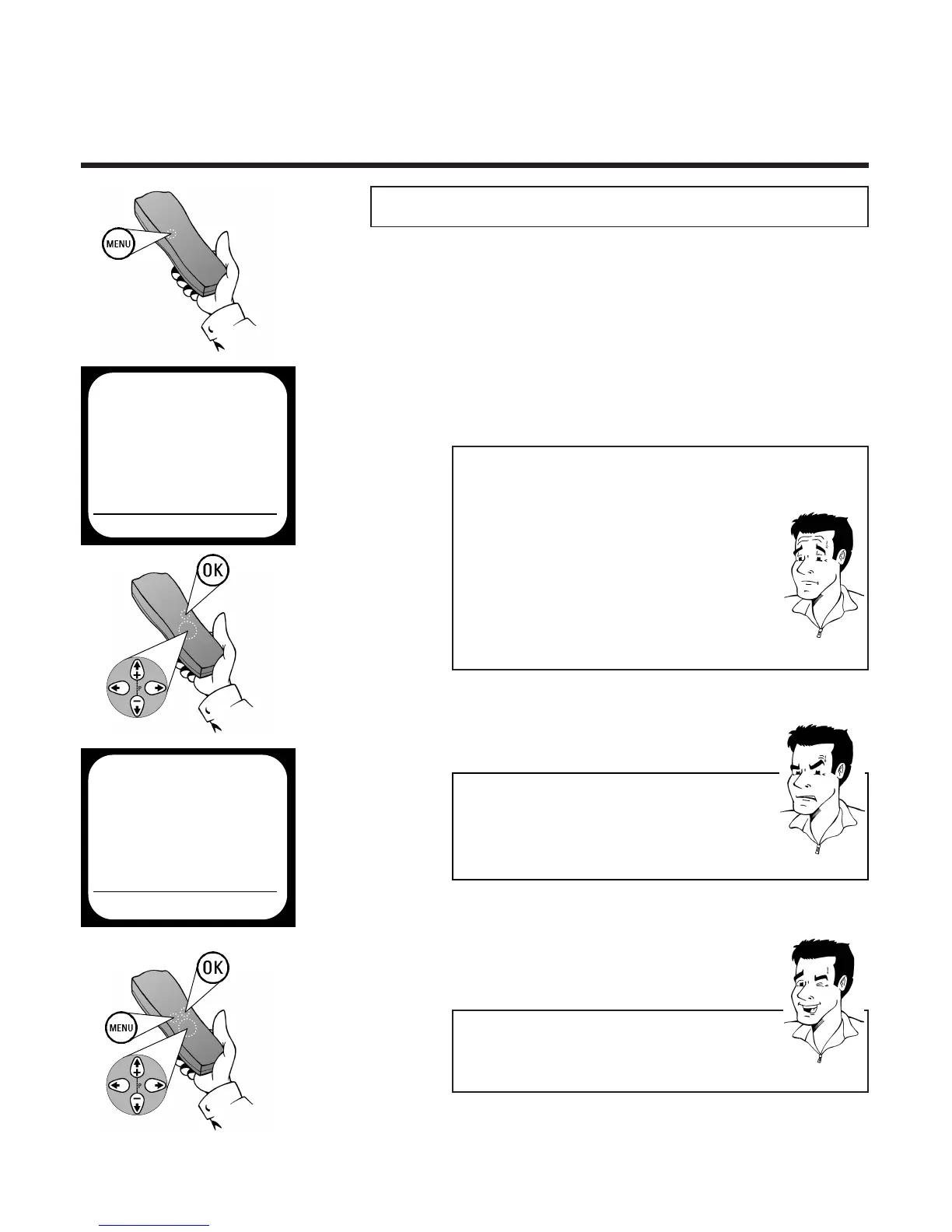
1 Press the
MMEENNUU
button on the remote con-
trol. The on-screen menu appears
4 Use
PP
or
QQ
to select the setting ON, to
enable direct recordings, or OFF, to deacti-
vate this function.
2 Use
==PP--
or
;;PP++
to select the option
SPECIAL SETTINGS and confirm with
OOKK
3 Use
==PP--
or
;;PP++
to select the option DIRECT
RECORD
6 Leave the on-screen menu with the
MMEENNUU
button
5 Confirm the setting with
OOKK
PP
AARRDDOONN
??
PPRROOBBLLEEMM
88 II ccaannnnoott sseelleecctt OONN oorr OOFFFF
44
If, in the option DIRECT RECORD the comment
N.ACT. appears, your TV set unfortunately does
not support the Easylink function. This means
that direct recordings are not possible.
WWhhaatt iiss DDiirreecctt RReeccoorrdd??
The Direct Record function means you can record in
seconds when the video recorder is switched off.When
the record button is pressed, the video recorder auto-
matically recognises which TV channel has been selec-
ted on the TV set and starts to record the correspon-
ding programme.
RReeqquuiirreemmeennttss:: 11.. TThhee TTVV sseett aanndd vviiddeeoo rreeccoorrddeerr aarree
ccoonnnneecctteedd wwiitthh aa ssccaarrtt ccaabbllee!! 22.. TThhee TTVV sseett ssuuppppoorrttss
tthhee EEaassyylliinnkk ffuunnccttiioonn.. 33.. TThhee DDiirreecctt RReeccoorrdd ffuunncc--
ttiioonn hhaass bbeeeenn aaccttiivvaatteedd iinn tthhee oonn--ssccrreeeenn mmeennuu.. 44..
TThheerree iiss aa ccaasssseettttee rreeaaddyy ffoorr rreeccoorrddiinngg iinn tthhee mmaacchhiinnee!!
TTIIPP
SPECIAL SETTINGS
OSD ON
CLOCK DISPLAY OFF
COUNTER QT.LEFTP
SAT RECORDING OFF
REPEAT PLAY OFF
DIRECT RECORD OFF
EXITPMENU OK
MAIN MENU
CLOCK
AUTO INSTALL
MANUAL SEARCH
FOLLOW TV
TV CHANNEL ALLOC.
RECORD SPEED
AUTO STANDBY
TV SYSTEM
SPECIAL SETTINGS
EXITPMENU OK
7 Switch of the video recorder with the Stand-
by button
mm



 To Next Page