ENGLISH CHANGING THE TV SYSTEM
43
43
CChhaannggiinngg tthhee TTVV ssyysstteemm
When playing back cassettes which have been recorded
with signals from a different TV system there may be
interference with the colour. To deactivate the automatic
change to a different TV system, you must follow these
steps.
4 End the change-over to automatic TV system
changing with the
MMEENNUU
button
TTIIPP
RReeaaccttiivvaattiinngg aauuttoommaattiicc cchhaannggee--oovveerr
As soon as the cassette is ejected with the Stop/Eject
button ? the set switches automatically back to
the AUTO setting (automatic switching). To change
the setting during playback, perform the steps 1-3
again and select AUTO.
PP
AARRDDOONN
??
TTVV ssyysstteemmss
Other countries, other TV systems: In central Europe
transmissions are broadcast in the PAL-System (Phase
Alternation Line) Standard, while in France SECAM
(Séquentiel à mémoire) is used. In some countries
(USA and Japan), TV viewers receive their
programmes as an NTSC signal (National Television
System Committee). Many TV and video sets can
process and show several transmission systems,
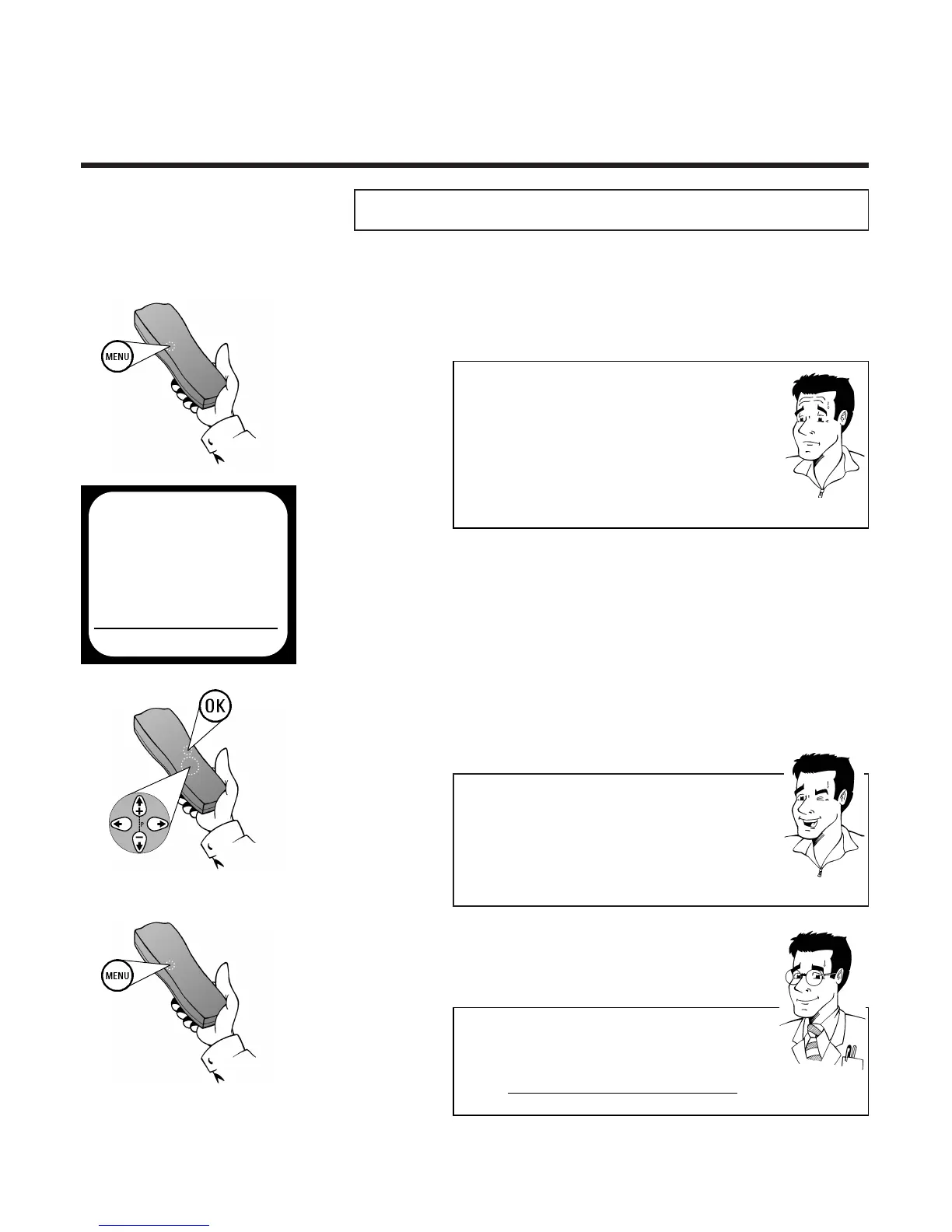
1 During playback press the
MMEENNUU
button on
the remote control. The on-screen menu
appears
2 Use
==PP--
or
;;PP++
to select the option
TV SYSTEM and confirm with
OOKK
3 Use
PP
or
QQ
to select the desired TV
system or B/W for black and white playback
and confirm with
OOKK
MAIN MENU
CLOCK
AUTO INSTALL
MANUAL SEARCH
FOLLOW TV
TV CHANNEL ALLOC.
RECORD SPEED
AUTO STANDBY
TV SYSTEM
SPECIAL SETTINGS
EXITPMENU OK
FFOORR
EEXXPPEERRTTSS
BBllaacckk aanndd wwhhiittee rreeccoorrddiinnggss
Of course, you can also make recordings in black and
white from connected video signal sources
(Camcorder, second video recorder,) with this
function. To do this, before starting the recording select
the setting B/W.



 To Next Page