34 EN
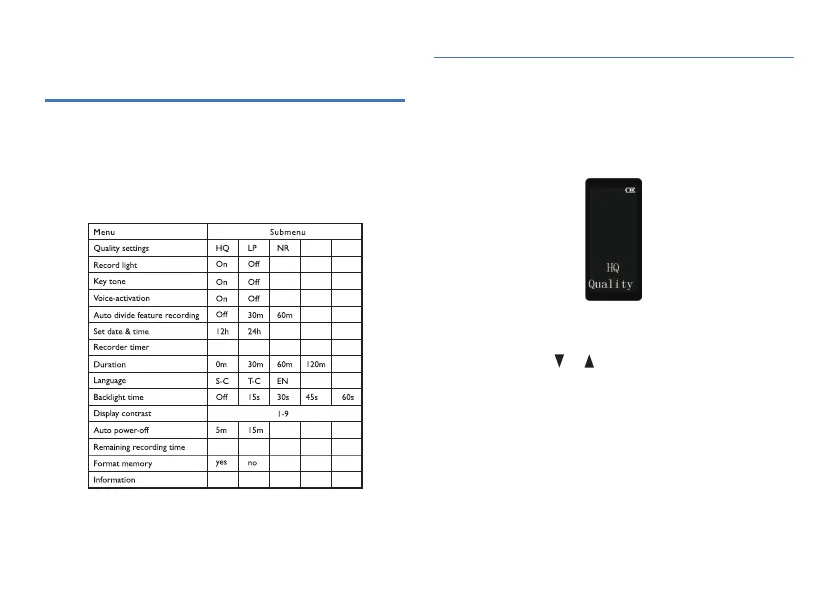
1 In the stop interface of music mode or voice mode, long
press MENU button to enter quality settings Interface as
shown in the following figure:
2 Three types of recording are available: high-quality
recording, long-time recording and noise reduction
recording. Press or to select the one you prefer.
HQ: MP3 format, high quality, with bit rate of 128kbps.
LP: MP3 format, long time, with bit rate of 8kbps.
NR: WAV format, high quality, with bit rate of 384kbps.
3 Press MENU to confirm and enter the next menu.
7.1 Quality settings
7 System settings
1 In the stop state of music mode, long press “MENU” to
enter system settings.
2 Return to voice mode interface by pressing “STOP” button
from any system menu interface.














 To Next Page