UM EN AXL F SYS DIAG
16
PHOENIX CONTACT 8663_en_03
1.5 Diagnostics register of the AXL F BK ... bus
coupler
The diagnostic registers of the local bus master can be read via the diagnostic mechanisms
of the higher-level system (see Table 1-7).
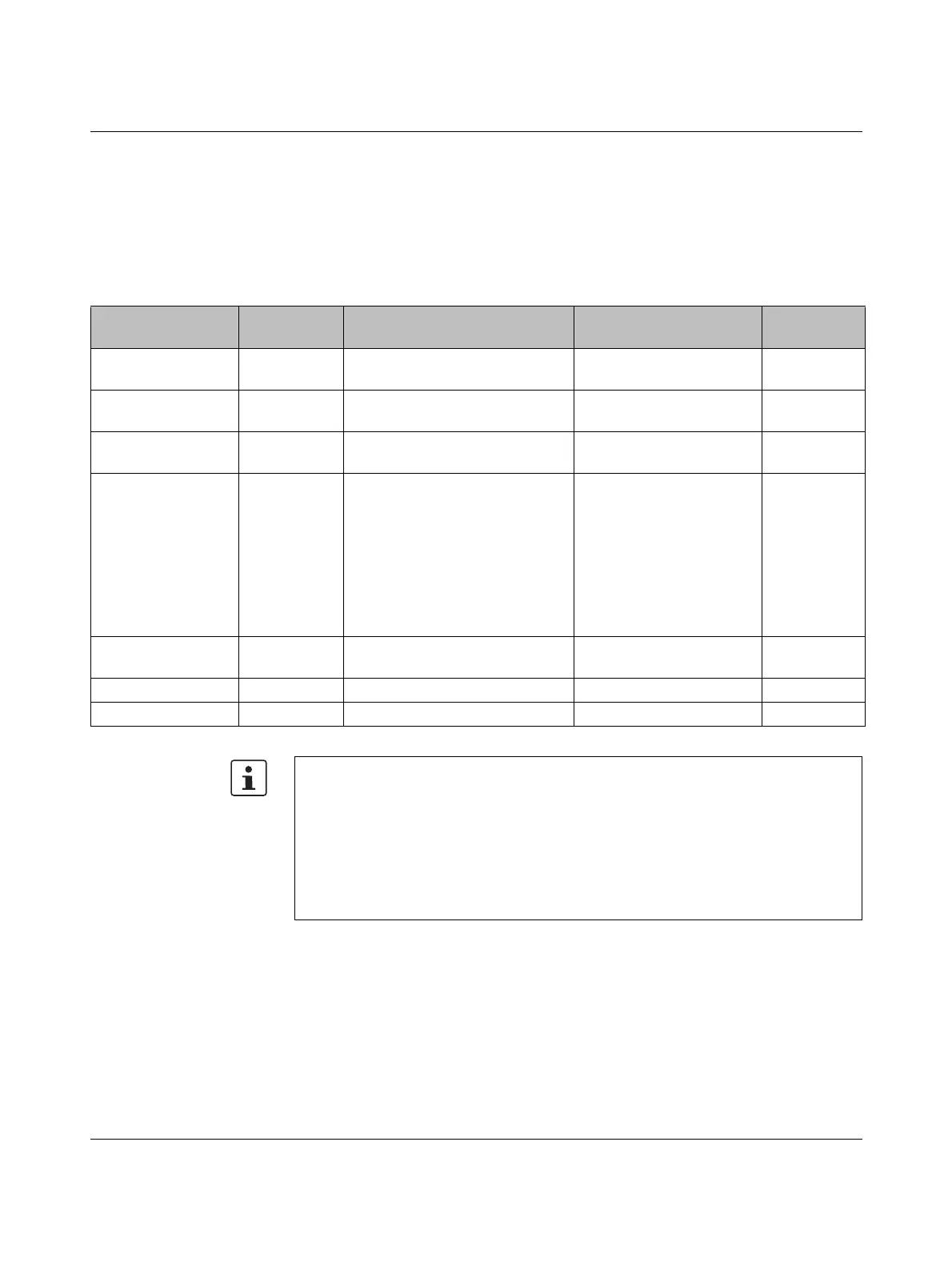
Table 1-7 Diagnostics mechanisms of the higher-level systems
Bus coupler Higher-level
system
Diagnostics mechanism See Web-based
Management
AXL F BK PB PROFIBUS Diagnostics in common format,
block 6, byte 9 ... 12
UM EN AXL F BK PB No
AXL F BK EC EtherCAT
®
CoE object F100
hex
:
Axioline Bus Coupler Diag Info
DB EN AXL F BK EC No
AXL F BK PN ... PROFINET Diagnostic alarms DB EN AXL F BK PN ...
UM EN PROFINET SYS
Yes
AXL F BK ETH ... Ethernet Modbus registers:
Local bus diagnostics:
7997 diagnostic status register
7998 diagnostic status register 1
7999 diagnostic status register 2
I/O diagnostics:
1801 ... 1989 I/O diagnostics of
local bus devices
DB EN AXL F BK ETH ... Yes
AXL F BK EIP ... EtherNet/IP™ Axioline F diagnostics object
(class code 67hex)
UM EN AXL F BK EIP -
OBJECTS
Yes
AXL F BK S3 Sercos Diagnostics IDNs DB EN AXL F BK S3 No
AXL F BK SAS IEC 61850 Yes
Further options for diagnostics:
For devices with web-based management:
• Open the “Diagnostics” menu item.
You can call the diagnostics for the bus coupler and local bus here.
When using the Startup+ software:
• Right-click on the bus coupler to open the context menu and select the “Diagnostics”
menu item.
You can call the diagnostics for the station and the individual devices here.

 To Next Page
 Loading...